WinForms SpeechToTextButton Overview
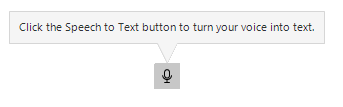
The RadSpeechToTextButton is a UI component that enables users to convert spoken words into text using online speech recognition services. Speech-to-text functionality enhances user experience by providing hands-free data entry, accessibility enhancements, and enabling natural interaction via voice command with applications.
 Start Free Trial
When the user clicks the button, the control activates a speech recognition service, listens for voice input, and transcribes the recognized speech into text. The recognized text can then be displayed in a text field, processed by your application logic, or used to trigger specific actions based on voice commands.
Prerequisites
To use the SpeechToTextButton in your application, ensure the following requirements are met:
- Telerik UI for WinForms: A valid license and installation of Telerik UI for WinForms.
- Internet Connection: Active internet connectivity is required as the control uses online speech recognition services.
- Microphone Access: A functioning microphone or audio input device, with appropriate permissions granted to the application.
- Speech Recognition Service: By default, the control uses Microsoft.Web.WebView2 Services. You need to configure the service endpoint or implement a custom recognizer for other services.
Key Functionality and Features
The RadSpeechToTextButton provides the following functionality and features:
- Speech Recognition: Converts spoken words to text using the WebView2 Speech API.
- Continuous Recognition: Supports continuous listening mode for extended dictation sessions or one-time recognition for short commands.
- Real-time Transcription: Delivers recognition results as the user speaks.
- State Management: Provides visual feedback and programmatic access to the recognizer's current state.
- Event Handling: Offers a comprehensive event model for capturing recognized text and tracking state changes.
- Language Configuration: The SpeechToTextButton allows you to set the language for speech recognition, ensuring accurate transcription of spoken words into text.
- Custom Speech Recognizer: Allows integration with third-party speech recognition services by implementing a custom recognizer interface.
- Styling and Appearance: Full customization support through the Telerik theming system, allowing you to adjust colors, borders, and visual properties.
Next Steps
Telerik UI for WinForms Learning Resources
- Telerik UI for WinForms API Reference
- Getting Started with Telerik UI for WinForms Components
- Telerik UI for WinForms Virtual Classroom (Training Courses for Registered Users)
- Telerik UI for WinForms Forum
- Telerik UI for WinForms Knowledge Base