New to Telerik UI for WinForms? Start a free 30-day trial
Multi-Line Menu Item Text
Updated on Aug 27, 2026
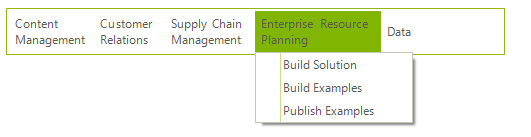
The RadMenuItem.Text property can be displayed on multiple lines as shown in the screenshot below.
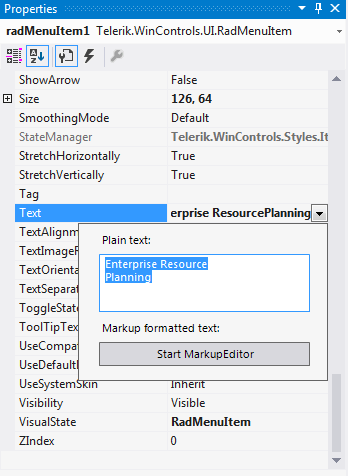
In the Properties Window for a RadMenuItem use the drop down list to invoke the editor for multiple lines. Ctrl+Enter creates a new line in the editor. Esc cancels changes and closes the editor.
In code use Environment.NewLine to separate strings:
C#
radMenuItem1.Text = "Bar Chart - " +
 Environment.NewLine +
"Compare multiple series of data";Menu Item Height
The AllItemsEqualHeight property controls whether the RadMenu allows some menu items to be higher than others. By default, menu items with multiple lines of text are higher than menu items with single lines of text. If you set this property to true, the height of all items increases to match that of the tallest items.
C#
radMenu1.AllItemsEqualHeight = true;