New to Telerik UI for WinForms? Start a free 30-day trial
Tabs and Captions
Updated on Aug 27, 2026
| RELATED VIDEOS | |
|---|---|
| RadDock Tab Alignment/Visibility and AutomationIn this video, you will learn about some of the new features provided in the R3 2009 release of the RadDock. These features include tab alignment and visibility as well as drag and drop automation. |  |
RadDock exposes several properties which allow you to have full control over the visibility and the position of the tabs/captions:
- DocumentTabAlignment: defines the position of the tabs for all
DocumentTabStripinstances in RadDock.
Setting DocumentTabsAlignment to Left
C#
this.radDock1.DocumentTabsAlignment = TabStripAlignment.Left;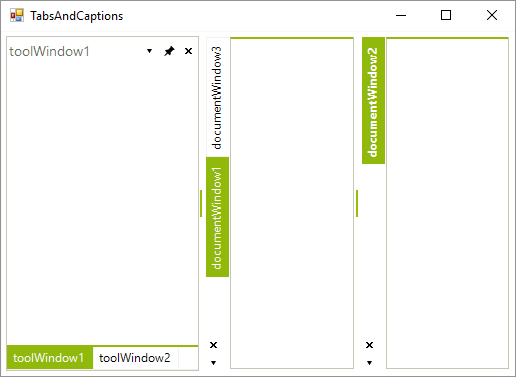
- DocumentTabsVisible: allows you to hide/show all document tabs:
Hiding the document tabs
C#
this.radDock1.DocumentTabsVisible = false;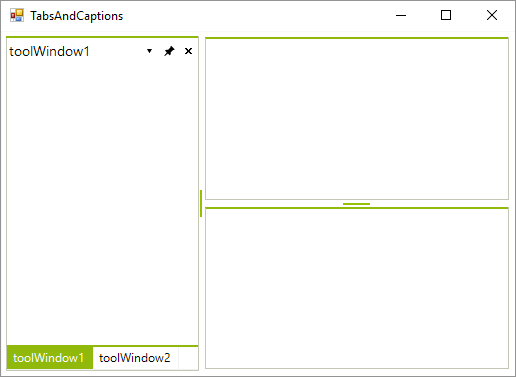
- ToolTabAlignment: defines the position of the tabs for all ToolTabStrip instances in RadDock:
Setting the ToolTabsAlignment to Right
C#
this.radDock1.ToolTabsAlignment = TabStripAlignment.Right;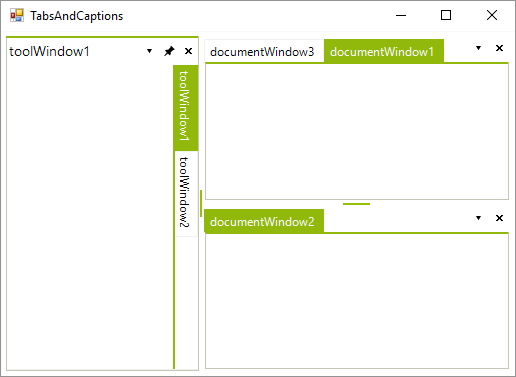
- ToolTabsVisible: allows you to hide/show all tool tabs.
Hiding the tool tabs
C#
this.radDock1.ToolTabsVisible = false;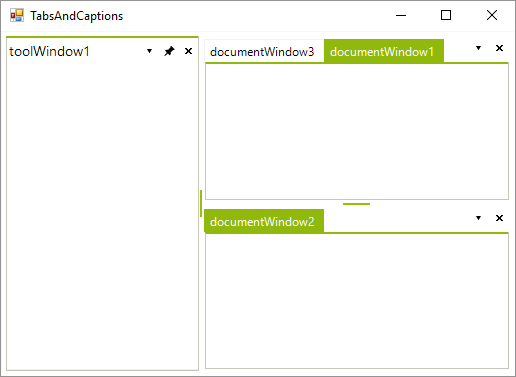
- CaptionVisible: allows you to hide the caption of a single ToolTabStrip.
Hiding the caption of ToolTabStrip
C#
this.toolTabStrip1.CaptionVisible = false;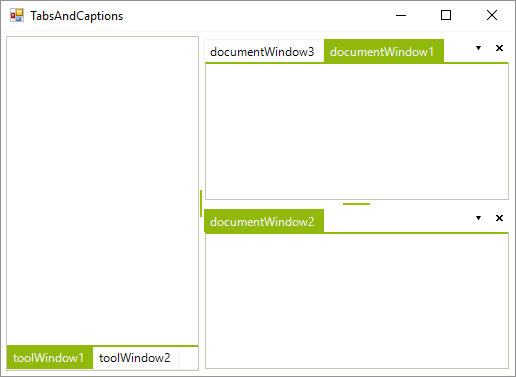
- ShowToolCloseButton and ShowDocumentCloseButton: displays/hides close buttons in the ToolWindow/DocumentWindow tabs.
Showing close buttons
C#
this.radDock1.ShowToolCloseButton = true;
this.radDock1.ShowDocumentCloseButton = true;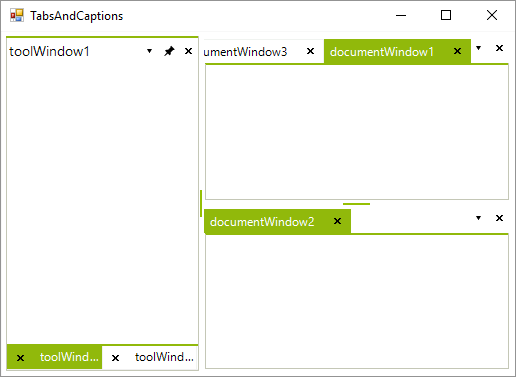
See Also
- AllowedDockStates
- Creating a RadDock at Runtime
- Creating ToolWindow and DocumentWindow at Runtime
- Customizing Floating Windows
- Customizing TabStrip Items
- Building an Advanced Layout at Runtime
- RadDock Properties and Methods
- Removing ToolWindow and DocumentWindow at Runtime
- Accessing DockWindows
- ToolWindow and DocumentWindow Properties and Methods
- Tracking the ActiveWindow