New to Telerik UI for WinForms? Start a free 30-day trial
MultiView Mode
Updated on Aug 27, 2026
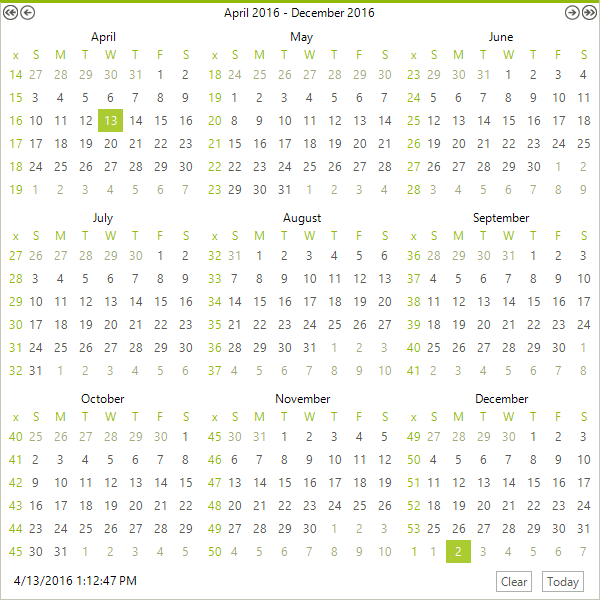
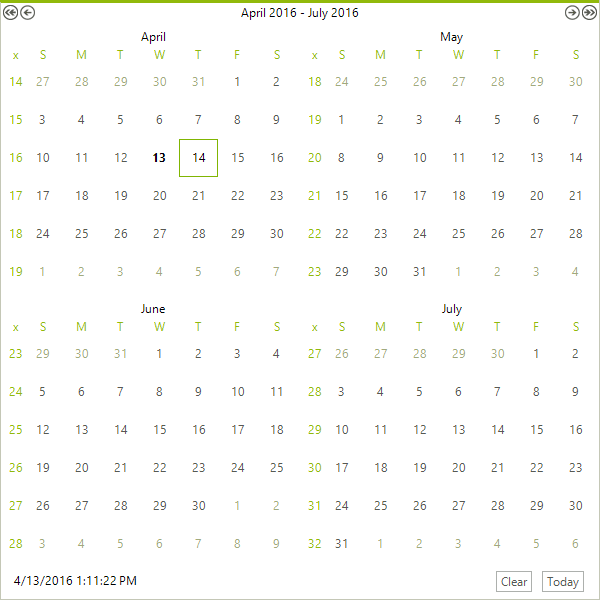
RadCalendar can be configured to show more than one month in the calendar area. To enable this functionality set the AllowMultipleView property to true, then set integer properties MultiViewColumns and MultiViewRows to the number of month views you wish to have displayed. The position of the month view that contains the selected date is controlled by the CurrentViewRow and CurrentViewColumn properties.
Figure 1: MultiView with 2 rows and 2 columns
The code sample below shows how multiple views can be configured and positioned. Here the CurrentViewRow and CurrentViewColumn are set to zero, i.e. that is the first row and column. The selected date is shown in the upper left month view.
Configuring multiple views
C#
radCalendar1.AllowMultipleView = true;
radCalendar1.MultiViewColumns = 3;
radCalendar1.MultiViewRows = 3;
radCalendar1.CurrentViewColumn = 0;
radCalendar1.CurrentViewRow = 0;Figure 2: MultiView with 3 rows and 3 columns