Data Scope in Expressions (Tutorial)
By following the steps below, you can build a sample report that will help you understand how the data scope inheritance works when using expressions.
-
Create a new report in the Web Report Designer.
-
Add a CSV Data Source to the report with the following data:
CSVProduct,Category,Amount Laptop,Electronics,1200 Phone,Electronics,800 Tablet,Electronics,400 Headphones,Accessories,150 Monitor,Electronics,300If you explicitly set the DataSource property of your report, it defines a report-level data scope, containing all rows. It defines the outermost scope. However, for this example, leave the Report.DataSource empty.
-
Add a Table: from the Components pane, drag a Table onto the design surface and bind it to your data source. A Table is a data item, so it switches scope to its own data source (data item-level scope). Everything inside its detail section is evaluated per row.
-
Add fields to columns:
-
Column 1:
=Fields.Product -
Column 2:
=Fields.Category -
Column 3:
=Fields.Amount
At this point
Fields.Amountin a detail row represents the value from the current record and the default scope is the Table row (innermost detail scope).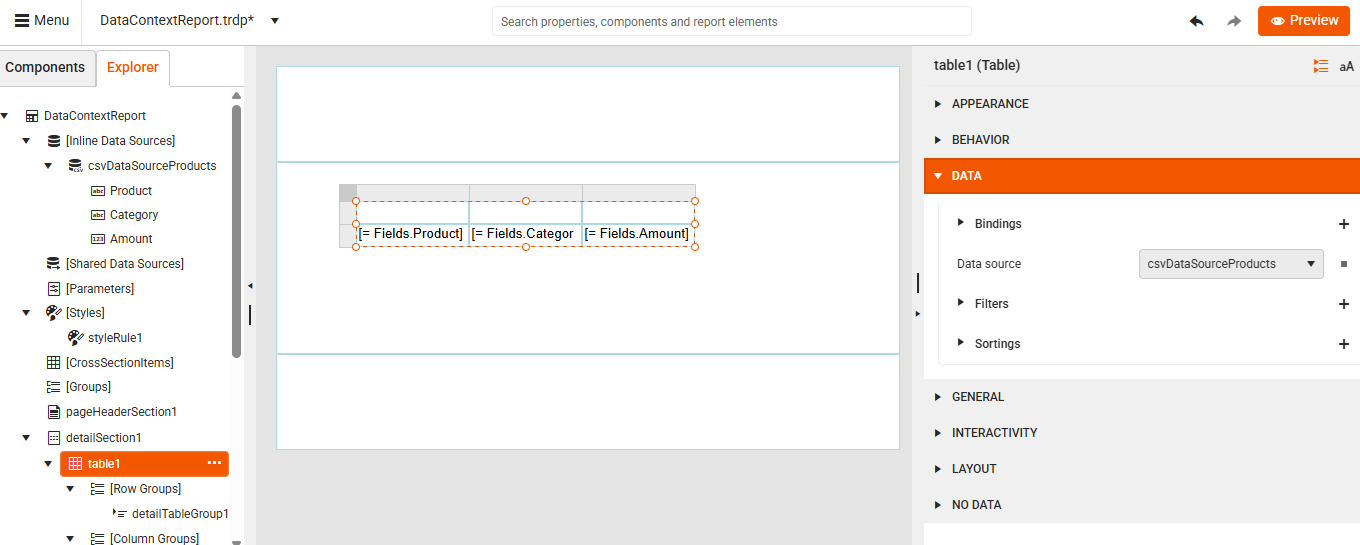
-
-
Preview the report.
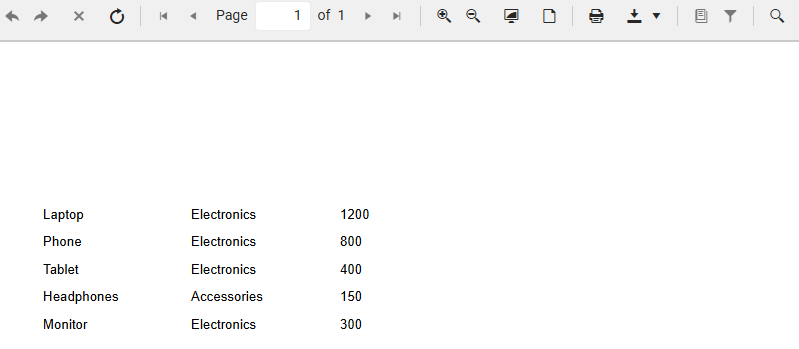
-
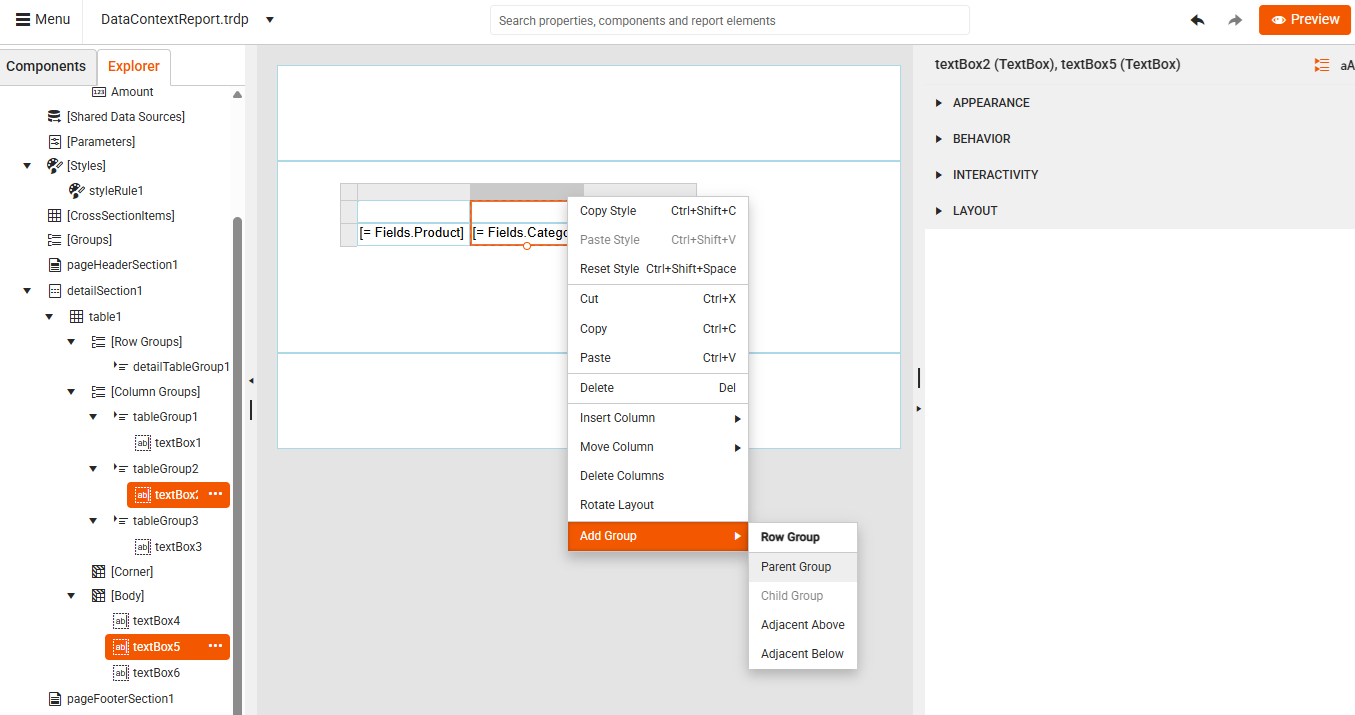
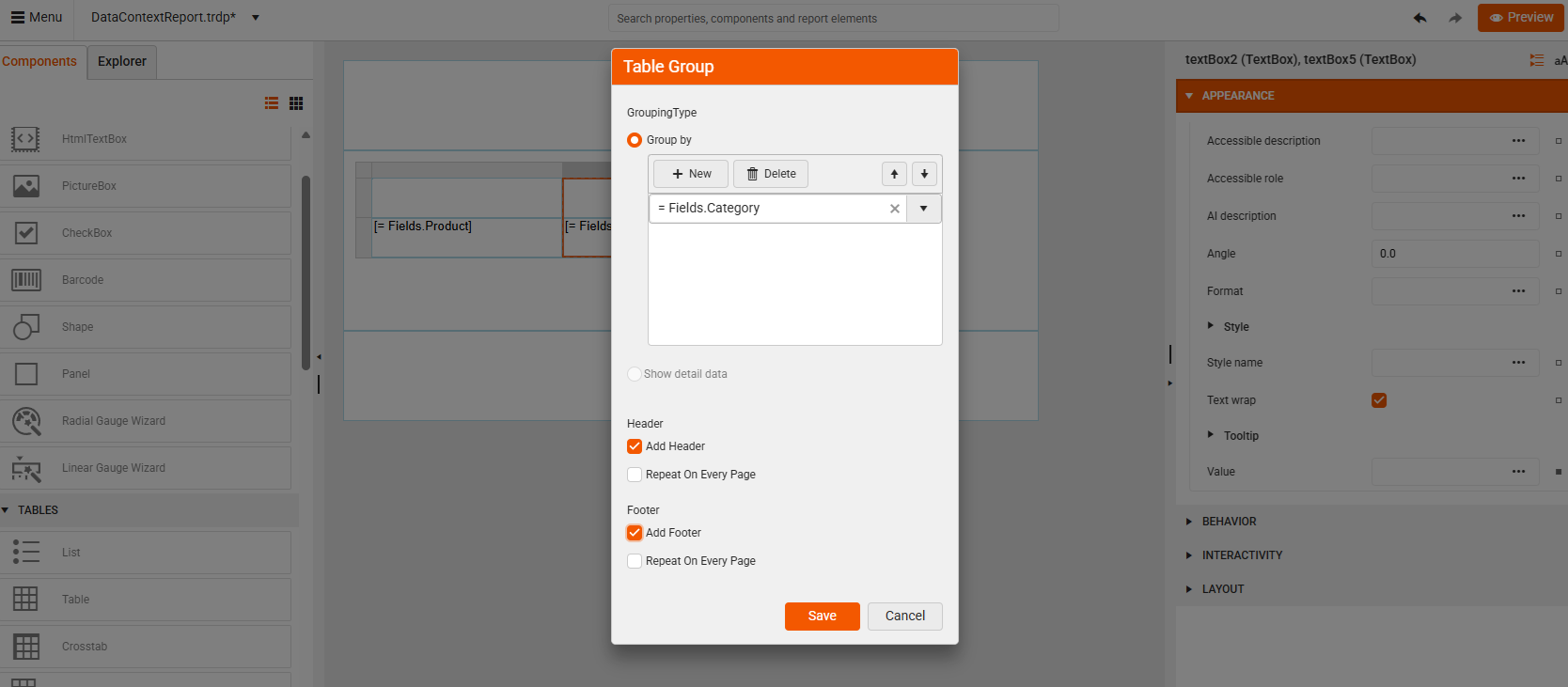
Add a Row Group by Category using the Table Context Menu.
-
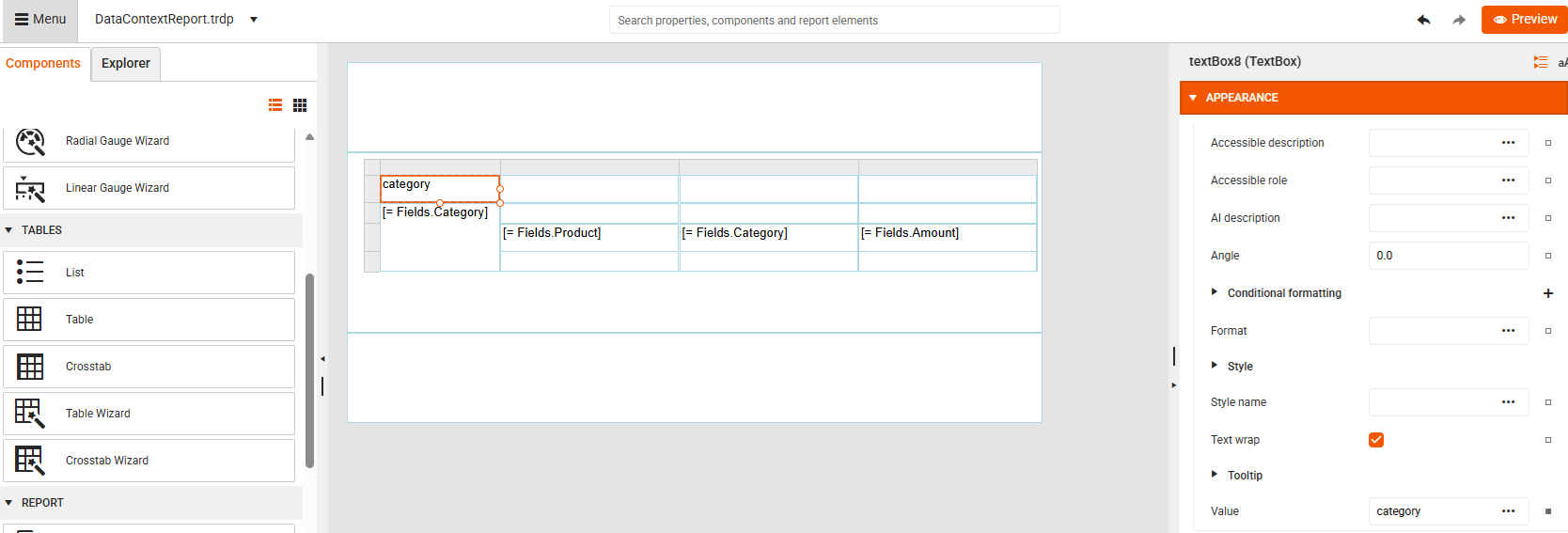
Save the group. This creates a new group-level scope (subset of rows that share the same Category). Here, the default scope is the current group instance, so all fields refer to that group’s records.
-
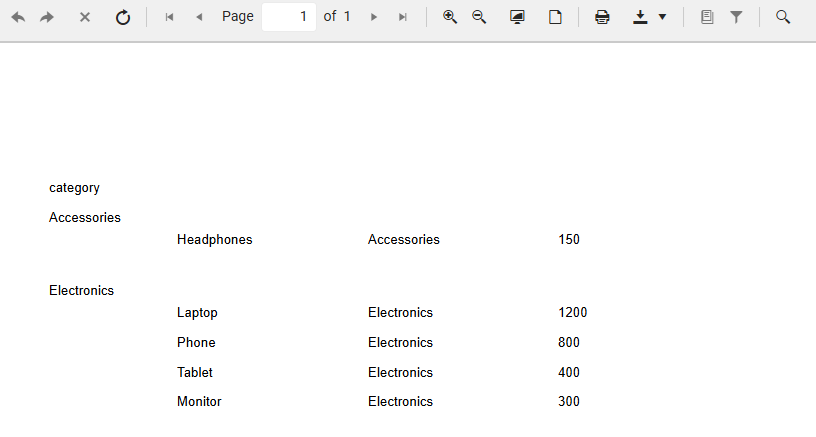
Preview the report and see the products grouped by category:
-
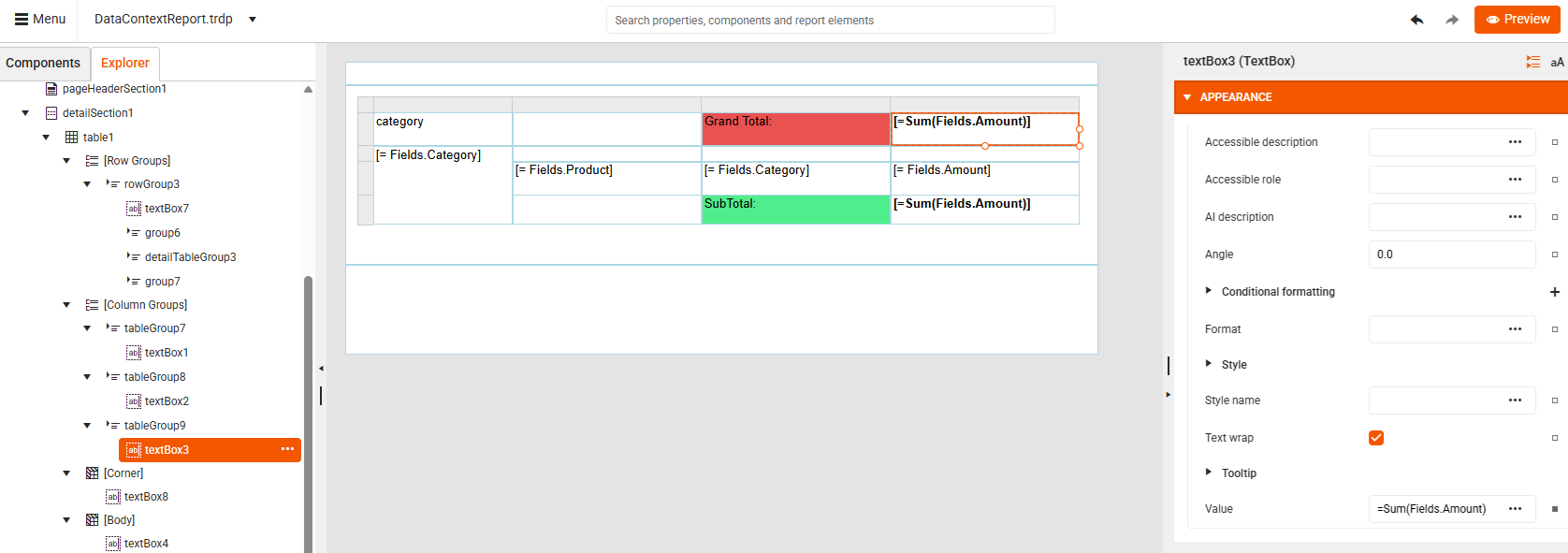
Add a Group Subtotal: In the Group Footer, select the TextBox under the Amount column and set the Value to
=Sum(Fields.Amount):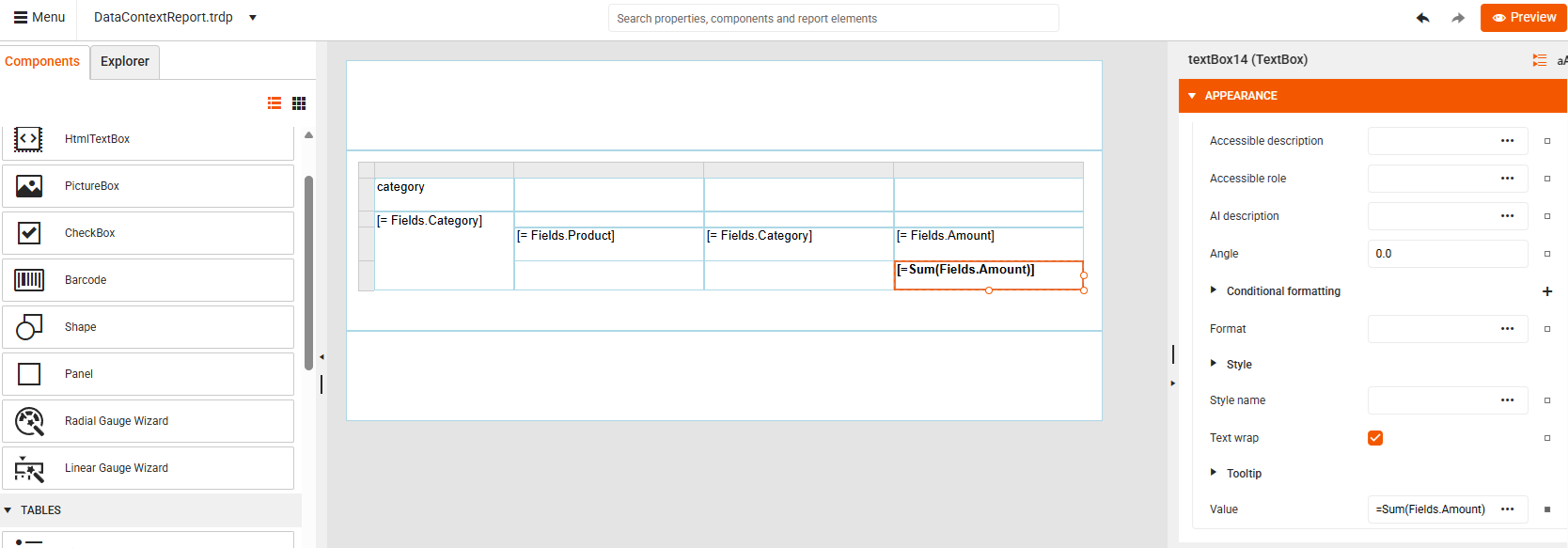
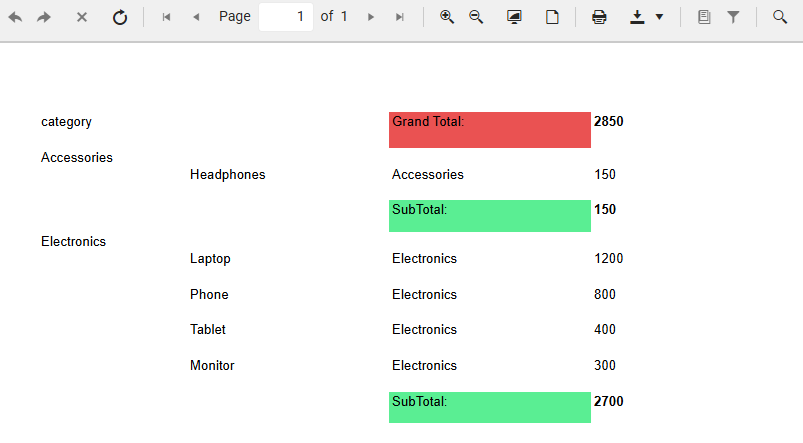
Sum()automatically aggregates over the group scope, not the entire dataset. This is because the nearest ancestor defining a data scope is the group. For Accessories, Subtotal Amount is 150 and for Electronics, the Subtotal Amount is 2700: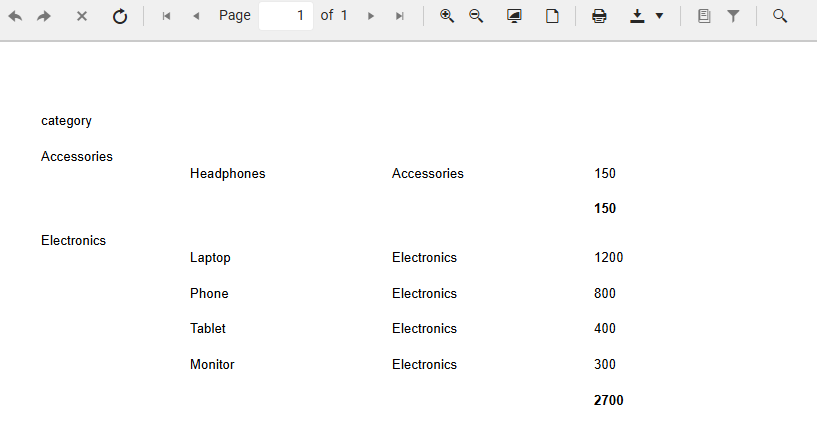
-
Add a Group Grand Total: In the Table Group, select the TextBox above the Amount column and set the Value again to
=Sum(Fields.Amount). This is the same expression as the one set in the group's footer. However, the result is different due to the larger data scope.