New to Telerik UI for ASP.NET AJAX? Start a free 30-day trial
Appearance
Updated on Aug 24, 2026
In this article, you will find information about the styling options and rendering of the WebForms SmartPasteButton.
For a live example, visit the Appearance Demo of the SmartPasteButton.
Options
The WebForms SmartPasteButton supports the following styling options:
Icon- Configures the icon displayed when the button is in inactive state.CancelIcon- Configures the icon displayed when the button is in active state.Rounded- Configures the border radius of the component.Size- Configures the overall size of the component.
Icon
The Icon option determines which icon is displayed when the button is not in the active state. The default is the paste-sparkle icon.
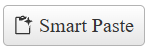
Example
ASP.NET
<telerik:RadSmartPasteButton runat="server" ID="RadSpeechToTextButton1" Icon="paste-sparkle" />CancelIcon
The CancelIcon option determines which icon is displayed when the button is in the active state. The default is the x icon.
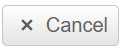
Example
ASP.NET
<telerik:RadSmartPasteButton runat="server" ID="RadSpeechToTextButton1" CancelIcon="cancel" />Rounded
The Rounded option controls the border radius of the button.
Available values:
Small- Small border radiusMedium- Medium border radius (default)Large- Large border radiusFull- Fully rounded corners (pill shape)
ASP.NET
<telerik:RadSmartPasteButton runat="server" ID="RadSpeechToTextButton1" Rounded="Small" />
<telerik:RadSmartPasteButton runat="server" ID="RadSpeechToTextButton2" Rounded="Medium" />
<telerik:RadSmartPasteButton runat="server" ID="RadSpeechToTextButton3" Rounded="Large" />
<telerik:RadSmartPasteButton runat="server" ID="RadSpeechToTextButton4" Rounded="Full" />
Size
The Size option controls how big or small the rendered button looks.
Available values:
Small- Small sizeMedium- Medium size (default)Large- Large size
ASP.NET
<telerik:RadSmartPasteButton runat="server" ID="RadSpeechToTextButton1" Size="Small" />
<telerik:RadSmartPasteButton runat="server" ID="RadSpeechToTextButton2" Size="Medium" />
<telerik:RadSmartPasteButton runat="server" ID="RadSpeechToTextButton3" Size="Large" />
Button States
- Inactive State - Default state before speech recognition begins
- Active State - Indicates that speech recognition is currently in progress
- Error State - Displays when speech recognition encounters an error or is not supported by the browser