New to Telerik UI for .NET MAUI? Start a free 30-day trial
.NET MAUI TabView Keyboard Navigation Support on Desktop
Updated on Aug 11, 2026
The Telerik UI for .NET MAUI TabView provides keyboard navigation support on WinUI and MacCatalyst.
The table below lists the available keyboard combinations and their corresponding actions:
| Hotkey | Action |
|---|---|
Tab | Enters or exits the TabView and focuses the selected tab (if selection is set— by default the first tab is selected). |
Left Arrow | Navigates to the previous tab in the TabView. |
Right Arrow | Navigates to the next tab in the TabView. |
Down Arrow | Navigates to the next tab in the TabView—in vertical orientation. |
Up Arrow | Navigates to the previous tab in the TabView—in vertical orientation. |
Enter | Selects the currently focused tab. |
Space | Selects the currently focused tab. |
Here is how the keyboard navigation support looks on WinUI:
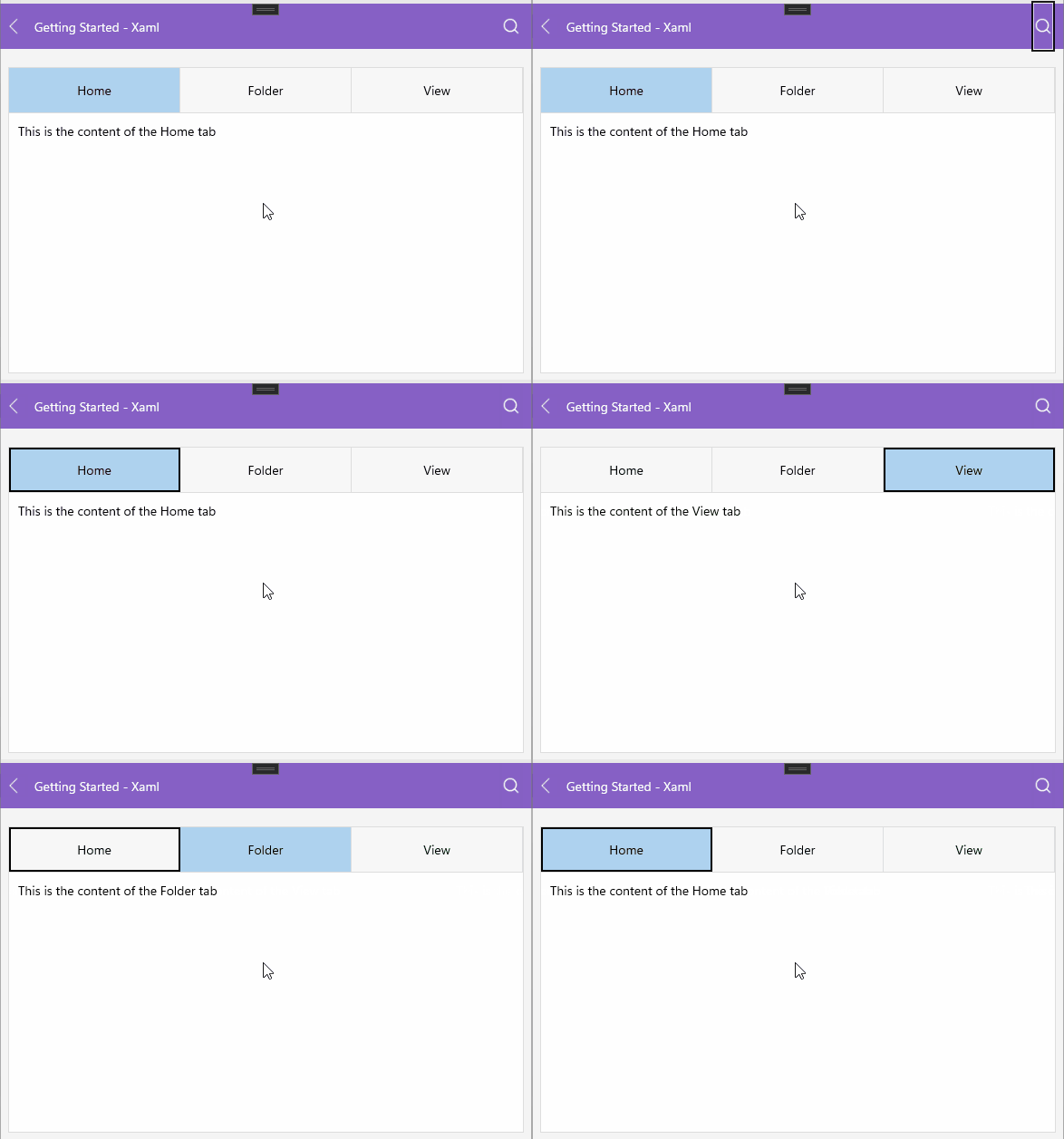
Setting CurrentItem
The TabView allows you to use the CurrentItem property of type object to programmatically modify the current item during keyboard navigation.