.NET MAUI DataGrid Aggregates
The DataGrid exposes an Aggregates API through its DataGridColumn.AggregateDescriptors collection, where you can add PropertyAggregateDescriptor and DelegateAggregateDescriptor.
 Start Free Trial
Aggregate Descriptors
The PropertyAggregateDescriptor enables you to use a set of available functions while the DelegateAggregateDescriptor allows you to implement a custom function through the IAggregateFunction interface.
Aggregates Visualization
You can visualize the aggregates inside the:
- DataGrid Column Footer through the
ShowColumnFootersproperty. - DataGrid Group Header through the
ShowGroupHeaderAggregatesproperty. - DataGrid Group Footer through the
ShowGroupFootersproperty.
In all cases, the visualization options only control where the results appear. The results themselves are calculated only for columns whose DataGridColumn.AggregateDescriptors collection is populated, so always add the descriptors to the target column first.
Aggregates in Column Footer
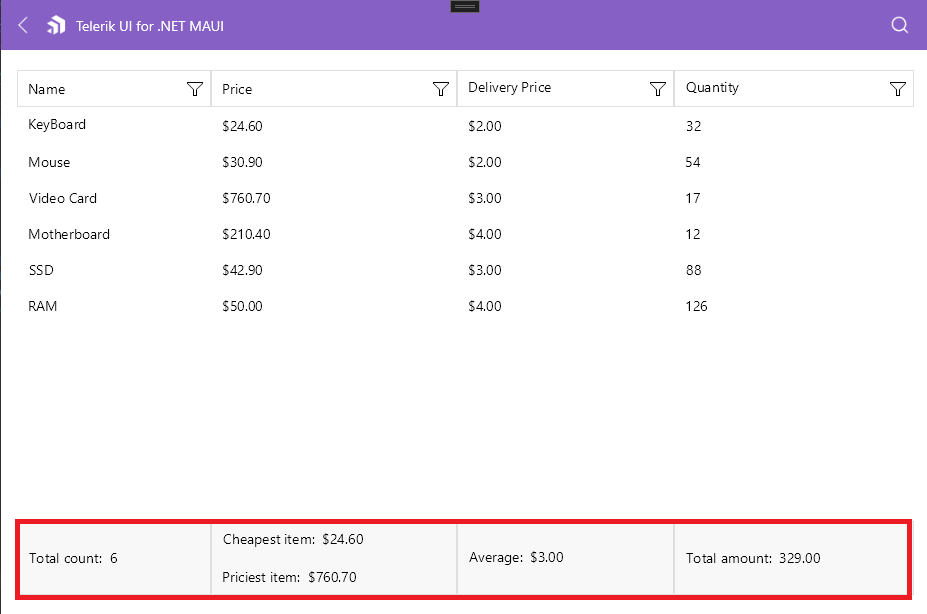
Once the AggregateDescriptors collection of a column is populated, use the ShowColumnFooters property to visualize the ColumnFooters of the DataGrid and display the aggregate results of that column inside its footer.
The aggregate results are displayed inside the column footer only if there is no
FooterTextset.
.NET MAUI DataGrid aggregates displayed in the column footer
Aggregates in Group Header
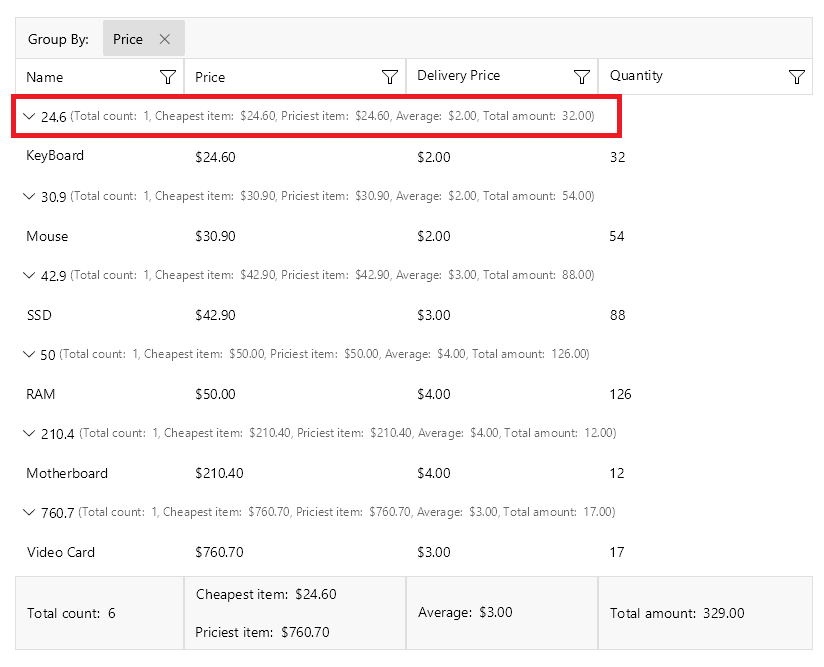
When grouping is applied to the DataGrid, the columns with populated AggregateDescriptors collection can display the aggregate results for the groups data in the group header, next to the title of the group.
To show the Aggregates in the group header, set the ShowGroupHeaderAggregates to True.
.NET MAUI DataGrid aggregates displayed in the group header
To align the aggregates in the group according to its header, set the GroupAggregatesAlignment (enum of type Telerik.Maui.Controls.DataGrid.DataGridGroupAggregatesAlignment) property. The available options are:
- (default)
None—Aggregates are not aligned to the DataGrid columns. The aggregates results are displayed after the text displayed for the group key. NextToHeader—Aggregate results are aligned to the DataGrid columns and placed next to the header of the group.
Aggregates in Group Footer
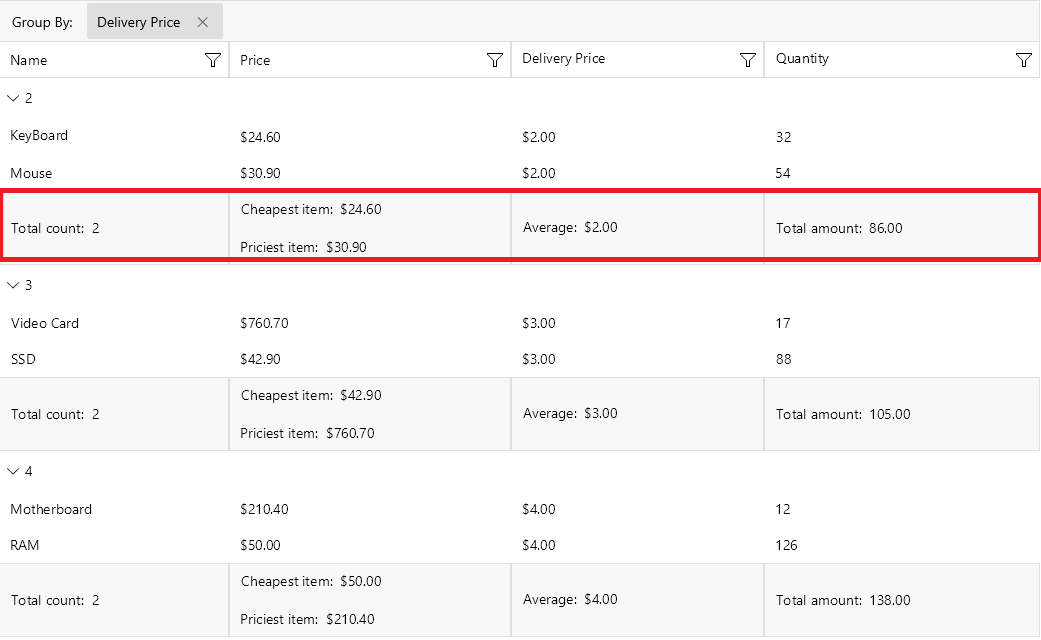
When grouping is applied to the DataGrid, the columns with populated AggregateDescriptors collection can display the aggregate results for the groups data in the group footer.
To visualize the group footer, set the ShowGroupFooters property to True. The group footer is divided into cells which are aligned with the respective columns and show the aggregate results for the particular column.
.NET MAUI DataGrid aggregates displayed in the group footer
For an outline of all DataGrid features, review the .NET MAUI DataGrid Overview article.