or
1 answer
138 views
Hi,
My DataFormatString doesn't want to format. I'm not sure what is wrong, I formatted another date field and it also didn't format. What am I doing wrong?
<radG:GridBoundColumn
DataField="DepositAmount"
DataType="System.Decimal"
HeaderText="Deposit Amount"
DataFormatString="{0:0,0.00}"
UniqueName="DepositAmount"
ItemStyle-HorizontalAlign="Right" />
The value that come in from the XML file is 1528442.53. It should be formatted to 1,528,442.53 in the grid column.
All help will be appreciated!!
Thanks
Brendan
My DataFormatString doesn't want to format. I'm not sure what is wrong, I formatted another date field and it also didn't format. What am I doing wrong?
<radG:GridBoundColumn
DataField="DepositAmount"
DataType="System.Decimal"
HeaderText="Deposit Amount"
DataFormatString="{0:0,0.00}"
UniqueName="DepositAmount"
ItemStyle-HorizontalAlign="Right" />
The value that come in from the XML file is 1528442.53. It should be formatted to 1,528,442.53 in the grid column.
All help will be appreciated!!
Thanks
Brendan

Vlad
Telerik team

answered
on
08 Jul 2008
12 answers
200 views
I am trying to Implement Sorting & Filtering properties on Gird . I am able to do Sorting but not Filtering.
For this I wrote the code as follows
.aspx:-
<div>
<asp:ScriptManager ID="ScriptManager1" runat="server">
</asp:ScriptManager>
<!-- content start -->
<telerik:RadAjaxManager ID="RadAjaxManager2" DefaultLoadingPanelID="RadAjaxLoadingPanel1"
runat="server">
<AjaxSettings>
<telerik:AjaxSetting AjaxControlID="RadGrid1">
<UpdatedControls>
<telerik:AjaxUpdatedControl ControlID="RadGrid1" />
</UpdatedControls>
</telerik:AjaxSetting>
</AjaxSettings>
</telerik:RadAjaxManager>
<telerik:RadAjaxLoadingPanel ID="RadAjaxLoadingPanel1" runat="server" Height="75px"
Width="75px" Transparency="5">
<img style="margin-top: 150px;" alt="Loading..." src='<%= RadAjaxLoadingPanel.GetWebResourceUrl(Page, "Telerik.Web.UI.Skins.Default.Ajax.loading4.gif") %>' />
</telerik:RadAjaxLoadingPanel>
<telerik:RadGrid ID="RadGrid1" ShowGroupPanel="True" AllowFilteringByColumn="True"
Skin="Mac" runat="server" AllowPaging="True" AllowCustomPaging="True" PageSize="5"
VirtualItemCount="100" ForeColor="White" OnGroupsChanging="RadGrid1_GroupsChanging"
OnNeedDataSource="RadGrid1_NeedDataSource" AllowSorting="True" GridLines="None">
<%--<MasterTableView VirtualItemCount="25" />--%>
<FooterStyle ForeColor="#FF3300" />
<PagerStyle Mode="Slider"></PagerStyle>
</telerik:RadGrid>
</div>
Aspx.cs:-
protected void Page_Load(object sender, EventArgs e)
{
SqlConnection con = new SqlConnection("server=.;database=Pubs;trusted_connection=true");
SqlDataAdapter dap = new SqlDataAdapter("select * from authors", con);
DataSet ds = new DataSet();
dap.Fill(ds, "authors");
this.RadGrid1.DataSource = ds.Tables[0];
this.RadGrid1.DataBind();
}
protected void RadGrid1_NeedDataSource(object source, GridNeedDataSourceEventArgs e)
{
MyBusinessObjectCollection MyBusinessObjectCollection1 = new MyBusinessObjectCollection();
int startRowIndex = (ShouldApplySortFilterOrGroup()) ? 0 : RadGrid1.CurrentPageIndex * RadGrid1.PageSize;
int maximumRows = (ShouldApplySortFilterOrGroup()) ?
MyBusinessObjectCollection1.SelectCount() : RadGrid1.PageSize;
RadGrid1.AllowCustomPaging = !ShouldApplySortFilterOrGroup();
RadGrid1.DataSource = MyBusinessObjectCollection1.Select(startRowIndex, maximumRows);
}
bool isGrouping = false;
public bool ShouldApplySortFilterOrGroup()
{
return RadGrid1.MasterTableView.FilterExpression != "" ||
(RadGrid1.MasterTableView.GroupByExpressions.Count > 0 || isGrouping) ||
RadGrid1.MasterTableView.SortExpressions.Count > 0;
}
protected void RadGrid1_GroupsChanging(object source, GridGroupsChangingEventArgs e)
{
isGrouping = true;
if (e.Action == GridGroupsChangingAction.Ungroup && RadGrid1.CurrentPageIndex > 0)
{
isGrouping = false;
}
}
In above manner I tried,but no use.
Any one can guide me with simple steps to implement Filtering operations
Thanks,
SRRAO.

1 answer
334 views
The last version of RadControls is really interisting.
I have a question. If I use a RadWindow with Modal=true,
In the background of the webpage, we visualize a PDF file into an iframe. When I open the RadWindow, do you know if the radWindow will appear in foreground or in background ? And The modalBackground will appear in foreground ?
I ask this question, because the ModalPopupExtender of Microsoft Ajax.Net disappears when a PDF file is displayed in background. The PDF file hides the ModalPopupExtender.
Does the pdf file hide also the RadWindow or the modalBackground ?
Thank you in advance,
I have a question. If I use a RadWindow with Modal=true,
In the background of the webpage, we visualize a PDF file into an iframe. When I open the RadWindow, do you know if the radWindow will appear in foreground or in background ? And The modalBackground will appear in foreground ?
I ask this question, because the ModalPopupExtender of Microsoft Ajax.Net disappears when a PDF file is displayed in background. The PDF file hides the ModalPopupExtender.
Does the pdf file hide also the RadWindow or the modalBackground ?
Thank you in advance,

Georgi Tunev
Telerik team
answered
on
08 Jul 2008
2 answers
157 views
We'd like to use the RadUploadHttpModule and RadUploadProgressHandler on the server side to manage uploads coming from a WinForm application.
Is there any documentation on how to go about doing this, or strong recomendations to not even attempt this?
Thanks,
Reed
Is there any documentation on how to go about doing this, or strong recomendations to not even attempt this?
Thanks,
Reed
Erjan Gavalji
Telerik team
answered
on
08 Jul 2008
2 answers
181 views
Hi,
I am using the grid to view a table with multiple foreign keys. Not using a view, so I want to use a bunch of lookup combos to display the human readable descriptions for each foriegn key. To do this im using a rad combo as a template item for the databound cell. My issue is that I can't seem to find how to get an instance of this control in the codebehind so I can populate the list of values for the foreign key. Any ideas on how this could be done or suggestions of how to accomplish this without using a view? Currently I am binding the data via a datatable in the NeedsDatasource event.
aspx im using to declare the combo template is below.
Thanks.
I am using the grid to view a table with multiple foreign keys. Not using a view, so I want to use a bunch of lookup combos to display the human readable descriptions for each foriegn key. To do this im using a rad combo as a template item for the databound cell. My issue is that I can't seem to find how to get an instance of this control in the codebehind so I can populate the list of values for the foreign key. Any ideas on how this could be done or suggestions of how to accomplish this without using a view? Currently I am binding the data via a datatable in the NeedsDatasource event.
aspx im using to declare the combo template is below.
Thanks.
<
Columns>
<telerik:GridBoundColumn DataField="DEPARTMENT_CODE_ID" HeaderText="Department" UniqueName="column1">
</telerik:GridBoundColumn>
<telerik:GridTemplateColumn DataField="MODULE_ID" HeaderText="Module" UniqueName="column3">
<EditItemTemplate>
<asp:TextBox ID="MODULE_IDTextBox" runat="server" Text='<%# Bind("MODULE_ID") %>'></asp:TextBox>
</EditItemTemplate>
<ItemTemplate>
<telerik:RadComboBox ID="RadComboBox1" runat="server" Enabled="False" SelectedValue='<%# Eval("MODULE_ID") %>'>
<Items>

3 answers
140 views
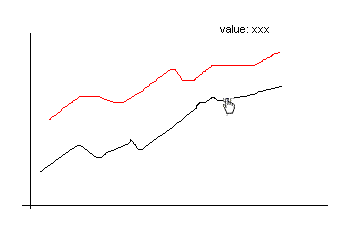
I would like to know is it possible to get the value between two points in RadChart?
If it is possible, would you show me some examples, thanks a lot.
http://img.photobucket.com/albums/v383/terryhui/radChart.gif
If it is possible, would you show me some examples, thanks a lot.
http://img.photobucket.com/albums/v383/terryhui/radChart.gif
Giuseppe
Telerik team
answered
on
08 Jul 2008
6 answers
199 views
I get a script error at the following line
return this._window.document.selection.createRange();
when displaying the RadEditor. I cannot perform any editor functions and am presented with script errors.
I noticed that the problem only occurs when I use the RadEditor in a modal popup window(frame).
Environment
RadControls for ASP.Net AJAX
ASP.Net 2.0
VS.Net 2008
IE 7.0
Luke
return this._window.document.selection.createRange();
when displaying the RadEditor. I cannot perform any editor functions and am presented with script errors.
I noticed that the problem only occurs when I use the RadEditor in a modal popup window(frame).
Environment
RadControls for ASP.Net AJAX
ASP.Net 2.0
VS.Net 2008
IE 7.0
Luke

Rumen
Telerik team
answered
on
08 Jul 2008
3 answers
128 views
Hello,
I have server code which changes the text of a node in my tree view.
If I use this line of code inside the AjaxManager:
the tree takes about 5 seconds to load. (it is a pretty big tree).
What I was trying to do is dynamically set the controlID of this AjaxUpdatedControl to the specific RadTreeNode I was updating. The succeeded in displaying the loading panel at the right time, but when it finished loading, the tree node did not display the new value.
How do I make this dynamic solution work OR make the other solution fast enough?
Thanks
I have server code which changes the text of a node in my tree view.
If I use this line of code inside the AjaxManager:
| <telerik:AjaxUpdatedControl ControlID="optionsTree" LoadingPanelID="AjaxLoadingPanel1"></telerik:AjaxUpdatedControl> |
the tree takes about 5 seconds to load. (it is a pretty big tree).
What I was trying to do is dynamically set the controlID of this AjaxUpdatedControl to the specific RadTreeNode I was updating. The succeeded in displaying the loading panel at the right time, but when it finished loading, the tree node did not display the new value.
How do I make this dynamic solution work OR make the other solution fast enough?
Thanks
Konstantin Petkov
Telerik team
answered
on
08 Jul 2008
1 answer
117 views
I am new to RadControl. What I want to do is when a user enters a store id on the radcombox to find it and If I can not find it alert the user the store id is not a valid store id using client side javascript. I used the sample javascript with no luck. I get the error "Object doesn't support this property or method". however when I examine combo object I see the method findItemByvalue. what am I doing wrong.
Thanks
function onClientSelectedIndexChanged(sender, eventArgs)
{
var combo = $find("ddlStoreID");
var text = eventArgs.get_item().get_text();
var item = combo.findItemByvalue(text);
Rosi
Telerik team
answered
on
08 Jul 2008
2 answers
235 views
I have a grid with the following column:
<telerik:GridTemplateColumn HeaderText="" UniqueName="ReOrder">
<ItemTemplate>
<asp:Button ID="btnReOrder" runat="server" CommandName="ReOrder" Text="ReOrder" OnClientClick="javascript:return confirm('Create a new order from this order template?');" />
</ItemTemplate>
</telerik:GridTemplateColumn>
The grid is ajaxed with RadAjaxManager. There is a RadScriptManager on the page. If I leave the confirmation there, it pops up to confirm but then doesn't do anything after that, not even a page refresh. If I take off the Javascript, then the ReOrder command fires.
This was/is working with the old RadGrid version (non-ASP.NET AJAX).
<telerik:GridTemplateColumn HeaderText="" UniqueName="ReOrder">
<ItemTemplate>
<asp:Button ID="btnReOrder" runat="server" CommandName="ReOrder" Text="ReOrder" OnClientClick="javascript:return confirm('Create a new order from this order template?');" />
</ItemTemplate>
</telerik:GridTemplateColumn>
The grid is ajaxed with RadAjaxManager. There is a RadScriptManager on the page. If I leave the confirmation there, it pops up to confirm but then doesn't do anything after that, not even a page refresh. If I take off the Javascript, then the ReOrder command fires.
This was/is working with the old RadGrid version (non-ASP.NET AJAX).

Chameleoki
Top achievements
 Rank 2
Rank 2
answered
on
08 Jul 2008