AI Can’t Solve It All: Here’s What 120+ Frontend Developers Say They Still Hate Working On

Summarize with AI:
What still causes the most friction when building modern web applications? 120+ developers at JSNation and React Summit weigh in.
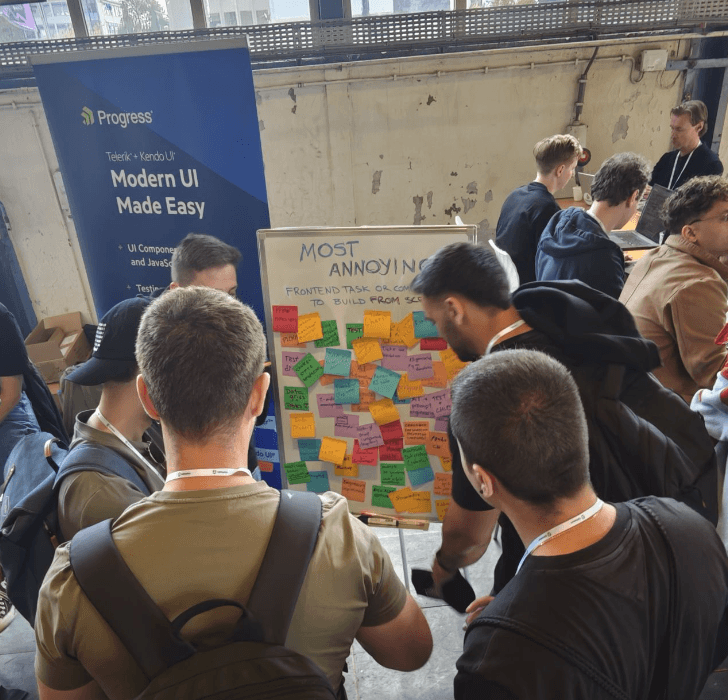
While we were at JSNation and React Summit (read about our hackathon there!), we wanted to take advantage of our booth space to do a little user research. We asked folks who stopped by to answer a simple question for us: What still causes the most friction when building modern web applications?
Instead of running a formal survey, we set up a whiteboard, handed folks a sticky note and a sharpie, and invited them to air their grievances. Over the two days of the combined conferences, we collected 120+ responses across two prompts:
- Day 1 (JS Nation): What’s the most annoying frontend task or component to build from scratch?
- Day 2 (React Summit): What does AI still get wrong when building UI in React?
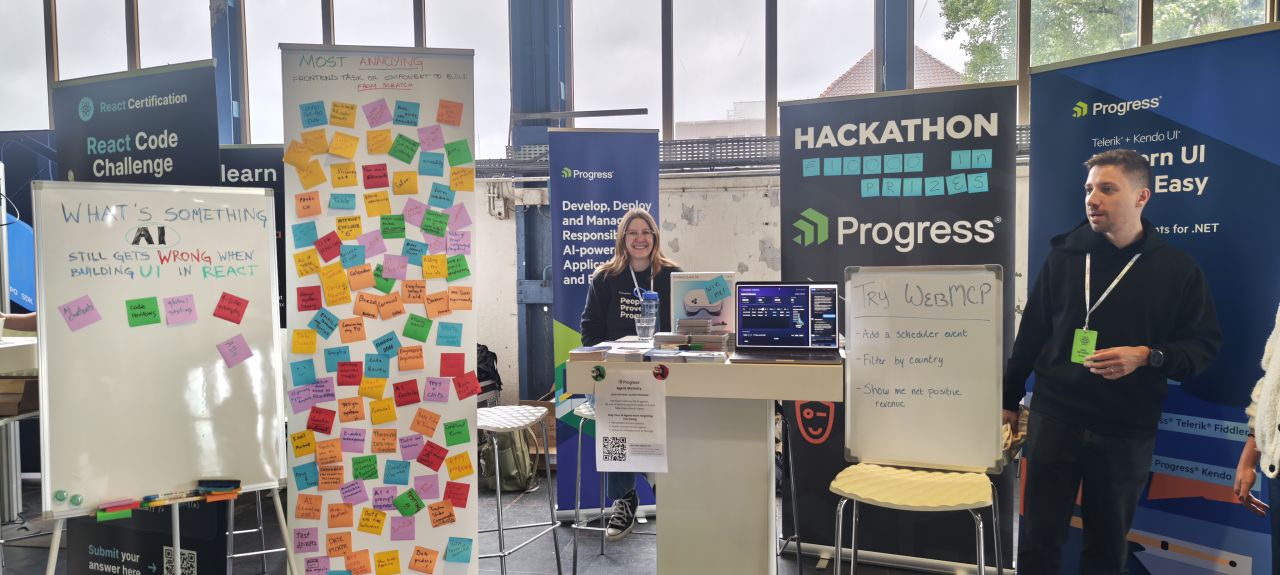
The responses were (at least to me) surprisingly consistent. While frameworks, tooling and AI assistants continue to evolve, many of the age-old pain points haven’t disappeared. Turns out, it sucked to build a date picker 10 years ago and it still sucks today.
Building UI Components Is Still a Challenge
We left the first question open-ended, allowing folks to pick between tasks and components that they found annoying. Personally, I was expecting to see more tasks than components—especially now that we can AI-generate components fairly quickly—but that’s not what happened. In fact, the split between individual components and tasks was a fairly even split.
Date picker components topped the list, with developers calling out everything from timezone handling to accessibility and date ranges. Unsurprisingly, AI is next up—adopting any new technology is going to come with some pain points and process adjustments. Accessibility was in third place with several callouts about struggling with compliance and testing, specifically.
| Theme | Mentions |
|---|---|
| Date pickers | 9 |
| AI-related work (including prompt engineering, dealing with AI-generated designs, AI features in components, skill writing and chatbot components) | 8 |
| Accessibility (including WCAG compliance, testing and mentions of specific challenging components such as calendars and comboboxes) | 7 |
| Requirements & development process (including scope creep, non-technical coworkers, client management) | 6 |
| Data grids & tables | 5 |
| Rich text editors | 4 |
| Design systems & theming | 4 |
| Comboboxes | 4 |
AI Has Become Part of the Workflow—and Part of the Friction
As you can see in the results above, even before we introduced an AI-specific discussion on Day 2 developers were already talking about AI. But when we asked specifically about AI-generated React code, the conversation shifted from whether AI is useful to where it still struggles.
| Theme | Mentions |
|---|---|
| React architecture | 6 |
| CSS & styling | 4 |
| Effects & async logic | 2 |
| Animation | 2 |
The top complaint was related to React architecture. Developers repeatedly mentioned AI-generated code that:
- Violates the rules of hooks
- Creates unnecessary
useStatecalls - Places state outside components
- Generates new components instead of reusing existing ones
- Produces code without understanding project requirements
- Includes poor quality CSS
Some Pain Points Refuse to Go Away
Across both days, several themes kept resurfacing. Accessibility appeared on both walls, suggesting that AI hasn’t eliminated many of the challenges developers face when building inclusive interfaces. Developers also repeatedly mentioned:
- Design systems
- Figma-to-code workflows
- Localization
- Testing
- State management
- Performance
- CSS
These aren’t new problems—and many of them have to do with very human aspects of software development such as coordination across teams, inclusivity, creating work for a global audience and user testing.
So? What Does All This Mean
The difficulty now (as it always has been) is in the integration of tools into cohesive systems. The tools have changed, but the challenge has not. Frontend developers today are spending their time wrestling with accessibility, architecture, complex UI components, evolving requirements and figuring out how to integrate AI into real production workflows.
AI is clearly changing how developers build software, but it hasn’t eliminated the need for thoughtful engineering. In many cases, it’s shifted developers’ attention toward reviewing, refining and improving generated code rather than writing every line themselves. Whether that’s an improvement or not is something only time will tell.
The good news is that many of the component-centric frustrations that developers shared at our booth—date pickers, data grids, accessibility, design systems and more—all have something in common: they’re problems with existing solutions.
Modern component libraries exist so developers can focus on building the unique parts of their applications instead of spending weeks recreating foundational UI. Likewise, AI tools are most effective when paired with production-ready building blocks that help developers generate better code, faster.
Investing in the right UI foundation can remove much of the friction developers told us they’re still experiencing today. We may not have the answer to every frontend development struggle, but there are plenty that the Progress Telerik and Kendo UI libraries can help address today.

Kathryn Grayson Nanz
Kathryn Grayson Nanz is a developer advocate at Progress with a passion for React, UI and design and sharing with the community. She started her career as a graphic designer and was told by her Creative Director to never let anyone find out she could code because she’d be stuck doing it forever. She ignored his warning and has never been happier. You can find her writing, blogging, streaming and tweeting about React, design, UI and more. You can find her at @kathryngrayson on Twitter.
Related Posts
Comments
All articles
Topics
Web MobileMobile
Desktop
Design
Productivity
People