WPF RadWindow Overview
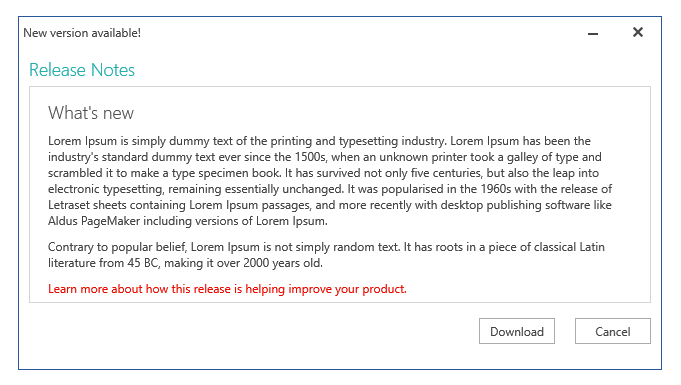
Use RadWindow to display modal dialogs, child windows, and reusable popup content inside your application. The control helps you show important information, collect user input, and manage window behavior such as positioning, moving, resizing, and state changes.
This overview explains when to use RadWindow, highlights the most useful feature areas, and points you to the best next article for each common task.
 Start Free Trial
When to Use RadWindow
Use RadWindow when your application needs one or more of the following behaviors:
- Show a dialog without leaving the current view.
- Reuse custom popup content in multiple parts of the application.
- Replace default alert, confirm, or prompt dialogs with dialogs that match your application theme.
- Control window state, position, size, and interaction through code.
Key Features
Create and Manage Windows
Create RadWindow instances in code, show them as standard or modal windows, and manage multiple open windows through RadWindowManager. This is the right starting point when you need custom popup workflows or centralized window management.
Use Predefined Dialogs
Use the built-in alert, confirm, and prompt dialogs when you need quick dialog interactions without building the window content from scratch. See Predefined Dialogs for the available dialog methods and usage patterns.
Control Window Behavior
Configure the initial state and runtime behavior of the window, including state, position, resizing, closing, and moving.
Customize the Appearance
Adapt RadWindow to your application theme by modifying the header, icon, and overall visual style. For deeper appearance customization, continue with Styling the RadWindow.
Common Next Steps
Start with the article that matches your immediate goal:
- To create and show your first window, open Getting Started.
- To work with the window API in more detail, open Working with RadWindow.
- To react to user interaction and state changes, open Events.
- To understand how end users can move, resize, and interact with the window, open End-User Capabilities.
Get started with the control with its Getting Started help article that shows how to use it in a basic scenario.
Explore the online demo at demos.telerik.com to see
RadWindowbehavior before you integrate it into your application.
Telerik UI for WPF Support and Learning Resources
- Telerik UI for WPF Window Homepage
- Get Started with the Telerik UI for WPF Window
- Telerik UI for WPF API Reference
- Getting Started with Telerik UI for WPF Components
- Telerik UI for WPF Virtual Classroom (Training Courses for Registered Users)
- Telerik UI for WPF Window Forums
- Telerik UI for WPF Knowledge Base