Input Box Settings
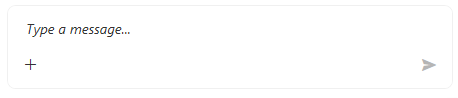
The input box is represented by the RadPromptInput control which allows you to write text, speak and to attach files.
Setting Text Programmatically
To set the text of the input box, use the InputBoxText property of RadChat.
<telerik:RadChat InputBoxText="Hello there!" />Speech to Text Button
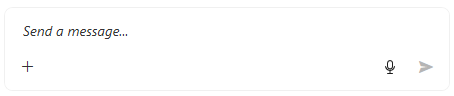
By default the input box displays a RadSpeechToTextButton which allows the user to speak instead of typing.
The default speech recognizer requires you to explicitly install the
Microsoft.Web.WebView2NuGet package in your application project. Without the package, the recognizer throws an exception when the button initializes. Follow the RadChat WebView2 setup instructions before you run the application.
For more information about the default recognizer, see the speech-to-text button documentation.
To hide the button set the IsSpeechToTextButtonVisible property of RadChat to False.
<telerik:RadChat IsSpeechToTextButtonVisible="False" />Setting Watermark Text
The empty text placeholder can be set via the InputBoxWatermarkContent property of RadChat.
More-Options Button
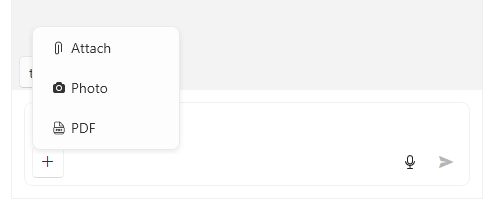
The more options drop-down button is located under the text area of the input box and by default it displays options for attaching files and photos.
The button is hidden but default. To show it, set the IsMoreButtonVisible property of RadChat to True.
<telerik:RadChat IsMoreButtonVisible="True" />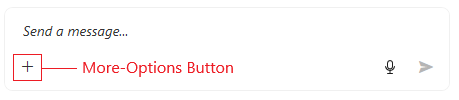
To add more options in the drop down, use the MoreButtonActions collection of the input box visual (RadPromptInput).
private void RadChat_Loaded(object sender, RoutedEventArgs e)
{
var chat = (RadChat)sender;
var promptInput = chat.FindChildByType<RadPromptInput>();
promptInput.MoreButtonActions.Add(new PromptInputButtonAction() { Text = "PDF", Icon = "", Command = myAttachPdfCommand });
}
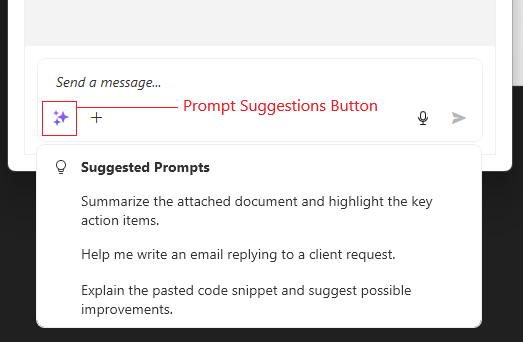
Suggested Prompts List
The input box allows you to define and display a list of suggested prompt which can be used when implementing AI-based chat applications.
To show the button that opens the suggested prompts, set the IsPromptSuggestionsButtonVisible property of the input box visual (RadPromptInput) to true.
To add suggestions, use the SuggestedPrompts collection of the input box visual (RadPromptInput).
private void RadChat_Loaded(object sender, RoutedEventArgs e)
{
    var chat = (RadChat)sender;
    var promptInput = chat.FindChildByType<RadPromptInput>();
	promptInput.IsPromptSuggestionsButtonVisible = true;
    promptInput.SuggestedPrompts.Add("Summarize the attached document and highlight the key action items.");
    promptInput.SuggestedPrompts.Add("Help me write an email replying to a client request.");
    promptInput.SuggestedPrompts.Add("Explain the pasted code snippet and suggest possible improvements.");
}