New to Telerik UI for WinForms? Start a free 30-day trial
Design time
Updated on Sep 1, 2026
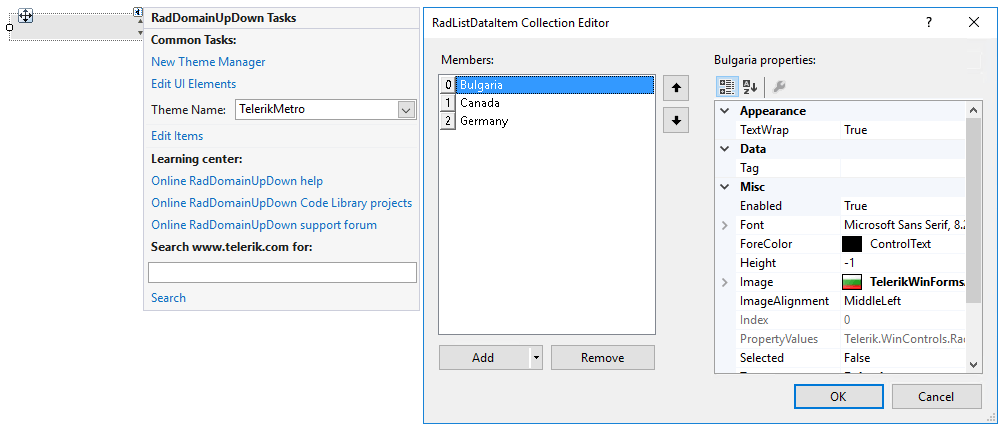
This article demonstrates how to populate RadDomainUpDown with data at design time. The RadListDataItem Collection Editor allows you to do that. You can access it through the Smart tag >> Edit Items option:
Figure 1: RadListDataItem Collection Editor
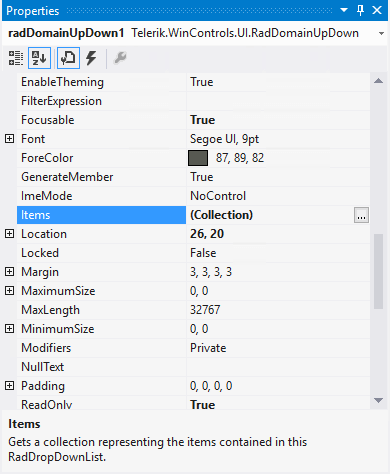
Another possibility to open the editor is via the Items collection in the Properties Visual Studio section:
Figure 2: Visual Studio Properties Window
Both ways you can add a RadListDataItem which represents a logical data item which can display specific text and image.