Data binding
Data binding is a mechanism for automatic population of the RadDomainUpDown with items, based on the provided data structure. Three properties control the data binding:
-
DataSource - specifies the data structure to be bound.
-
DisplayMember - specifies the particular field in the data source which will be used from the items in RadDomainUpDown for their Text.
-
ValueMember - specifies the particular field in the data source which will be stored in the items Value property.
RadDomainUpDown supports data binding either at design time or at run time:
Data binding at design time
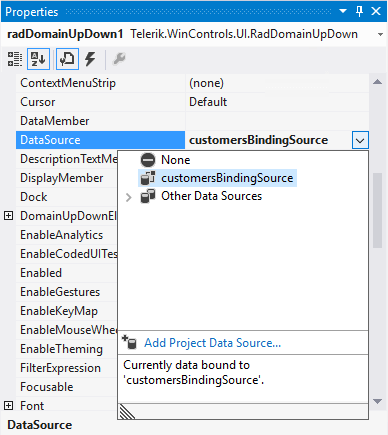
You can set the DataSource property at design time in the Properties window of Visual Studio.
-
Select the DataSource property and click the drop-down arrow to display all existing data sources on the form.
-
Click the Add Project Data Source… link and follow the instructions in the Data Source Configuration Wizard to add a data source to your project. You can use a single database table.
Figure: 1 Setting the DataSource at Design Time
-
Afterwards, you need to specify the DisplayMember and ValueMember properties.
Figure: 2 Setting the DisplayMember and ValueMember properties at Design time
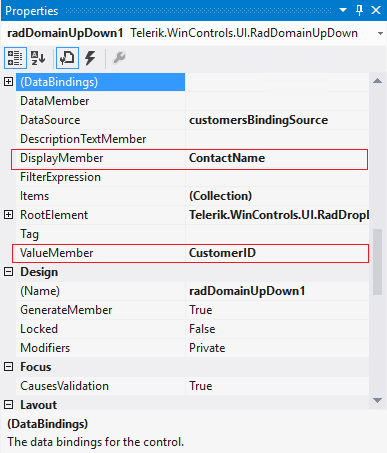
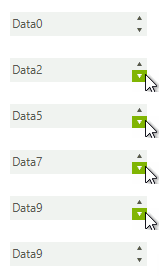
Figure: 3 RadDomainUpDown bound at Design time

Data binding at run time
You can bind RadDomainUpDown programmatically as well. The following code snippet demonstrates how to bind it to a collection of custom objects:
Data binding at run time
        public RadForm1()
        {
            InitializeComponent();

            List<Item> items = new List<Item>();
            for (int i = 0; i < 10; i++)
            {
                items.Add(new Item(i, "Data" + i));
            }
            this.radDomainUpDown1.DataSource = items;
            this.radDomainUpDown1.DisplayMember = "Description";
            this.radDomainUpDown1.ValueMember = "Id";
        }

        public class Item
        {
            public int Id { get; set; }

            public string Description { get; set; }

            public Item(int id, string description)
            {
                this.Id = id;
                this.Description = description;
            }
        }
Figure: 4 RadDomainUpDown bound at Run time