New to Telerik UI for WinForms? Start a free 30-day trial
Resizing
Updated on May 7, 2026
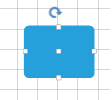
RadDiagram gives you the ability to resize shapes by dragging their Resizing Thumbs. You can also use the shapes' Width and Height for this purpose.
Enable/Disable resizing
By default, the RadDiagram is enabled for resizing manipulation. In order to disable this functionality, you can set the IsResizingEnabled property to false.
C#
this.radDiagram1.IsResizingEnabled = false;
Manipulation adorner
The IsManipulationAdornerVisible property controls whether the manipulation adorner will be displayed or not.
Width and Height
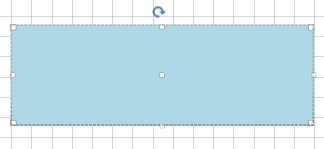
You can resize shapes by using their Width and Height properties:
C#
RadDiagramShape resizedShape = new RadDiagramShape()
{
    Text = "",
    ElementShape = new RoundRectShape(5),
    BackColor = System.Drawing.Color.LightBlue
};
resizedShape.Width = 300;
resizedShape.Height = 100;
resizedShape.Position = new Telerik.Windows.Diagrams.Core.Point(10, 10);
radDiagram1.Items.Add(resizedShape);