WinForms Diagram Overview
RadDiagram offers flexible and interactive diagramming layouts for your rich data-visualization applications. The framework tool set enables you to:
-
Design work-flows in which case shapes and connections are tightly bound to an underlying API
-
Simulate processes and represent data logic
-
Architect data-visualization and data analysis diagramming structures
-
Further enhance and customize your geographic maps solutions
 Start Free Trial
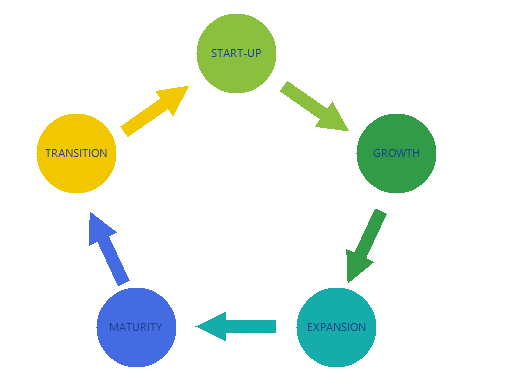
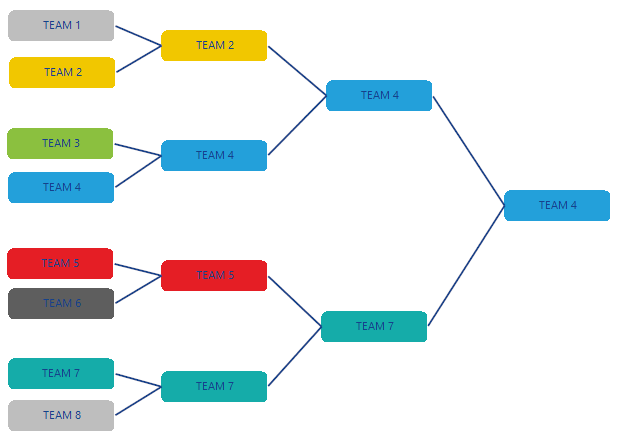
Diagram features
Here is a list with short descriptions of the top-of-the-line features of RadDiagram:
-
Extensive set of diagramming shapes - RadDiagram exposes a set of predefined diagramming shapes.
-
Flexible diagramming connections - RadDiagram exposes flexible diagram connections.
-
Items editing - RadDiagram supports editing the content of the diagramming elements.
-
Items rotation - RadDiagram supports rotation.
-
Items resizing - RadDiagram supports resizing.
-
Items ZOrder - RadDiagram supports changing the z-order of its elements.
-
Items selection - RadDiagram allows users to select one or multiple diagram elements at any time.
-
Clipboard operations - RadDiagram supports Cut, Copy and Paste operations.
-
Undo and Redo - RadDiagram supports Undo and Redo operations.
-
Serialization - RadDiagram supports serializing and deserializing diagramming objects into and from XML documents.
-
Mouse tools - RadDiagram exposes a set of mouse tools - selection and connection.
-
Diagram commands - RadDiagram exposes a set of commands that allow you to easily implement interaction logic in MVVM solutions.
Telerik UI for WinForms Learning Resources
- Telerik UI for WinForms Diagram Homepage
- Get Started with the Telerik UI for WinForms Diagram
- Telerik UI for WinForms API Reference
- Getting Started with Telerik UI for WinForms Components
- Telerik UI for WinForms Virtual Classroom (Training Courses for Registered Users)
- Telerik UI for WinForms Forum
- Telerik UI for WinForms Knowledge Base
Telerik UI for WinForms Additional Resources
- Telerik UI for WinForms Product Overview
- Telerik UI for WinForms Blog
- Telerik UI for WinForms Videos
- Telerik UI for WinForms Roadmap
- Telerik UI for WinForms Pricing
- Telerik UI for WinForms Code Library
- Telerik UI for WinForms Support
- What’s New in Telerik UI for WinForms