WinForms BarcodeView Overview
Updated on Aug 27, 2026
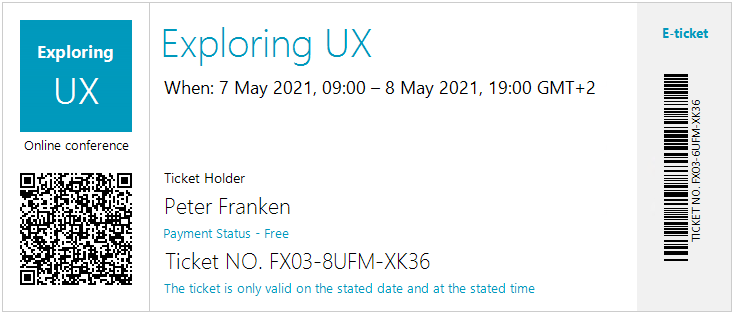
RadBarcodeView can be used to create and show barcodes. You can generate and visualize barcodes in a machine-readable format via the RadBarcodeView control by providing numeric or character data.
 Start Free Trial
Key Features
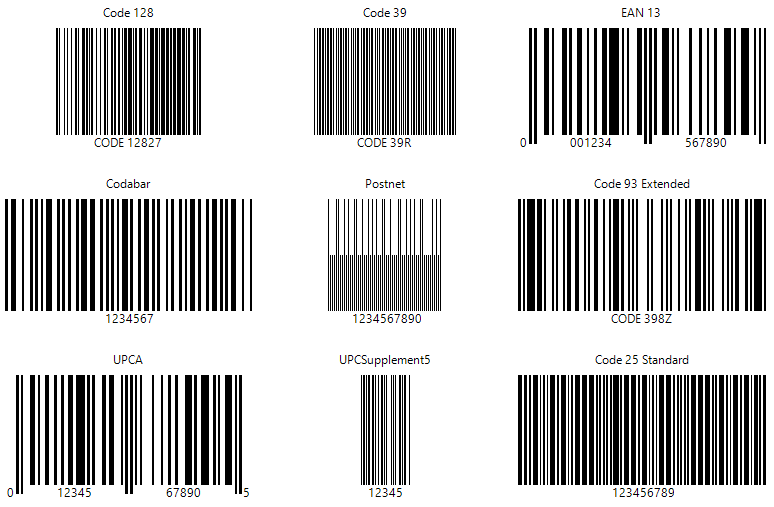
- Support for different one-dimensional barcodes: including EAN13, EAN8, UPC-A, UPC-E and Code39 symbologies. Go to 1D barcodes section for the full list.
- Support for different two-dimensional barcodes: such as the popular QR code, PDF417, and Data Matrix. Go to 2D barcodes for more details on this.
- Three sizing modes: RadBarcodeView provides three sizing modes that will help you fine-tune the rendering of your codes.
Telerik UI for WinForms Learning Resources
- Telerik UI for WinForms BarcodeView Homepage
- Get Started with the Telerik UI for WinForms BarcodeView
- Telerik UI for WinForms API Reference
- Getting Started with Telerik UI for WinForms Components
- Telerik UI for WinForms Virtual Classroom (Training Courses for Registered Users)
- Telerik UI for WinForms Forum
- Telerik UI for WinForms Knowledge Base
Telerik UI for WinForms Additional Resources
- Telerik UI for WinForms Product Overview
- Telerik UI for WinForms Blog
- Telerik UI for WinForms Videos
- Telerik UI for WinForms Roadmap
- Telerik UI for WinForms Pricing
- Telerik UI for WinForms Code Library
- Telerik UI for WinForms Support
- What’s New in Telerik UI for WinForms