Shape Report Item Overview
The Shape report item displays a single selection of predefined shapes in a report.
The following screenshot shows a Shape report item with its ShapeType="Right Arrow" on the report design surface.
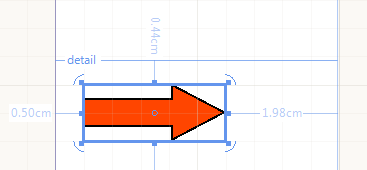
You can use shapes to create visual effects within a report. You can set display and other properties to this item by using the Properties pane.
The following table lists the ShapeType property modes supported by the Shape.
| Lines | Stars | Arrows | Other |
|---|---|---|---|
| Vertical Line | 3-ray star | Top Arrow | Ellipse |
| Horizontal Line | 4-ray star | Bottom Arrow | Triangle |
| Slant Line | 5-ray star | Left Arrow | Square |
| BackSlant Line | 6-ray star | Right Arrow | Pentagon |
| 8-ray star | Hexagon | ||
| Octagon | |||
| Cross |
The Shape enables you to create custom shapes programmatically. The following code snippet shows how to inherit the ShapeBase class and provide a custom set of PointF arrays that will form the Shape. The coordinates of the points are relative and do not depend on the size or position of the item in the report.
class CustomShapeType : Drawing.Shapes.ShapeBase
{
    public override object Clone()
    {
        return new CustomShapeType()
        {
            Bounds = this.Bounds
        };
    }

    protected override void CreateShape()
    {
        var points = new System.Drawing.PointF[]
        {
            new System.Drawing.PointF(0.5f, 1.5f),
            new System.Drawing.PointF(2, 0),
            new System.Drawing.PointF(6, 4),
            new System.Drawing.PointF(4, 6),
            new System.Drawing.PointF(2, 4),
            new System.Drawing.PointF(6, 0),
            new System.Drawing.PointF(7.5f, 1.5f)
        };

        base.AddLines(points, false);
    }
}You can create the Shape at runtime and add it to a report item container (Section, Panel, or other). The following snippet shows how to instantiate a Shape of the CustomShape type:
Shape CreateShape()
{
    var shape = new Telerik.Reporting.Shape()
    {
        ShapeType = new CustomShapeType(),
        Size = new Drawing.SizeU(Drawing.Unit.Cm(2), Drawing.Unit.Cm(2)),
        Location = new Drawing.PointU(Drawing.Unit.Cm(1), Drawing.Unit.Cm(1)),
    };
    shape.Style.Color = System.Drawing.Color.Green;
    shape.Style.LineWidth = Drawing.Unit.Pixel(5);

    return shape;
}Next Steps
- (Demo) Crypto Dashboard Report with a Shape
- Using Styles to Customize Reports
- (API) Shape
- (API) ShapeType
- (API) Stretch
- Demo Page for Telerik Reporting
- Telerik Reporting Knowledge Base