WPF Report Viewer Cannot Be Added via Item Template in 2026 Q2
Environment
| Target Framework | .NET Framework 4.6.2+ |
| Product | Progress® Telerik® Reporting |
| Product Version | 2026 Q2 (20.1.26.520) |
| Viewer | WPF Report Viewer |
Description
After upgrading to Telerik Reporting 2026 Q2 (20.1.26.520), adding the WPF Report Viewer to a .NET Framework project through the Telerik Report Viewer Window 2026 Q2 (.NET Framework) item template in Visual Studio does not complete successfully.
Error
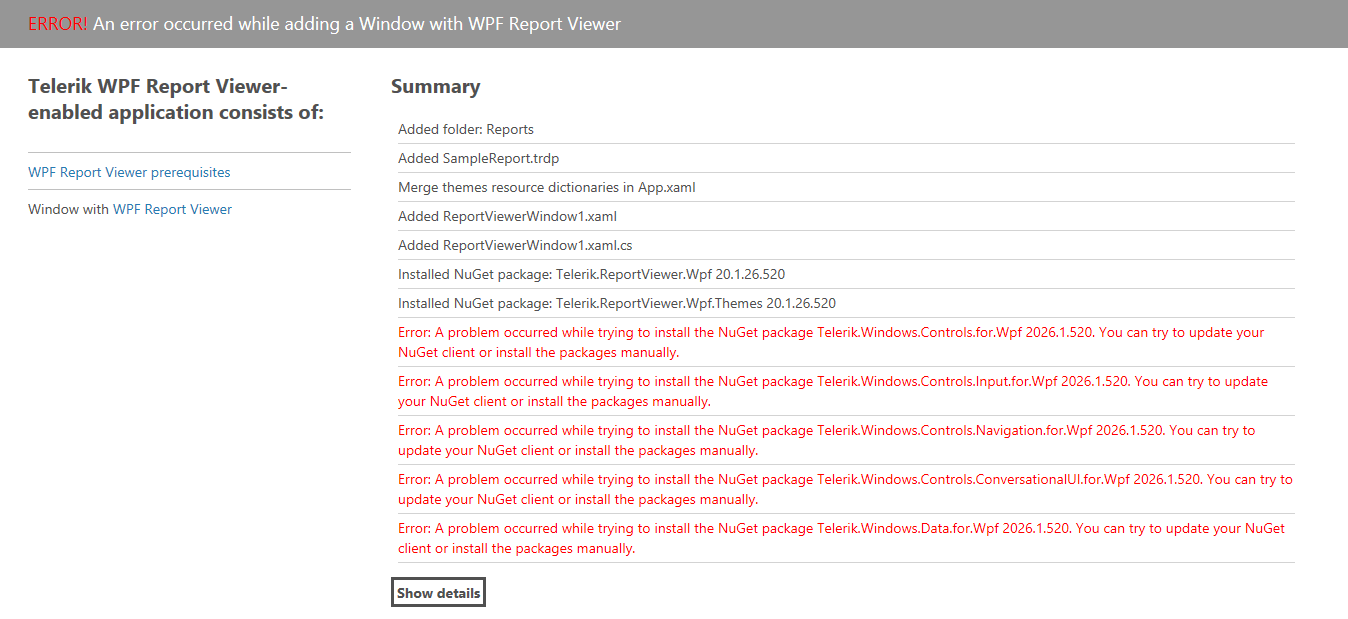
Cause
The Telerik Report Viewer Window 2026 Q2 (.NET Framework) item template shipped with Telerik Reporting 2026 Q2 has a known issue that prevents it from completing the viewer setup correctly. This is a regression introduced in this release that is fixed in later releases.
Telerik Reporting distributes the required Telerik UI for WPF dependencies for the WPF Report Viewer with the Reporting installer. The viewer's item template gets the version of the Telerik UI for WPF packages it tries to install from the offline assemblies in the Reporting installation folder. This version is wrong, 2026.1.520 and the required WPF packages cannot be found. The correct version of the WPF controls is 2026.2.520.
Solution 1: Use Item Template Wizard
When adding the Telerik WPF Report Viewer to your project through the item template wizard, use one of the following approaches to add the required Telerik UI for WPF dependencies:
- Ensure adding them as direct references from the Telerik Reporting installation folder, by default, 'C:\Program Files (x86)\Progress\Telerik Reporting 2026 Q2\Bin\WpfViewerDependencies\Framework'.
- Add manually the Telerik UI for WPF NuGet packages or assemblies with the correct version (
2026.2.520or later) to your project. You may need binding redirects to the newer version as explained in the Binding Redirects article section.
Solution 2: Manual Setting
Add manually your Telerik WPF Report Viewer, following the steps in the article Manually Setting Up the WPF Report Viewer in .NET Framework.