Native Blazor Report Viewer Overview
The Native Blazor Report Viewer is a native Blazor component that can be used in Blazor applications.
The Native Blazor Report Viewer is a native Blazor component built with Telerik UI for Blazor components and a license for this suite is required to use the report viewer.
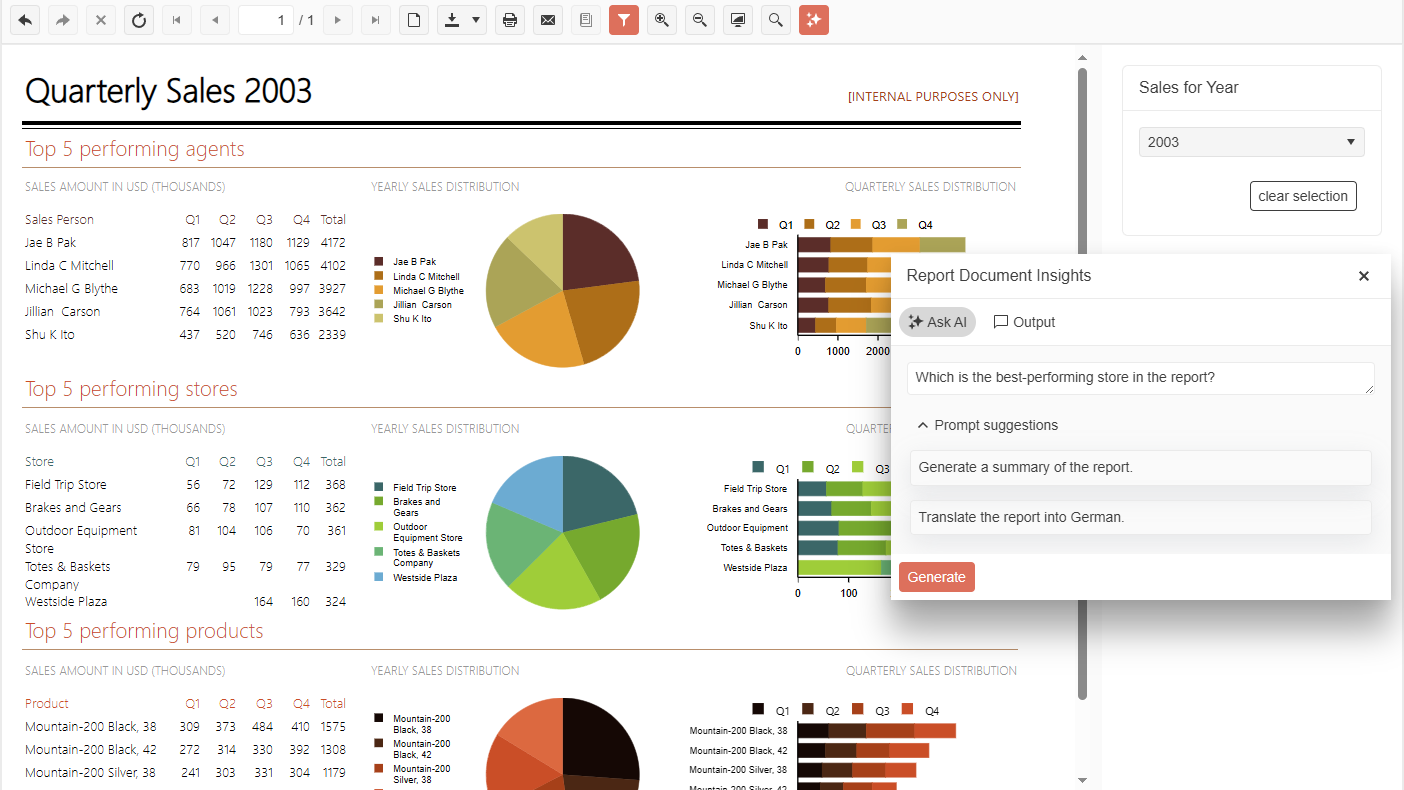
| Button or Input(from left to right) | Action |
|---|---|
| Navigate back in history | Navigates to a previous report after the Navigate to report interactive action was triggered. |
| Navigate forward in history | Navigates to a forward report after the Navigate back was used. |
| Stop | Cancels the loading of the current report if the chosen parameters make it too heavy. |
| Refresh | Updates the current report with fresh data. |
| First page | Displays the respective page of the current report. |
| Previous page | Displays the respective page of the current report. |
| Current page | Input allows tracking the number of the displayed page and also displaying a particular page by entering its number. |
| Total pages | Shows the number of pages of the current report. |
| Next page | Displays the respective page of the current report. |
| Last page | Displays the respective page of the current report. |
| Switch the View mode | Switches the report view between the Logical and Physical. Logical provides a convenient on-screen preview experience. Physical provides an exact preview of the eventual print operation. |
| Export | Initiates an export operation. For more information, refer to the article on export formats. |
| Initiates printing of the current report. | |
| Send Email | Displays the Send Email dialog. |
| Show/Hide document map | Allows the user to hide the document map tree if map nodes were defined in the report. |
| Show/Hide parameters area | Allows the user to hide the report parameter inputs if any. |
| Zoom In | Allows the user to increase the zoom level of the report content. |
| Zoom Out | Allows the user to decrease the zoom level of the report content. |
| Switch the Scale mode | Switches the report view scale mode between fitting the report to the entire page view port or to the viewer's view port. |
| Search | Allows searching in the report content. |
| AI Prompt | Toggles the AI Prompt Dialog when the AI-Powered Insights functionality has been enabled. |
Requirements
-
Required Application Version:
- Blazor 3.1+ application
-
Required Service:
- The viewer requires a running instance of Telerik Reporting REST Services to display reports. It can be hosted either in the same Blazor application or the viewer can reference a service hosted in another origin. In the latter case make sure to enable Cross-Origin Requests (CORS) in the REST Service project.
-
Required UI libraries:
- Telerik UI for Blazor 9.1.0 or later
-
Reference to one of the Telerik UI for Blazor Built-in Themes
Comparison with Blazor Html5 Wrapper Report Viewer
The current release of the Native Blazor Report Viewer component is missing only the Accessibility functionality which is present in its Blazor Wrapper Report Viewer counterpart.
The above functionality will be added in a future release of the Native Blazor Report Viewer.
Demo
The complete example can be found in the installation folder of Telerik Reporting: C:\Program Files (x86)\Progress\Telerik Reporting 2026 Q2\Examples\CSharp\CSharp.BlazorNativeExample.VS2022.sln.