RadMap Structure
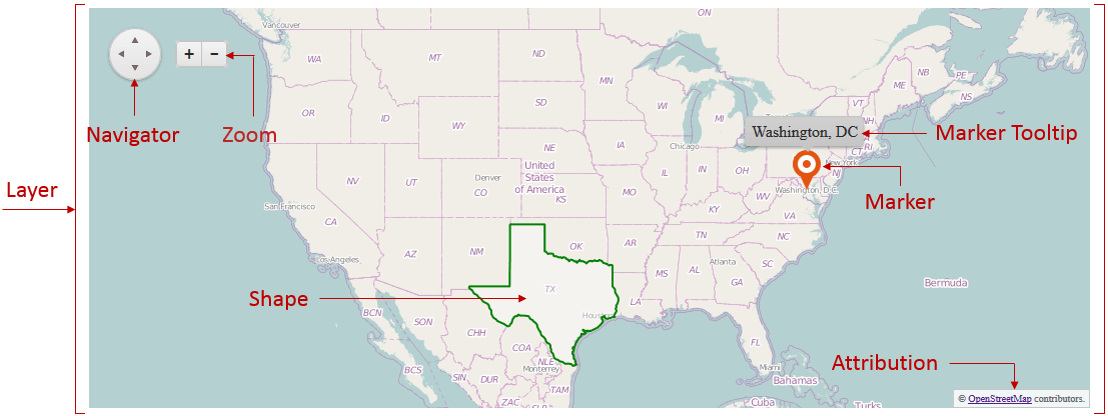
Examine the RadMap element structure in Figure 1. You can see the names of the UI elements and read more about their purpose.
Figure 1: Element structure of the RadMap control
Elements:
-
Layer – the layer is basically the main element of the map. There are four different types:
-
Layer - rendering the map usingMap Tile Service (e.g. OpenStreetMap);
-
Bing - rendering the map using the Bing service (same as the Tile type, but with simplified setup for Bing’s service);
-
Shape - layer on which additional shapes can be drawn based on collection of GeoJSON objects;
-
Marker - defined by location data and indicates a point of interest based on some criteria.
-
-
Navigator - allows the user to pan through the map;
-
Zoom - allows the user to zoom-in and zoom-out the map;
-
Marker Tooltip - developer-defined text that is shown on mouse click or mouse over of a marker;
-
Attribution - developer-defined footer element that can show additional information to the user, e.g. a copyright notice.