Localization through Global Resources
From UI for ASP.NET AJAX Q2 2010 onwards, RadGrid supports built-in localization through Global resources. Similar to RadEditor and RadScheduler, you can use the resx files to localize the control with minimum efforts.
Using the resource file
The resource files should be placed within the App_GlobalResources folder in your application. You can either create your own language pack (see below) or use an existing one (if available for your language). Telerik controls installation wizard automatically copies the built-in resources to the App_GlobalResources in your local installation.
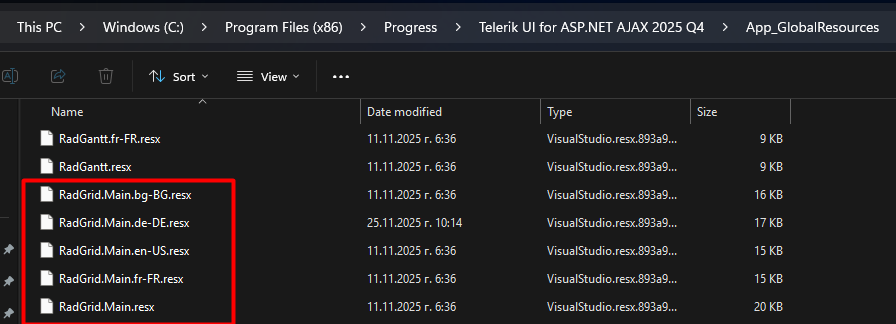
RadGrid.Main.resx must be in the App_GlobalResources folder in your application in order to change the culture/language.
To change the current language/resource you should set the Culture property accordingly.
RadGrid's default Culture is taken from the page's CurrentUICulture .
<telerik:RadGrid RenderMode="Lightweight" ID="RadGrid1" runat="server" Culture="en-US"></telerik:RadGrid> Here is how to localize your RadGrid in simple steps:
-
Create a new resource file or copy an existing one from the App_GlobalResources folder in your installation folder.
-
Add the resource file (
.resx) to the App_GlobalResources folder in your application. Include at least RadGrid.Main.resx and the localization file, such as RadGrid.Main.en-GB.resx. -
Set the Culture property to the corresponding language, such as
it-IT,en-GB, orja-JP.
Creating or Modifying Resource Files
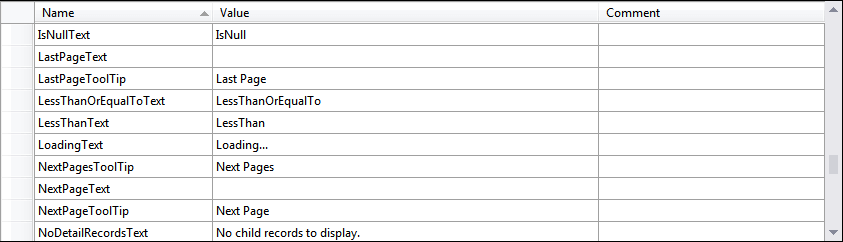
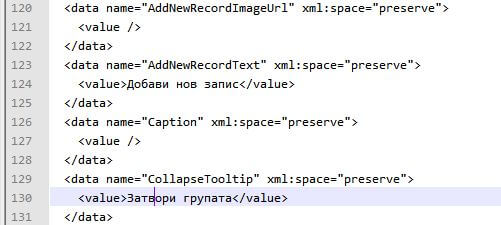
The resource files are represented in a human-readable format (XML) and can be easily modified either in the built-in Visual Studio resource editor or directly in the file, by hand.
Creating a new localization resource
The process of creating a new global resource follows the same pattern as in RadEditor and RadScheduler controls.
-
Make a copy of the RadGrid.Main.resx file and save it as RadGrid.Main.YOURLANGUAGE.resx (for example: RadGrid.Main.ja-JP.resx)
-
Replace the default strings with the translated ones
-
Set the Culture property to the relevant language
Please ** -do not- ** modify/remove the ReservedResource key.
We encourage that you submit your localized resource files. Your efforts will be rewarded accordingly.
You can find a complete list of culture codes in the Microsoft CultureInfo documentation.