Progress Monitoring
RadAsyncUpload Progress Monitoring
RadAsyncUpload allows for two distinct ways of progress monitoring. The first one, inline progress, is integrated in RadAsyncUpload and displays like a progress bar below the file being uploaded. You turn on/off inline progress monitoring using the EnableInlineProgress property (true by default).
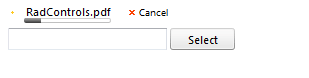
RadAsyncUpload displays inline progress automatically using the File API module — there is no need to do anything.
The second approach in using monitoring progress is using RadProgressArea. In general RadProgressArea is a dedicated control for monitoring progress, both upload and a custom one. It is possible to use both inline progress monitoring and RadProgressArea monitoring. You can learn more regarding RadProgressArea here.
To use RadProgressArea for progress monitoring, the RadUploadHttpModule/Handler should be registered in the web.config. Instructions on how to do that can be found here.