New to Telerik UI for .NET MAUI? Start a free 30-day trial
.NET MAUI SideDrawer Visual Structure
Updated on Aug 11, 2026
The visual structure of the .NET MAUI SideDrawer represents the anatomy of the UI component. Being familiar with the visual elements of the SideDrawer allows you to quickly find the information required to configure them.
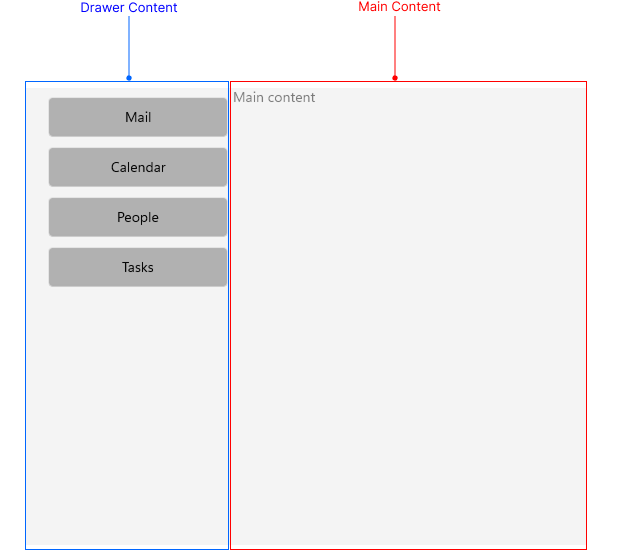
The following image shows the anatomy of the SideDrawer.
Displayed Elements
- Main Content—The primary content area of the application that is visible when the SideDrawer is closed.
- Drawer Content—The content area that slides in from the side of the screen when the SideDrawer is opened. This area typically contains navigation options or additional information.