.NET MAUI Editor Events
The Telerik UI for .NET MAUI Editor control exposes a number of events and commands for notifying after user interactions.
The Editor supports the following events:
-
TextChanged—Occurs when the text is changed. TheTextChangedevent handler receives aTextChangedEventArgsargument containing data related to this event. TheTextChangedEventArgsprovides the following properties:NewTextValue(string)—Gets the new text value.OldTextValue(string)—Gets the old text value.
-
TextChanging—Occurs when the text in the control starts to change, but before theTextproperty is updated. TheTextChangingevent handler receives aTextChangingEventArgsargument containing data related to this event. TheTextChangedEventArgsprovides the following properties:NewText(string)—Gets the new text that is about to be entered into the input view.OldText(string)—Gets the old text that is entered into the input view.Cancel(bool)—Gets or sets a value that indicates whether to cancel the text changes.
-
Completed—Occurs when the user finalizes the text.
The Completed event is raised when the Editor control losses focus.
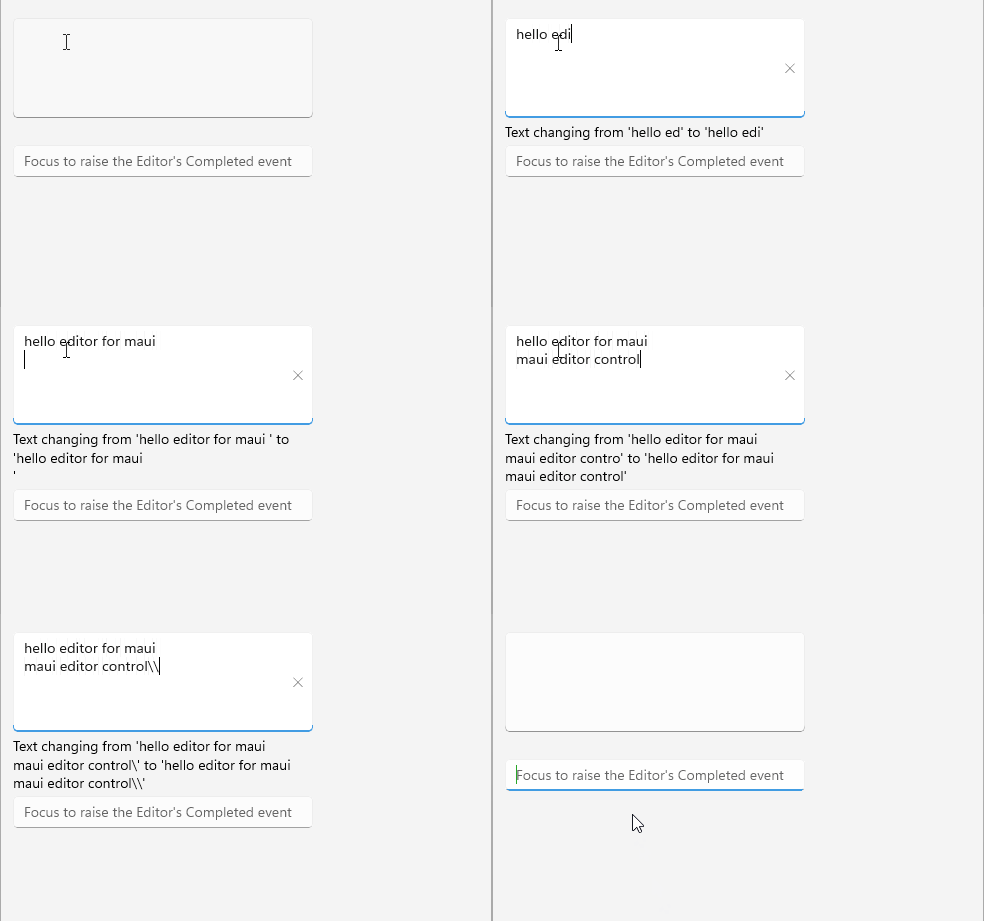
The following example demonstrates the Editor definition in XAML with the TextChanged and Completed event handlers.
1. Define the Editor.
        <telerik:RadEditor TextChanging="OnTextChanging"
             Completed="OnCompleted" />
2. Add the following namespace:
xmlns:telerik="http://schemas.telerik.com/2022/xaml/maui"3. Set the TextChanging event.
private void OnTextChanging(object sender, Telerik.Maui.Controls.TextChangingEventArgs e)
{
    this.eventLabel.Text = $"Text changing from '{e.OldText}' to '{e.NewText}'";
}
3. Set the Completed event.
private void OnCompleted(object sender, System.EventArgs e)
{
    var editor = sender as RadEditor;
    if (editor.Text is not null)
    {
        editor.Text = string.Empty;
        this.eventLabel.Text = string.Empty;
    }
}