CardPicker Overview
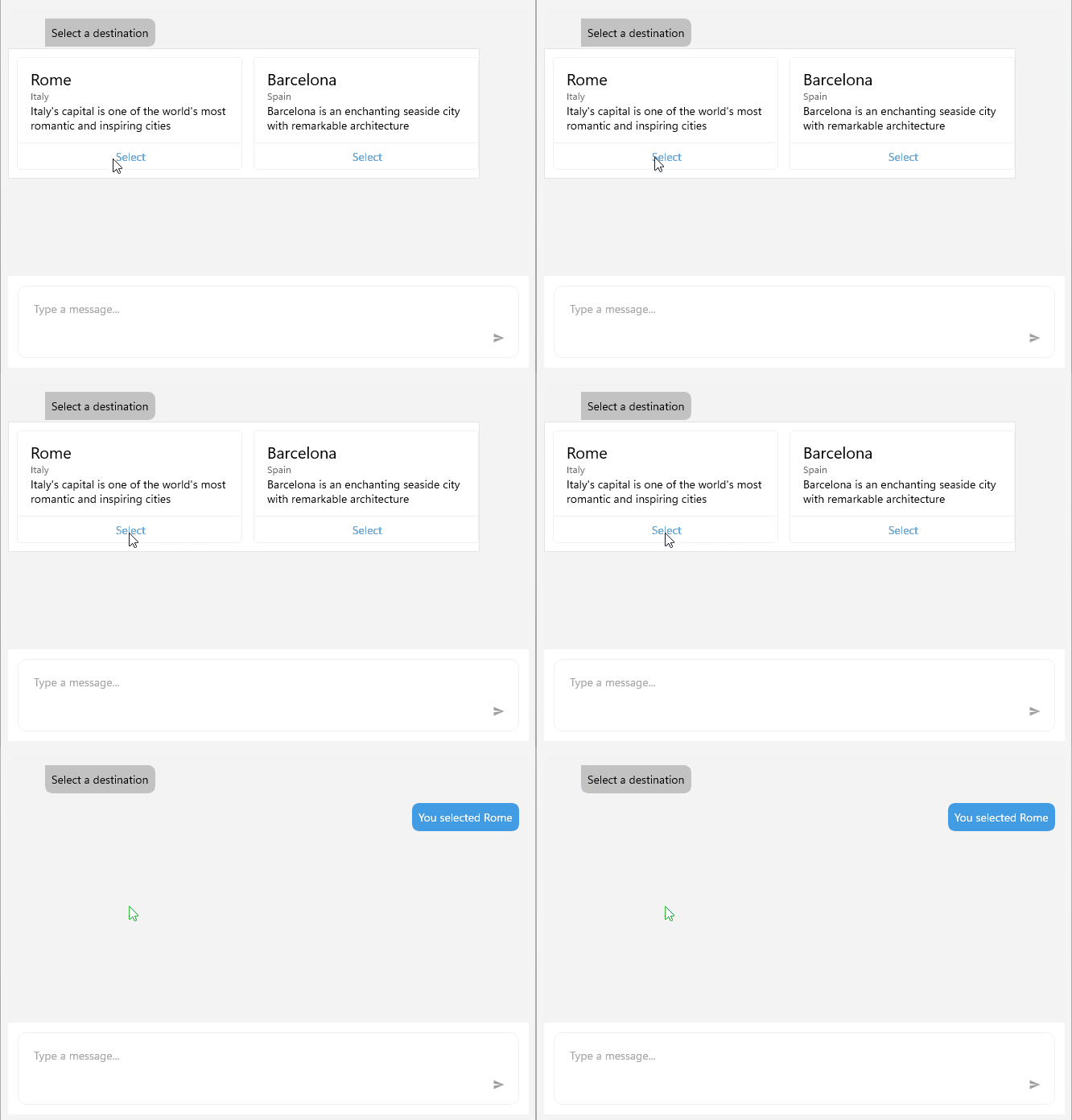
The RadChatPicker control provides a CardPickerContext that can be used to display a list of cards. Each card presents more complex information in a user-friendly structured manner and allows the user to interact with it.
CardPickerContext exposes the following property:
Cards—A property of typeIEnumerable<CardContext>contains the available Cards defined by theCardContext;
Depending on the information that is presented, the CardContext can be one of the following types:
BasicCardContext—For displaying a card withTitle,SubTitle, andDescription;ImageCardContext—Derives fromBasicCardContextwith an additionalImageproperty;
Here is a quick example with BasicCardContext:
PickerItem pickerItem = new PickerItem();
var context = new CardPickerContext { Cards = this.GetCards(pickerItem) };
pickerItem.Context = context;
chat.Items.Add(new TextMessage { Text = "Select a destination" });
chat.Items.Add(pickerItem);
And the used GetCards() method:
private IEnumerable<CardContext> GetCards(ChatItem chatItem)
{
	List<CardContext> cards = new List<CardContext>()
	{
		new BasicCardContext() {Title="Rome", Subtitle="Italy", Description="Italy’s capital is one of the world’s most romantic and inspiring cities"},
		new BasicCardContext() {Title="Barcelona", Subtitle="Spain", Description="Barcelona is an enchanting seaside city with remarkable architecture"}
	};
	return cards;
}
Card Actions
Each card allows you to add a certain action that can be handled through a command. The CardContext exposes an Actions collection of type IEnumerable<CardActionContext> that supplies all the details needed for handling the action.
CardActionContext provides the following properties:
Text—Represents the action inside the Card layout;Command—The command that is raised when the user selects that action;Data—Can be used to preserve additional details if needed;
The next snippet uses the Cards defined in the previous example and adds Actions to them.
private IEnumerable<CardContext> GetCards(ChatItem chatItem)
{
    List<CardContext> cards = new List<CardContext>()
        {
            new BasicCardContext() {
                Title ="Rome",
                Subtitle ="Italy",
                Description ="Italy's capital is one of the world's most romantic and inspiring cities",
                Actions = GetCardActions(chatItem, "Rome")},
            new BasicCardContext() {
                Title ="Barcelona",
                Subtitle ="Spain",
                Description ="Barcelona is an enchanting seaside city with remarkable architecture",
                Actions = GetCardActions(chatItem, "Barcelona")}
        };
    return cards;
}

private ICollection<CardActionContext> GetCardActions(ChatItem chatItem, string Title)
{
    var selectAction = new CardActionContext
    {
        Text = "Select",
        Command = new Command(() =>
        {
            var index = chat.Items.IndexOf(chatItem);
            chat.Items.RemoveAt(index);
            chat.Items.Add(new TextMessage { Author = this.chat.Author, Text = "You selected " + Title });
        }),
    };
    return new List<CardActionContext>() { selectAction };
}