or
2 answers
150 views
RibbonBarMenuItems when clicked append the # to the end of the url in the browser, this is true for Split buttons as well.
Normal RibbonBarButtons when clicked do not modify the url.
How can I prevent all button types from modifying the url. the appended hashtag is causing an issue with scrolling after partial postbacks.
I tried using the OnClientMenuItemClicking method and doing args.set_cancel(true); but this did not fix it.
Thanks.
The issue can be seen in the First Look demo as well. Scroll down the page and click Copy, does not scroll back to top. Next try a Paste option and the browser is scrolled back to top.
Normal RibbonBarButtons when clicked do not modify the url.
How can I prevent all button types from modifying the url. the appended hashtag is causing an issue with scrolling after partial postbacks.
I tried using the OnClientMenuItemClicking method and doing args.set_cancel(true); but this did not fix it.
Thanks.
The issue can be seen in the First Look demo as well. Scroll down the page and click Copy, does not scroll back to top. Next try a Paste option and the browser is scrolled back to top.

Ivan Zhekov
Telerik team

answered
on
25 Apr 2013
1 answer
101 views
I have the following code. When I try to group, refresh ("Restore Defaults"), or Export, nothing happens. How do I make these events work?
ASPX Code
ASPX.CS Code
ASPX Code
<telerik:RadGrid ID="RadGrid1" runat="server"></Telerik:RadGrid>ASPX.CS Code
protected override void OnInit(EventArgs e){ base.OnInit(e); if (!IsPostBack) { CreateDefaultTelerikGrid(); }}List<string> timeframes = new List<string>();protected void WireRadGridEvents(){ RadGrid1.NeedDataSource += this.RadGrid1_NeedDataSource; RadGrid1.ItemCreated += this.RadGrid1_ItemCreated; RadGrid1.ItemCommand += this.RadGrid1_ItemCommand; RadGrid1.PreRender += this.RadGrid1_PreRender; RadGrid1.HeaderContextMenu.ItemCreated += this.HeaderContextMenu_ItemCreated;}protected void CreateTelerikGrid(){ CreateDefaultTelerikGrid();}protected void CreateDefaultTelerikGrid(){ WireRadGridEvents(); RadGrid1.Height = Unit.Pixel(600); RadGrid1.Width = Unit.Pixel(936); RadGrid1.AllowFilteringByColumn = true; RadGrid1.AllowPaging = true; RadGrid1.PageSize = 10; RadGrid1.AutoGenerateColumns = false; RadGrid1.ShowStatusBar = true; RadGrid1.ShowGroupPanel = true; RadGrid1.PagerStyle.AlwaysVisible = true; RadGrid1.PagerStyle.Mode = GridPagerMode.NextPrevAndNumeric; RadGrid1.ClientSettings.AllowDragToGroup = true; RadGrid1.ClientSettings.Scrolling.AllowScroll = true; RadGrid1.ClientSettings.Scrolling.FrozenColumnsCount = 4; RadGrid1.ClientSettings.Scrolling.SaveScrollPosition = true; RadGrid1.ClientSettings.Scrolling.UseStaticHeaders = true; RadGrid1.MasterTableView.EnableHeaderContextMenu = true; RadGrid1.MasterTableView.CommandItemDisplay = GridCommandItemDisplay.Top; RadGrid1.MasterTableView.CommandItemSettings.ShowExportToExcelButton = true; RadGrid1.MasterTableView.CommandItemSettings.ShowAddNewRecordButton = false; RadGrid1.MasterTableView.CommandItemSettings.RefreshText = "Restore Defaults"; RadGrid1.MasterTableView.Columns.Clear(); AddFixedColumns(); AddTimeFrameColumns();}protected void AddFixedColumns(){ GridBoundColumn gbcGeography1 = new GridBoundColumn(); gbcGeography1.DataField = "Geography1"; gbcGeography1.HeaderText = "Geography1"; gbcGeography1.UniqueName = "Geography1"; gbcGeography1.Groupable = true; gbcGeography1.HeaderStyle.Width = Unit.Pixel(150); gbcGeography1.FilterTemplate = new ComboFilterTemplate(Page, "Geography1", "Geography1", Convert.ToInt32(gbcGeography1.HeaderStyle.Width.Value) - 7); RadGrid1.MasterTableView.Columns.Add(gbcGeography1); GridBoundColumn gbcGeography2 = new GridBoundColumn(); gbcGeography2.DataField = "Geography2"; gbcGeography2.HeaderText = "Geography2"; gbcGeography2.UniqueName = "Geography2"; gbcGeography2.Groupable = true; gbcGeography2.HeaderStyle.Width = Unit.Pixel(150); gbcGeography2.FilterTemplate = new ComboFilterTemplate(Page, "Geography2", "Geography2", Convert.ToInt32(gbcGeography2.HeaderStyle.Width.Value) - 7); RadGrid1.MasterTableView.Columns.Add(gbcGeography2); GridBoundColumn gbcDimensionGroup = new GridBoundColumn(); gbcDimensionGroup.DataField = "DimensionGroup"; gbcDimensionGroup.HeaderText = "DimensionGroup"; gbcDimensionGroup.UniqueName = "DimensionGroup"; gbcDimensionGroup.Groupable = true; gbcDimensionGroup.HeaderStyle.Width = Unit.Pixel(100); gbcDimensionGroup.FilterTemplate = new ComboFilterTemplate(Page, "DimensionGroup", "DimensionGroup", Convert.ToInt32(gbcDimensionGroup.HeaderStyle.Width.Value) - 7); RadGrid1.MasterTableView.Columns.Add(gbcDimensionGroup); GridBoundColumn gbcDimension = new GridBoundColumn(); gbcDimension.DataField = "Dimension"; gbcDimension.HeaderText = "Dimension"; gbcDimension.UniqueName = "Dimension"; gbcDimension.Groupable = true; gbcDimension.HeaderStyle.Width = Unit.Pixel(100); gbcDimension.FilterTemplate = new ComboFilterTemplate(Page, "Dimension", "Dimension", Convert.ToInt32(gbcDimension.HeaderStyle.Width.Value) - 7); RadGrid1.MasterTableView.Columns.Add(gbcDimension);}public class ComboFilterTemplate : ITemplate{ private RadComboBox combo; private string columnName; protected string field; protected String connectionString; protected Page page; protected int controlWidth; public ComboFilterTemplate(Page Page, string ColumnName, string Field, int Width) { field = Field; columnName = ColumnName; page = Page; controlWidth = Width; } public void InstantiateIn(Control container) { combo = new RadComboBox(); combo.ID = String.Format("RadComboBox{0}", columnName); combo.AppendDataBoundItems = true; if (field.Length > 0) combo.DataTextField = field; combo.DataValueField = field; combo.Items.Insert(0, new RadComboBoxItem("All")); combo.DataBound += combo_DataBound; combo.DataBinding += new EventHandler(combo_DataBinding); combo.OnClientSelectedIndexChanged = String.Format("ClientComboFilterSelected_{0}", columnName); combo.Width = Unit.Pixel(controlWidth); container.Controls.Add(combo); } void combo_DataBinding(object sender, EventArgs e) { combo.DataSource = GetFilterDataSource(columnName); } void combo_DataBound(object sender, EventArgs e) { RadComboBox combo = (RadComboBox)sender; GridItem container = (GridItem)combo.NamingContainer; string script = "function ClientComboFilterSelected_" + columnName + "(sender,args) {var tableView=$find(\"" + ((GridItem)container).OwnerTableView.ClientID + "\");tableView.filter(\"" + field + "\",args.get_item().get_value(),\"EqualTo\");}"; ScriptManager.RegisterStartupScript(page, page.GetType(), String.Format("ClientComboFilterSelected_{0}", field), script, true); combo.SelectedValue = container.OwnerTableView.GetColumn(columnName).CurrentFilterValue; }}protected void AddTimeFrameColumns(){ GetTimeFrames(); foreach (string timeframe in timeframes) { GridBoundColumn gbcTimeFrame = new GridBoundColumn(); RadGrid1.MasterTableView.Columns.Add(gbcTimeFrame); gbcTimeFrame.DataField = timeframe; gbcTimeFrame.HeaderText = timeframe; gbcTimeFrame.Groupable = false; gbcTimeFrame.AllowFiltering = false; gbcTimeFrame.HeaderStyle.Width = Unit.Pixel(100); }}protected void GetTimeFrames(){ timeframes.Add("Timeframe1"); timeframes.Add("Timeframe2"); timeframes.Add("Timeframe3"); timeframes.Add("Timeframe4"); timeframes.Add("Timeframe5"); timeframes.Add("Timeframe6");}protected void RadGrid1_PreRender(object sender, System.EventArgs e){ if (RadGrid1.MasterTableView.FilterExpression != string.Empty) { RefreshCombos(); }}protected void RefreshCombos(){}protected void RadGrid1_NeedDataSource(object sender, Telerik.Web.UI.GridNeedDataSourceEventArgs e){ RadGrid1.DataSource = RadGrid1DataSource();}protected void RadGrid1_ItemCreated(object sender, GridItemEventArgs e){ if (e.Item is GridFilteringItem) { GridFilteringItem gridfilteringitem = (GridFilteringItem)e.Item; try { RadComboBox radcomboboxgeography1 = (RadComboBox)gridfilteringitem.FindControl("RadComboBoxGeography1"); radcomboboxgeography1.DataSource = GetFilterDataSource("Geography1"); RadComboBox radcomboboxgeography2 = (RadComboBox)gridfilteringitem.FindControl("RadComboBoxGeography2"); radcomboboxgeography2.DataSource = GetFilterDataSource("Geography2"); RadComboBox radcomboboxdimensiongroup = (RadComboBox)gridfilteringitem.FindControl("RadComboBoxDimensionGroup"); radcomboboxdimensiongroup.DataSource = GetFilterDataSource("DimensionGroup"); RadComboBox radcomboboxdimension = (RadComboBox)gridfilteringitem.FindControl("RadComboBoxDimension"); radcomboboxdimension.DataSource = GetFilterDataSource("Dimension"); } catch { } }}protected void RadGrid1_ItemCommand(object source, Telerik.Web.UI.GridCommandEventArgs e){ if (e.CommandName == "RebindGrid") { CreateDefaultTelerikGrid(); } else if (e.CommandName == "ExportToExcel") { RadGrid1.ExportSettings.ExportOnlyData = true; RadGrid1.ExportSettings.IgnorePaging = true; RadGrid1.ExportSettings.OpenInNewWindow = true; RadGrid1.ExportSettings.Excel.Format = GridExcelExportFormat.ExcelML; RadGrid1.MasterTableView.ExportToExcel(); }} private void HeaderContextMenu_ItemCreated(object sender, RadMenuEventArgs e){ if (e.Item.Value.Contains("Geography1") || e.Item.Value.Contains("Geography2") || e.Item.Value.Contains("DimensionGroup") || e.Item.Value.Contains("Dimension")) { e.Item.Visible = false; }}private System.Data.DataTable RadGrid1DataSource(){ System.Data.DataTable datatable = new System.Data.DataTable(); datatable.Columns.Add("Geography1", typeof(string)); datatable.Columns.Add("Geography2", typeof(string)); datatable.Columns.Add("DimensionGroup", typeof(string)); datatable.Columns.Add("Dimension", typeof(string)); datatable.Columns.Add("Timeframe1", typeof(string)); datatable.Columns.Add("Timeframe2", typeof(string)); datatable.Columns.Add("Timeframe3", typeof(string)); datatable.Columns.Add("Timeframe4", typeof(string)); datatable.Columns.Add("Timeframe5", typeof(string)); datatable.Columns.Add("Timeframe6", typeof(string)); datatable.Rows.Add("Maryland", "Montgomery County", "Sex", "Male", new Random().Next(0, 100), new Random().Next(0, 100), new Random().Next(0, 100), new Random().Next(0, 100), new Random().Next(0, 100), new Random().Next(0, 100)); datatable.Rows.Add("Maryland", "Montgomery County", "Sex", "Female", new Random().Next(0, 100), new Random().Next(0, 100), new Random().Next(0, 100), new Random().Next(0, 100), new Random().Next(0, 100), new Random().Next(0, 100)); datatable.Rows.Add("Maryland", "Montgomery County", "Race", "White", new Random().Next(0, 100), new Random().Next(0, 100), new Random().Next(0, 100), new Random().Next(0, 100), new Random().Next(0, 100), new Random().Next(0, 100)); datatable.Rows.Add("Maryland", "Montgomery County", "Race", "Black", new Random().Next(0, 100), new Random().Next(0, 100), new Random().Next(0, 100), new Random().Next(0, 100), new Random().Next(0, 100), new Random().Next(0, 100)); datatable.Rows.Add("Maryland", "Montgomery County", "Race", "Asian", new Random().Next(0, 100), new Random().Next(0, 100), new Random().Next(0, 100), new Random().Next(0, 100), new Random().Next(0, 100), new Random().Next(0, 100)); datatable.Rows.Add("Maryland", "Montgomery County", "Race", "Other", new Random().Next(0, 100), new Random().Next(0, 100), new Random().Next(0, 100), new Random().Next(0, 100), new Random().Next(0, 100), new Random().Next(0, 100)); datatable.Rows.Add("Maryland", "Howard County", "Sex", "Male", new Random().Next(0, 100), new Random().Next(0, 100), new Random().Next(0, 100), new Random().Next(0, 100), new Random().Next(0, 100), new Random().Next(0, 100)); datatable.Rows.Add("Maryland", "Howard County", "Sex", "Female", new Random().Next(0, 100), new Random().Next(0, 100), new Random().Next(0, 100), new Random().Next(0, 100), new Random().Next(0, 100), new Random().Next(0, 100)); datatable.Rows.Add("Maryland", "Howard County", "Race", "White", new Random().Next(0, 100), new Random().Next(0, 100), new Random().Next(0, 100), new Random().Next(0, 100), new Random().Next(0, 100), new Random().Next(0, 100)); datatable.Rows.Add("Maryland", "Howard County", "Race", "Black", new Random().Next(0, 100), new Random().Next(0, 100), new Random().Next(0, 100), new Random().Next(0, 100), new Random().Next(0, 100), new Random().Next(0, 100)); datatable.Rows.Add("Maryland", "Howard County", "Race", "Asian", new Random().Next(0, 100), new Random().Next(0, 100), new Random().Next(0, 100), new Random().Next(0, 100), new Random().Next(0, 100), new Random().Next(0, 100)); datatable.Rows.Add("Maryland", "Howard County", "Race", "Other", new Random().Next(0, 100), new Random().Next(0, 100), new Random().Next(0, 100), new Random().Next(0, 100), new Random().Next(0, 100), new Random().Next(0, 100)); datatable.Rows.Add("North Carolina", "Wake County", "Sex", "Male", new Random().Next(0, 100), new Random().Next(0, 100), new Random().Next(0, 100), new Random().Next(0, 100), new Random().Next(0, 100), new Random().Next(0, 100)); datatable.Rows.Add("North Carolina", "Wake County", "Sex", "Female", new Random().Next(0, 100), new Random().Next(0, 100), new Random().Next(0, 100), new Random().Next(0, 100), new Random().Next(0, 100), new Random().Next(0, 100)); datatable.Rows.Add("North Carolina", "Wake County", "Race", "White", new Random().Next(0, 100), new Random().Next(0, 100), new Random().Next(0, 100), new Random().Next(0, 100), new Random().Next(0, 100), new Random().Next(0, 100)); datatable.Rows.Add("North Carolina", "Wake County", "Race", "Black", new Random().Next(0, 100), new Random().Next(0, 100), new Random().Next(0, 100), new Random().Next(0, 100), new Random().Next(0, 100), new Random().Next(0, 100)); datatable.Rows.Add("North Carolina", "Wake County", "Race", "Asian", new Random().Next(0, 100), new Random().Next(0, 100), new Random().Next(0, 100), new Random().Next(0, 100), new Random().Next(0, 100), new Random().Next(0, 100)); datatable.Rows.Add("North Carolina", "Wake County", "Race", "Other", new Random().Next(0, 100), new Random().Next(0, 100), new Random().Next(0, 100), new Random().Next(0, 100), new Random().Next(0, 100), new Random().Next(0, 100)); datatable.Rows.Add("North Carolina", "Rutherford County", "Sex", "Male", new Random().Next(0, 100), new Random().Next(0, 100), new Random().Next(0, 100), new Random().Next(0, 100), new Random().Next(0, 100), new Random().Next(0, 100)); datatable.Rows.Add("North Carolina", "Rutherford County", "Sex", "Female", new Random().Next(0, 100), new Random().Next(0, 100), new Random().Next(0, 100), new Random().Next(0, 100), new Random().Next(0, 100), new Random().Next(0, 100)); datatable.Rows.Add("North Carolina", "Rutherford County", "Race", "White", new Random().Next(0, 100), new Random().Next(0, 100), new Random().Next(0, 100), new Random().Next(0, 100), new Random().Next(0, 100), new Random().Next(0, 100)); datatable.Rows.Add("North Carolina", "Rutherford County", "Race", "Black", new Random().Next(0, 100), new Random().Next(0, 100), new Random().Next(0, 100), new Random().Next(0, 100), new Random().Next(0, 100), new Random().Next(0, 100)); datatable.Rows.Add("North Carolina", "Rutherford County", "Race", "Asian", new Random().Next(0, 100), new Random().Next(0, 100), new Random().Next(0, 100), new Random().Next(0, 100), new Random().Next(0, 100), new Random().Next(0, 100)); datatable.Rows.Add("North Carolina", "Rutherford County", "Race", "Other", new Random().Next(0, 100), new Random().Next(0, 100), new Random().Next(0, 100), new Random().Next(0, 100), new Random().Next(0, 100), new Random().Next(0, 100)); return datatable;}private static System.Data.DataTable GetFilterDataSource(string columnname){ System.Data.DataTable datatable = new System.Data.DataTable(); if (columnname == "Geography1") { datatable.Columns.Add("Geography1", typeof(string)); datatable.Rows.Add("Maryland"); datatable.Rows.Add("North Carolina"); } else if (columnname == "Geography2") { datatable.Columns.Add("Geography2", typeof(string)); datatable.Rows.Add("Montgomery County"); datatable.Rows.Add("Howard County"); datatable.Rows.Add("Wake County"); datatable.Rows.Add("Rutherford County"); } else if (columnname == "DimensionGroup") { datatable.Columns.Add("DimensionGroup", typeof(string)); datatable.Rows.Add("Sex"); datatable.Rows.Add("Race"); } else if (columnname == "Dimension") { datatable.Columns.Add("Dimension", typeof(string)); datatable.Rows.Add("Male"); datatable.Rows.Add("Female"); datatable.Rows.Add("White"); datatable.Rows.Add("Black"); datatable.Rows.Add("Asian"); datatable.Rows.Add("Other"); } return datatable;}

1 answer
86 views
hello all ,
i've this piece of code :
i want to access the DataList : "PartnerDL" from itemDataBound event ..
How can i achieve that ???
Thanks in advance ...
i've this piece of code :
<telerik:RadPanelBar runat="server" ID="RewardsPB" Width="900px" OnItemDataBound="RewardsPB_ItemDataBound" AppendDataBoundItems="false" OnItemCreated="RewardsPB_ItemCreated" OnClientItemClicked="stopPropagation"> <Items> <telerik:RadPanelItem > <HeaderTemplate> <asp:DataList runat="server" ID="PartnerDL" RepeatColumns="4"> <ItemTemplate> <asp:Label ID="Label1" runat="server" Text='<%# Eval("STORE_NAME") %>'></asp:Label> <asp:LinkButton runat="server" ID="Img"><img src='<%# "/images/products/prod_" + Eval("STORE_ID")+".png"%>' width="75px" height="75px"/></asp:LinkButton> </ItemTemplate> </asp:DataList> </HeaderTemplate> </telerik:RadPanelItem> </Items> </telerik:RadPanelBar>i want to access the DataList : "PartnerDL" from itemDataBound event ..
How can i achieve that ???
Thanks in advance ...

1 answer
82 views
hello
I have used telerik wizard control.
From where to download the images that are in styles.css for this wizard control.
thanks in advance
I have used telerik wizard control.
From where to download the images that are in styles.css for this wizard control.
thanks in advance

Rumen
Telerik team
answered
on
25 Apr 2013
1 answer
224 views
I have a radgrid and have enabled filtering. I have restricted the filtering to "startswith" only. The problem is that when I enter in some filter text it fires the ItemCommand event which is fine but, it does not filter the grid. If I re-type the filter string again it fires the ItemCommand event again and the second time and any more subsequent attempts work as expected resulting in the grid being filtered. This is so wierd and I have no idea whi I have to type in a filter string twice to get it to work.
1 answer
97 views
If you set the rotation angle in the X Axis, the text will render, apparently rotated around the center of the text.
I've used a lot of different chart controls in Windows and web development, and this is the first time I've seen this. Normally, the label text on the x axis would be rotated with the pivot point being the first letter. That way, the beginning of the text is still centered underneath the column it goes with. Now the text looks like it is off, and you have to widen your chart to see that the pivot point of the rotation is the center of the text, not the left edge.
Can this get fixed? Or at least give us the option for how we want to rotate the text.
Thanks
<XAxis DataLabelsField="IncidentType"> <LabelsAppearance DataFormatString="{0}" RotationAngle="60"> </LabelsAppearance> <TitleAppearance Text="Incident Type"></TitleAppearance></XAxis>I've used a lot of different chart controls in Windows and web development, and this is the first time I've seen this. Normally, the label text on the x axis would be rotated with the pivot point being the first letter. That way, the beginning of the text is still centered underneath the column it goes with. Now the text looks like it is off, and you have to widen your chart to see that the pivot point of the rotation is the center of the text, not the left edge.
Can this get fixed? Or at least give us the option for how we want to rotate the text.
Thanks
Danail Vasilev
Telerik team
answered
on
25 Apr 2013
5 answers
105 views
Hi,
We are using latest Radgrid in our asp.net application. I need to provide user a textbox to enter amounts into for each account. I need to show total amount entered by user for all accounts in footer. For this I am using template column with RadNumeric textbox like this:
As suggested in the link:
http://www.telerik.com/community/code-library/aspnet-ajax/general/refresh-footer-values-in-radgrid-client-side-using-radnumerictextbox.aspx
I have code in java script.
When I run my app and enter into textbox,
gets called and I get an error on this line saying that 'Object doesn't support property or method 'GetValue''. I am not sure where it is going wrong.
I am not using 'NeedDataSourceEvent' because my application is complicated and we bind the grid when ever it is required.
Thanks,
Prathiba
We are using latest Radgrid in our asp.net application. I need to provide user a textbox to enter amounts into for each account. I need to show total amount entered by user for all accounts in footer. For this I am using template column with RadNumeric textbox like this:
<
telerik:GridTemplateColumn AllowFiltering="False" FilterControlAltText="Filter Amount column" Groupable="False" HeaderText="Amount" Reorderable="False" ShowFilterIcon="False" UniqueName="Amount" HeaderTooltip="Amount">
<HeaderStyle Width="17%"></HeaderStyle>
<ItemTemplate>
<telerik:RadNumericTextBox ID="txtAmount" runat="server"
Type="Currency" Width="75%" CssClass="rightalign">
<ClientEvents OnBlur="Blur" OnFocus="Focus" />
</telerik:RadNumericTextBox>
</ItemTemplate>
<FooterTemplate>
<asp:Literal ID="Literal1" runat="server" Text="Sum"></asp:Literal>
<telerik:RadNumericTextBox ID="txtAmountTotal" runat="server" Type="Currency">
<ClientEvents OnLoad="Load" />
</telerik:RadNumericTextBox>
</FooterTemplate>
</telerik:GridTemplateColumn>
As suggested in the link:
http://www.telerik.com/community/code-library/aspnet-ajax/general/refresh-footer-values-in-radgrid-client-side-using-radnumerictextbox.aspx
I have code in java script.
When I run my app and enter into textbox,
function
Focus(sender, args)
{
tempValue = sumInput.GetValue() - sender.GetValue();
}
gets called and I get an error on this line saying that 'Object doesn't support property or method 'GetValue''. I am not sure where it is going wrong.
I am not using 'NeedDataSourceEvent' because my application is complicated and we bind the grid when ever it is required.
Thanks,
Prathiba
3 answers
264 views
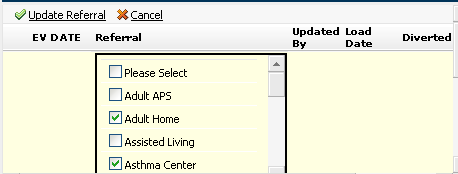
I have a checkboxlist in my RadGrid (EditItemTempalte) that gets bound with data in insert mode. I need to be able to reference the ID of this control and loop through it to gather the selected values in the Item Command Event. How would I go about this...? Here is the example I am talking about:
4 answers
540 views
<telerik:TreeListTemplateColumn> <ItemTemplate> <asp:LinkButton ID="ImageButton" Text="Delete" CommandName="Delete" runat="server" OnClientClick="if (!confirm('Please Confirm to Delete?')) return false;" CommandArgument='<%#Eval("WorkDescription") %>' HeaderStyle-Width="20px" /> </ItemTemplate> </telerik:TreeListTemplateColumn>see attachment ,
commandargument name also come that alert ,
how i achieve this one.
Thanks Advance,
Mohamed.

11 answers
380 views
Hello,
I using in my application some form RadAjaxPannels, and in some cases I getting interesting exceptions susch as:
Exception Details: System.ArgumentException: Script control '' is not a registered script control. Script controls must be registered using RegisterScriptControl() before calling RegisterScriptDescriptors().
Parameter name: scriptControl
ArgumentException: Script control '' is not a registered script control. Script controls must be registered using RegisterScriptControl() before calling RegisterScriptDescriptors().
Parameter name: scriptControl]
System.Web.UI.ScriptControlManager.RegisterScriptDescriptors(IScriptControl scriptControl) +455
System.Web.UI.ScriptManager.RegisterScriptDescriptors(IScriptControl scriptControl) +52
Telerik.Web.UI.ProxyScriptControl.Render(HtmlTextWriter writer) +53
System.Web.UI.Control.RenderControlInternal(HtmlTextWriter writer, ControlAdapter adapter) +25
System.Web.UI.Control.RenderControl(HtmlTextWriter writer, ControlAdapter adapter) +121
System.Web.UI.Control.RenderControl(HtmlTextWriter writer) +22
System.Web.UI.Control.RenderChildrenInternal(HtmlTextWriter writer, ICollection children) +199
System.Web.UI.Control.RenderChildren(HtmlTextWriter writer) +20
System.Web.UI.Control.Render(HtmlTextWriter writer) +7
System.Web.UI.Control.RenderControlInternal(HtmlTextWriter writer, ControlAdapter adapter) +25
System.Web.UI.Control.RenderControl(HtmlTextWriter writer, ControlAdapter adapter) +121
System.Web.UI.Control.RenderControl(HtmlTextWriter writer) +22
System.Web.UI.Control.RenderChildrenInternal(HtmlTextWriter writer, ICollection children) +199
System.Web.UI.Control.RenderChildren(HtmlTextWriter writer) +20
System.Web.UI.UpdatePanel.RenderChildren(HtmlTextWriter writer) +236
System.Web.UI.Control.Render(HtmlTextWriter writer) +7
System.Web.UI.UpdatePanel.Render(HtmlTextWriter writer) +32
System.Web.UI.Control.RenderControlInternal(HtmlTextWriter writer, ControlAdapter adapter) +25
System.Web.UI.Control.RenderControl(HtmlTextWriter writer, ControlAdapter adapter) +121
System.Web.UI.Control.RenderControl(HtmlTextWriter writer) +22
Telerik.Web.UI.PreControlToAjaxify.Render(HtmlTextWriter writer) +117
System.Web.UI.Control.RenderControlInternal(HtmlTextWriter writer, ControlAdapter adapter) +25
System.Web.UI.Control.RenderControl(HtmlTextWriter writer, ControlAdapter adapter) +121
System.Web.UI.Control.RenderControl(HtmlTextWriter writer) +22
System.Web.UI.Control.RenderChildrenInternal(HtmlTextWriter writer, ICollection children) +199
System.Web.UI.Control.RenderChildren(HtmlTextWriter writer) +20
System.Web.UI.WebControls.WebControl.RenderContents(HtmlTextWriter writer) +7
System.Web.UI.WebControls.WebControl.Render(HtmlTextWriter writer) +29
Telerik.WebControls.PageView.Render(HtmlTextWriter writer) +405
System.Web.UI.Control.RenderControlInternal(HtmlTextWriter writer, ControlAdapter adapter) +25
System.Web.UI.Control.RenderControl(HtmlTextWriter writer, ControlAdapter adapter) +121
System.Web.UI.Control.RenderControl(HtmlTextWriter writer) +22
System.Web.UI.Control.RenderChildrenInternal(HtmlTextWriter writer, ICollection children) +199
System.Web.UI.Control.RenderChildren(HtmlTextWriter writer) +20
System.Web.UI.WebControls.WebControl.RenderContents(HtmlTextWriter writer) +7
System.Web.UI.WebControls.WebControl.Render(HtmlTextWriter writer) +29
Telerik.WebControls.RadMultiPage.Render(HtmlTextWriter output) +191
System.Web.UI.Control.RenderControlInternal(HtmlTextWriter writer, ControlAdapter adapter) +25
System.Web.UI.Control.RenderControl(HtmlTextWriter writer, ControlAdapter adapter) +121
System.Web.UI.Control.RenderControl(HtmlTextWriter writer) +22
System.Web.UI.Control.RenderChildrenInternal(HtmlTextWriter writer, ICollection children) +199
System.Web.UI.Control.RenderChildren(HtmlTextWriter writer) +20
System.Web.UI.WebControls.TableCell.RenderContents(HtmlTextWriter writer) +97
System.Web.UI.WebControls.WebControl.Render(HtmlTextWriter writer) +29
System.Web.UI.Control.RenderControlInternal(HtmlTextWriter writer, ControlAdapter adapter) +25
System.Web.UI.Control.RenderControl(HtmlTextWriter writer, ControlAdapter adapter) +121
System.Web.UI.Control.RenderControl(HtmlTextWriter writer) +22
System.Web.UI.Control.RenderChildrenInternal(HtmlTextWriter writer, ICollection children) +199
System.Web.UI.Control.RenderChildren(HtmlTextWriter writer) +20
System.Web.UI.WebControls.WebControl.RenderContents(HtmlTextWriter writer) +7
System.Web.UI.WebControls.WebControl.Render(HtmlTextWriter writer) +29
System.Web.UI.Control.RenderControlInternal(HtmlTextWriter writer, ControlAdapter adapter) +25
System.Web.UI.Control.RenderControl(HtmlTextWriter writer, ControlAdapter adapter) +121
System.Web.UI.Control.RenderControl(HtmlTextWriter writer) +22
System.Web.UI.WebControls.Table.RenderContents(HtmlTextWriter writer) +536
System.Web.UI.WebControls.WebControl.Render(HtmlTextWriter writer) +29
System.Web.UI.Control.RenderControlInternal(HtmlTextWriter writer, ControlAdapter adapter) +25
System.Web.UI.Control.RenderControl(HtmlTextWriter writer, ControlAdapter adapter) +121
System.Web.UI.Control.RenderControl(HtmlTextWriter writer) +22
System.Web.UI.Control.RenderChildrenInternal(HtmlTextWriter writer, ICollection children) +199
System.Web.UI.Control.RenderChildren(HtmlTextWriter writer) +20
System.Web.UI.WebControls.WebControl.RenderContents(HtmlTextWriter writer) +7
System.Web.UI.WebControls.FormView.Render(HtmlTextWriter writer) +57
System.Web.UI.Control.RenderControlInternal(HtmlTextWriter writer, ControlAdapter adapter) +25
System.Web.UI.Control.RenderControl(HtmlTextWriter writer, ControlAdapter adapter) +121
System.Web.UI.Control.RenderControl(HtmlTextWriter writer) +22
System.Web.UI.Control.RenderChildrenInternal(HtmlTextWriter writer, ICollection children) +199
System.Web.UI.Control.RenderChildren(HtmlTextWriter writer) +20
System.Web.UI.Control.Render(HtmlTextWriter writer) +7
System.Web.UI.Control.RenderControlInternal(HtmlTextWriter writer, ControlAdapter adapter) +25
System.Web.UI.Control.RenderControl(HtmlTextWriter writer, ControlAdapter adapter) +121
System.Web.UI.Control.RenderControl(HtmlTextWriter writer) +22
System.Web.UI.Control.RenderChildrenInternal(HtmlTextWriter writer, ICollection children) +199
System.Web.UI.Control.RenderChildren(HtmlTextWriter writer) +20
System.Web.UI.WebControls.WebControl.RenderContents(HtmlTextWriter writer) +7
System.Web.UI.WebControls.WebControl.Render(HtmlTextWriter writer) +29
System.Web.UI.Control.RenderControlInternal(HtmlTextWriter writer, ControlAdapter adapter) +25
System.Web.UI.Control.RenderControl(HtmlTextWriter writer, ControlAdapter adapter) +121
System.Web.UI.Control.RenderControl(HtmlTextWriter writer) +22
System.Web.UI.Control.RenderChildrenInternal(HtmlTextWriter writer, ICollection children) +199
System.Web.UI.Control.RenderChildren(HtmlTextWriter writer) +20
System.Web.UI.HtmlControls.HtmlContainerControl.Render(HtmlTextWriter writer) +29
System.Web.UI.Control.RenderControlInternal(HtmlTextWriter writer, ControlAdapter adapter) +25
System.Web.UI.Control.RenderControl(HtmlTextWriter writer, ControlAdapter adapter) +121
System.Web.UI.Control.RenderControl(HtmlTextWriter writer) +22
System.Web.UI.Control.RenderChildrenInternal(HtmlTextWriter writer, ICollection children) +199
System.Web.UI.Control.RenderChildren(HtmlTextWriter writer) +20
System.Web.UI.HtmlControls.HtmlTableRow.RenderChildren(HtmlTextWriter writer) +47
System.Web.UI.HtmlControls.HtmlContainerControl.Render(HtmlTextWriter writer) +29
System.Web.UI.Control.RenderControlInternal(HtmlTextWriter writer, ControlAdapter adapter) +25
System.Web.UI.Control.RenderControl(HtmlTextWriter writer, ControlAdapter adapter) +121
System.Web.UI.Control.RenderControl(HtmlTextWriter writer) +22
System.Web.UI.Control.RenderChildrenInternal(HtmlTextWriter writer, ICollection children) +199
System.Web.UI.Control.RenderChildren(HtmlTextWriter writer) +20
System.Web.UI.HtmlControls.HtmlTable.RenderChildren(HtmlTextWriter writer) +47
System.Web.UI.HtmlControls.HtmlContainerControl.Render(HtmlTextWriter writer) +29
System.Web.UI.Control.RenderControlInternal(HtmlTextWriter writer, ControlAdapter adapter) +25
System.Web.UI.Control.RenderControl(HtmlTextWriter writer, ControlAdapter adapter) +121
System.Web.UI.Control.RenderControl(HtmlTextWriter writer) +22
System.Web.UI.Control.RenderChildrenInternal(HtmlTextWriter writer, ICollection children) +199
System.Web.UI.Control.RenderChildren(HtmlTextWriter writer) +20
System.Web.UI.HtmlControls.HtmlContainerControl.Render(HtmlTextWriter writer) +29
System.Web.UI.Control.RenderControlInternal(HtmlTextWriter writer, ControlAdapter adapter) +25
System.Web.UI.Control.RenderControl(HtmlTextWriter writer, ControlAdapter adapter) +121
System.Web.UI.Control.RenderControl(HtmlTextWriter writer) +22
ASP.masterpages_externalmasterpage_master.__Renderform1(HtmlTextWriter __w, Control parameterContainer) in c:\WINDOWS\Microsoft.NET\Framework\v2.0.50727\Temporary ASP.NET Files\reaturnenterprise\86c00cfc\2f2b4d2e\App_Web_nzglisbk.1.cs:0
System.Web.UI.Control.RenderChildrenInternal(HtmlTextWriter writer, ICollection children) +98
System.Web.UI.Control.RenderChildren(HtmlTextWriter writer) +20
System.Web.UI.HtmlControls.HtmlForm.RenderChildren(HtmlTextWriter writer) +59
System.Web.UI.HtmlControls.HtmlForm.Render(HtmlTextWriter output) +68
System.Web.UI.Control.RenderControlInternal(HtmlTextWriter writer, ControlAdapter adapter) +25
System.Web.UI.Control.RenderControl(HtmlTextWriter writer, ControlAdapter adapter) +121
System.Web.UI.HtmlControls.HtmlForm.RenderControl(HtmlTextWriter writer) +37
System.Web.UI.Control.RenderChildrenInternal(HtmlTextWriter writer, ICollection children) +199
System.Web.UI.Control.RenderChildren(HtmlTextWriter writer) +20
System.Web.UI.Control.Render(HtmlTextWriter writer) +7
System.Web.UI.Control.RenderControlInternal(HtmlTextWriter writer, ControlAdapter adapter) +25
System.Web.UI.Control.RenderControl(HtmlTextWriter writer, ControlAdapter adapter) +121
System.Web.UI.Control.RenderControl(HtmlTextWriter writer) +22
System.Web.UI.Control.RenderChildrenInternal(HtmlTextWriter writer, ICollection children) +199
System.Web.UI.Control.RenderChildren(HtmlTextWriter writer) +20
System.Web.UI.Page.Render(HtmlTextWriter writer) +26
System.Web.UI.Control.RenderControlInternal(HtmlTextWriter writer, ControlAdapter adapter) +25
System.Web.UI.Control.RenderControl(HtmlTextWriter writer, ControlAdapter adapter) +121
System.Web.UI.Control.RenderControl(HtmlTextWriter writer) +22
Telerik.Web.UI.RadAjaxControl.RenderPageInAjaxMode(HtmlTextWriter writer, Control page) +619
System.Web.UI.Control.RenderChildrenInternal(HtmlTextWriter writer, ICollection children) +98
System.Web.UI.Control.RenderChildren(HtmlTextWriter writer) +20
System.Web.UI.Page.Render(HtmlTextWriter writer) +26
System.Web.UI.Control.RenderControlInternal(HtmlTextWriter writer, ControlAdapter adapter) +25
System.Web.UI.Control.RenderControl(HtmlTextWriter writer, ControlAdapter adapter) +121
System.Web.UI.Control.RenderControl(HtmlTextWriter writer) +22
Telerik.Web.UI.RadAjaxControl.RenderPageInAjaxMode(HtmlTextWriter writer, Control page) +619
System.Web.UI.Control.RenderChildrenInternal(HtmlTextWriter writer, ICollection children) +98
System.Web.UI.Control.RenderChildren(HtmlTextWriter writer) +20
System.Web.UI.Page.Render(HtmlTextWriter writer) +26
System.Web.UI.Control.RenderControlInternal(HtmlTextWriter writer, ControlAdapter adapter) +25
System.Web.UI.Control.RenderControl(HtmlTextWriter writer, ControlAdapter adapter) +121
System.Web.UI.Control.RenderControl(HtmlTextWriter writer) +22
Telerik.Web.UI.RadAjaxControl.RenderPageInAjaxMode(HtmlTextWriter writer, Control page) +619
System.Web.UI.Control.RenderChildrenInternal(HtmlTextWriter writer, ICollection children) +98
System.Web.UI.Control.RenderChildren(HtmlTextWriter writer) +20
System.Web.UI.Page.Render(HtmlTextWriter writer) +26
System.Web.UI.Control.RenderControlInternal(HtmlTextWriter writer, ControlAdapter adapter) +25
System.Web.UI.Control.RenderControl(HtmlTextWriter writer, ControlAdapter adapter) +121
System.Web.UI.Control.RenderControl(HtmlTextWriter writer) +22
System.Web.UI.Page.ProcessRequestMain(Boolean includeStagesBeforeAsyncPoint, Boolean includeStagesAfterAsyncPoint) +2558
I don't know what exactly can be wrong because I reviewed my code it seems all looks quite good. Also I used same functionality with RadControls for asp.net it working good, and when migrated to the RadControls for ASPNET AJAX I encountered with such problems in forms where used rad ajax. And in some scenariuos it works fine, but sometimes crashes hard to predict when and why it crashes.
So maybe you could help me with that problem.
I can only copy code of one of my forms where I getting exception, because whole system is hudge enough. I am using ms web clint factory for client and for services web service factory. Is it can affet somehow ajax ?
So here it is code of one form:
Aspnet:
<%
@ Page Language="C#" AutoEventWireup="true" Inherits="Reaturn_Client_Modules_CashFlowForecast_CfPlanningGeneral_Edit" Title="Untitled page" MasterPageFile="~/MasterPages/ExternalMasterPage.master" Codebehind="Edit.aspx.cs" %>
<%
@ Import namespace="Telerik.Web.UI"%>
<%
@ Register Namespace="Telerik.WebControls" Assembly="RadTabStrip.Net2" TagPrefix="radTS" %>
<%
@ Import namespace="Resources"%>
<
asp:Content ID="Content1" ContentPlaceHolderID="DefaultContent" Runat="Server">
<pp:ObjectContainerDataSource ID="CfPlanningGeneralContainerDataSource" runat="server" DataObjectTypeName="CashFlowCalculation.DataContracts.CfPlanningGeneralFull" />
<pp:ObjectContainerDataSource ID="PropertyDataSource" runat="server" DataObjectTypeName="PropertyPortfolio.DataContracts.PropertySmall" />
<pp:ObjectContainerDataSource ID="QualificationsDataSource" runat="server" DataObjectTypeName="PropertyPortfolio.DataContracts.QualificationSmall" />
<rea:DataFormView ID="FormView1" runat="server" DataSourceID="CfPlanningGeneralContainerDataSource" DefaultMode="Edit" DataKeyNames="Id">
<EditItemTemplate>
<asp:HiddenField ID="VersionField" runat="server" Value='<%# Bind("Version") %>' />
<radTS:RadTabStrip ID="RadTabStrip1" runat="server" SelectedIndex="0" Skin="Outlook" MultiPageID="RadMultiPage1">
<Tabs>
<radTS:Tab runat="server" Text="<%$ Resources:pageresources, CfPlanningGeneralEdit_GeneralDataTab %>" ID="GeneralDataTab">
</radTS:Tab>
<radTS:Tab runat="server" Text="<%$ Resources:pageresources, CfPlanningGeneralEdit_PropertyTab %>" ID="PropertyTab">
</radTS:Tab>
</Tabs>
</radTS:RadTabStrip>
<radTS:RadMultiPage ID="RadMultiPage1" runat="server" BackColor="WhiteSmoke" BorderColor="Gainsboro"
BorderStyle="Solid" BorderWidth="1px" SelectedIndex="0" Height="225px" Width="400">
<radTS:PageView ID="PageView1" runat="server">
<table width="100%">
<tr>
<td>
<asp:Label ID="CashFlowVersionLabel" runat="server" Text="<%$ Resources:entityfieldresources, CfPlanningGeneral_CfVersion %>" SkinID="SmallLabel"></asp:Label></td>
<td>
<asp:TextBox ID="CashFlowVersionTextBox" runat="server" Width="200px" Text='<%# Bind("CashFlowVersion") %>' ></asp:TextBox>
<ppv:PropertyProxyValidator
ID="PropertyProxyValidator1"
runat="server"
ControlToValidate="CashFlowVersionTextBox"
PropertyName="CashFlowVersion"
RulesetName=""
Display="None"
DisplayMode="List"
SourceTypeName="CashFlowCalculation.DataContracts.CfPlanningGeneralFull">
</ppv:PropertyProxyValidator>
</td>
</tr>
<tr>
<td>
<asp:Label ID="StartMonthLabel" runat="server" Text="<%$ Resources:entityfieldresources, CfPlanningGeneral_StartMonth %>" SkinID="SmallLabel"></asp:Label></td>
<td>
<rea:MonthChooser
AssemblyName="CashFlowCalculation.DataContracts"
ID="StartMonthChooser"
runat="server"
SelectedMonth='<%# Bind("StartMonth") %>'
SourceTypeNameForValidation="CashFlowCalculation.DataContracts.CfPlanningGeneralFull"
PropertyNameForValidation="StartMonth"
/>
</td>
</tr>
<tr>
<td>
<asp:Label ID="TermLabel" runat="server" SkinID="SmallLabel" Text="<%$ Resources:entityfieldresources, CfPlanningGeneral_Term %>"></asp:Label></td>
<td>
<telerik:RadNumericTextBox ID="TermTextBox" runat="server" Width="200px" Text='<%# Bind("Term") %>' NumberFormat-DecimalDigits="0" NumberFormat-GroupSeparator="" Type="Number" MinValue="0">
</telerik:RadNumericTextBox>
<ppv:PropertyProxyValidator
ID="PropertyProxyValidator2"
runat="server"
ControlToValidate="TermTextBox"
PropertyName="Term"
RulesetName=""
Display="None"
DisplayMode="List"
SourceTypeName="CashFlowCalculation.DataContracts.CfPlanningGeneralFull"
OnValueConvert="OnTermValueConvert">
</ppv:PropertyProxyValidator>
</td>
</tr>
</table>
</radTS:PageView>
<radTS:PageView ID="PageView2" runat="server">
<telerik:RadAjaxPanel ID="RadAjaxPanel1" runat="server" LoadingPanelID="AjaxLoadingPanel1">
<table width="100%">
<tr>
<td colspan="2">
<asp:Label ID="SelectPropertiesLabel" runat="server" SkinID="SmallLabel" Text="<%$ Resources:pageresources, CfPlanningGeneralEdit_SelectPropertiesLabel %>"></asp:Label></td>
</tr>
<tr>
<td style="padding-right: 3px" colspan="2">
<asp:Panel ID="PropertyPanel" runat="server" BackColor="White" BorderColor="#7F9DB9" BorderWidth="1px"
Height="148px" ScrollBars="Auto" Width="100%">
<%
--<asp:UpdatePanel runat="server" ID="UpdatePanel1" UpdateMode="Conditional">
<Triggers>
<asp:AsyncPostBackTrigger ControlID="SelectAllButton" />
<asp:AsyncPostBackTrigger ControlID="DeselectAllButton" />
<asp:AsyncPostBackTrigger ControlID="QualificationComboBox" />
</Triggers>
<ContentTemplate>--
%>
<asp:CheckBoxList ID="PropertyCheckBoxList" runat="server" DataSourceID="PropertyDataSource"
DataTextField="Name" DataValueField="Id" RepeatColumns="2">
</asp:CheckBoxList>
<%
--</ContentTemplate>
</asp:UpdatePanel>--
%>
</asp:Panel>
</td>
</tr>
<tr>
<td style="width:70px">
<asp:Label ID="QualificationLabel" runat="server" Text="<%$ Resources:pageresources, QualificationLabel %>" SkinID="SmallLabel"></asp:Label>
</td>
<td align="left">
<rea:ReaturnComboBox ID="QualificationComboBox" runat="server" AutoPostBack="True"
DataTextField="Name" DataValueField="Id" DataSourceID="QualificationsDataSource"
Width="150px" MarkFirstMatch="True" Height="200px"
SourceTypeNameForValidation="PropertyPortfolio.DataContracts.QualificationSmall"
PropertyNameForValidation="Name"
OnSelectedIndexChanged="PropertyComboBox_SelectedIndexChanged"
NoneItemText="<%$ Resources:global, ShowAll %>" />
</td>
</tr>
<tr>
<td style="padding-bottom: 5px" colspan="2">
<asp:Button ID="SelectAllButton" CausesValidation="false" runat="server" Text="<%$ Resources:global, SelectAll %>" OnClick="SelectAllButton_Click" />
<asp:Button ID="DeselectAllButton" CausesValidation="false" runat="server" Text="<%$ Resources:global, DeselectAll %>" OnClick="DeselectAllButton_Click" /></td>
</tr>
</table>
</telerik:RadAjaxPanel>
</radTS:PageView>
</radTS:RadMultiPage>
<telerik:RadAjaxLoadingPanel ID="AjaxLoadingPanel1" runat="server">
<img alt="" src='<%= RadAjaxLoadingPanel.GetWebResourceUrl(Page, "Telerik.Web.UI.Skins.Default.Ajax.loading2.gif") %>' style="margin-top: 40px;" />
</telerik:RadAjaxLoadingPanel>
</EditItemTemplate>
</rea:DataFormView>
</
asp:Content>





