or
1 answer
223 views
I am receiving this error if I fetch data from view which has column names in arabic.
Steps to reproduce:
Provide following query on RadPivotGrid1_NeedDataSourcestring query = "SELECT شهر, الوفيات FROM [ViewName]";(sender as RadPivotGrid).DataSource = GetDataTable(query);if we provide one arabic name this pivot table renders successfully, If there are more than one arabic columns, page crashes with following message
Multiple controls with the same ID 'rc_' were found. FindControl requires that controls have unique IDs.[HttpException (0x80004005): Multiple controls with the same ID 'rc_' were found. FindControl requires that controls have unique IDs.] System.Web.UI.Control.FillNamedControlsTable(Control namingContainer, ControlCollection controls) +233 System.Web.UI.Control.FillNamedControlsTable(Control namingContainer, ControlCollection controls) +311 System.Web.UI.Control.FindControl(String id, Int32 pathOffset) +306 System.Web.UI.Control.FindControl(String id) +12 Telerik.Web.UI.PivotGridFieldsWindow.AddAttributesToRender(HtmlTextWriter writer) +76 System.Web.UI.WebControls.WebControl.RenderBeginTag(HtmlTextWriter writer) +20 Telerik.Web.UI.RadWebControl.RenderBeginTag(HtmlTextWriter writer) +36 System.Web.UI.WebControls.WebControl.Render(HtmlTextWriter writer) +20 Telerik.Web.UI.RadWebControl.Render(HtmlTextWriter writer) +92 System.Web.UI.Control.RenderControlInternal(HtmlTextWriter writer, ControlAdapter adapter) +57 System.Web.UI.Control.RenderControl(HtmlTextWriter writer, ControlAdapter adapter) +100 System.Web.UI.Control.RenderControl(HtmlTextWriter writer) +25 System.Web.UI.Control.RenderChildrenInternal(HtmlTextWriter writer, ICollection children) +128 System.Web.UI.Control.RenderChildren(HtmlTextWriter writer) +8 System.Web.UI.WebControls.WebControl.RenderContents(HtmlTextWriter writer) +10 Telerik.Web.UI.RadCompositeDataBoundControl.RenderContents(HtmlTextWriter writer) +115 Telerik.Web.UI.RadPivotGrid.RenderContents(HtmlTextWriter writer) +94 System.Web.UI.WebControls.WebControl.Render(HtmlTextWriter writer) +32 Telerik.Web.UI.RadCompositeDataBoundControl.Render(HtmlTextWriter writer) +92 Telerik.Web.UI.RadPivotGrid.Render(HtmlTextWriter writer) +275 System.Web.UI.Control.RenderControlInternal(HtmlTextWriter writer, ControlAdapter adapter) +57 System.Web.UI.Control.RenderControl(HtmlTextWriter writer, ControlAdapter adapter) +100 System.Web.UI.Control.RenderControl(HtmlTextWriter writer) +25 Telerik.Web.UI.RadAjaxPanel.RenderChildren(HtmlTextWriter writer) +218 System.Web.UI.WebControls.WebControl.RenderContents(HtmlTextWriter writer) +10 Telerik.Web.UI.RadAjaxPanel.RenderContents(HtmlTextWriter writer) +45 System.Web.UI.WebControls.WebControl.Render(HtmlTextWriter writer) +32 Telerik.Web.UI.RadAjaxPanel.Render(HtmlTextWriter writer) +80 System.Web.UI.Control.RenderControlInternal(HtmlTextWriter writer, ControlAdapter adapter) +57 System.Web.UI.Control.RenderControl(HtmlTextWriter writer, ControlAdapter adapter) +100 System.Web.UI.Control.RenderControl(HtmlTextWriter writer) +25 Telerik.Web.UI.ControlRenderer.Render(HtmlTextWriter writer) +161 System.Web.UI.Control.RenderControlInternal(HtmlTextWriter writer, ControlAdapter adapter) +57 System.Web.UI.Control.RenderControl(HtmlTextWriter writer, ControlAdapter adapter) +100 System.Web.UI.Control.RenderControl(HtmlTextWriter writer) +25 System.Web.UI.Control.RenderChildrenInternal(HtmlTextWriter writer, ICollection children) +128 System.Web.UI.Control.RenderChildren(HtmlTextWriter writer) +8 System.Web.UI.Control.Render(HtmlTextWriter writer) +10 System.Web.UI.Control.RenderControlInternal(HtmlTextWriter writer, ControlAdapter adapter) +57 System.Web.UI.Control.RenderControl(HtmlTextWriter writer, ControlAdapter adapter) +100 System.Web.UI.Control.RenderControl(HtmlTextWriter writer) +25 System.Web.UI.Control.RenderChildrenInternal(HtmlTextWriter writer, ICollection children) +128 System.Web.UI.Control.RenderChildren(HtmlTextWriter writer) +8 System.Web.UI.UpdatePanel.RenderChildren(HtmlTextWriter writer) +248 System.Web.UI.UpdatePanel.Render(HtmlTextWriter writer) +37 Telerik.Web.UI.OurUpdatePanel.Render(HtmlTextWriter writer) +464 System.Web.UI.Control.RenderControlInternal(HtmlTextWriter writer, ControlAdapter adapter) +57 System.Web.UI.Control.RenderControl(HtmlTextWriter writer, ControlAdapter adapter) +100 System.Web.UI.Control.RenderControl(HtmlTextWriter writer) +25 Telerik.Web.UI.PreControlToAjaxify.Render(HtmlTextWriter writer) +208 System.Web.UI.Control.RenderControlInternal(HtmlTextWriter writer, ControlAdapter adapter) +57 System.Web.UI.Control.RenderControl(HtmlTextWriter writer, ControlAdapter adapter) +100 System.Web.UI.Control.RenderControl(HtmlTextWriter writer) +25 System.Web.UI.Control.RenderChildrenInternal(HtmlTextWriter writer, ICollection children) +128 System.Web.UI.HtmlControls.HtmlForm.RenderChildren(HtmlTextWriter writer) +216 System.Web.UI.HtmlControls.HtmlContainerControl.Render(HtmlTextWriter writer) +32 System.Web.UI.HtmlControls.HtmlForm.Render(HtmlTextWriter output) +53 System.Web.UI.Control.RenderControlInternal(HtmlTextWriter writer, ControlAdapter adapter) +57 System.Web.UI.Control.RenderControl(HtmlTextWriter writer, ControlAdapter adapter) +100 System.Web.UI.HtmlControls.HtmlForm.RenderControl(HtmlTextWriter writer) +40 System.Web.UI.Control.RenderChildrenInternal(HtmlTextWriter writer, ICollection children) +128 System.Web.UI.Control.RenderChildren(HtmlTextWriter writer) +8 System.Web.UI.Page.Render(HtmlTextWriter writer) +29 System.Web.UI.Adapters.ControlAdapter.Render(HtmlTextWriter writer) +17 System.Web.UI.Control.RenderControlInternal(HtmlTextWriter writer, ControlAdapter adapter) +106 System.Web.UI.Control.RenderControl(HtmlTextWriter writer, ControlAdapter adapter) +100 System.Web.UI.Control.RenderControl(HtmlTextWriter writer) +25 Telerik.Web.UI.RadAjaxControl.RenderPageInAjaxMode(HtmlTextWriter writer, Control page) +1222 System.Web.UI.Control.RenderChildrenInternal(HtmlTextWriter writer, ICollection children) +268 System.Web.UI.Control.RenderChildren(HtmlTextWriter writer) +8 System.Web.UI.Page.Render(HtmlTextWriter writer) +29 System.Web.UI.Adapters.ControlAdapter.Render(HtmlTextWriter writer) +17 System.Web.UI.Control.RenderControlInternal(HtmlTextWriter writer, ControlAdapter adapter) +106 System.Web.UI.Control.RenderControl(HtmlTextWriter writer, ControlAdapter adapter) +100 System.Web.UI.Control.RenderControl(HtmlTextWriter writer) +25 System.Web.UI.Page.ProcessRequestMain(Boolean includeStagesBeforeAsyncPoint, Boolean includeStagesAfterAsyncPoint) +1386
I Investigated and found that issue is because when generating span id RadPivotGrid uses column name as part of control name
and it does not consider the arabic character for the id attribute.
If arabic character can not be used then PivotGrid should append a counter with the id so that it does not generate the duplicate id.
Following is the HTML generated with one arabic column and one english column
<td class="rpgFilterZone" colspan="2">
<span id="RadPivotGrid1_ctl00_ctl00_SpanPanelFieldsPopup" class="rpgFieldsPopup">
<span class="rpgFieldsPopupWrapper">
<span id="RadPivotGrid1_ctl00_ctl00_rc_" class="rpgFieldItem">شهر</span>
<span id="RadPivotGrid1_ctl00_ctl00_rc_Year" class="rpgFieldItem">Year</span>
</span><span class="rpgGroupedFieldsTitle">All Fields</span></span>
</td>

Deyan Enchev
Telerik team

answered
on
05 Nov 2013
1 answer
243 views
I have two RadButtons in a FooterTemplate of a RadGrid. The RadGrid has the Metro skin.
Both buttons showed the 'Default' skin appearance, which is the desired effect, despite not having their Skin="Default" attribute set. I thought they would inherit the Metro skin, but I was mistaken.
However, when I changed one of the button types to LinkButton the button shows a Metro-like skin (see attached image). How do I get the link button to have the Default skin appearance? Setting Skin="Default" does not do the trick.
Danail Vasilev
Telerik team
answered
on
05 Nov 2013
3 answers
188 views
Hi,
I'm attempting to filter a grid on a field that contains a file name and path. It appears that radgrid does not like filter strings that use the backslash (\) character. I have found a workaround (see code below) that intercepts the filter, escapes any backslash characters, and then aplies the filter. The code appears to work in that the filter is correctly applied. But for some reason, the text in the filter radtextbox gets cleared when the grid refreshes to apply the filter.
Is there a way to prevent the text box from being cleared?
Or alternately...is there a way to replace the text after the grid gets refreshed?
Below is the filter template, including the javascript codeblock, that applies the filter.
I'm attempting to filter a grid on a field that contains a file name and path. It appears that radgrid does not like filter strings that use the backslash (\) character. I have found a workaround (see code below) that intercepts the filter, escapes any backslash characters, and then aplies the filter. The code appears to work in that the filter is correctly applied. But for some reason, the text in the filter radtextbox gets cleared when the grid refreshes to apply the filter.
Is there a way to prevent the text box from being cleared?
Or alternately...is there a way to replace the text after the grid gets refreshed?
Below is the filter template, including the javascript codeblock, that applies the filter.
<telerik:GridTemplateColumn
UniqueName="Include"
DataField="Include"
SortExpression="Include"
HeaderText="Include"
HeaderStyle-Width="200px"
ShowFilterIcon="false"
FilterControlWidth="95%"
CurrentFilterFunction="Contains"
AutoPostBackOnFilter="true"
>
<EditItemTemplate>
<asp:textbox ID="txtInclude" runat="server" width="190px" Text='<%#Eval("Include")%>' />
<script type="text/javascript">
registeredElements.push('<%# Container.FindControl("txtInclude").ClientID %>');
</script>
</EditItemTemplate>
<ItemTemplate>
<div class="WordWrap" style="width:190px">
<asp:label ID="lblInclude" runat="server" CssClass="WordWrap" Text='<%#Eval("Include")%>' />
</div>
</ItemTemplate>
<FilterTemplate>
<telerik:RadTextBox ID="txtIncludeFileFilter" Width="100%" runat="server" >
<ClientEvents OnBlur="IncludeFileFilterChanged" />
</telerik:RadTextBox>
<telerik:RadScriptBlock ID="RadScriptBlock4" runat="server">
<script type="text/javascript">
function IncludeFileFilterChanged(sender, eventArgs) {
var filterValue = "";
var filterFunction = "NoFilter";
var s = sender.get_value();
if (s != "") {
filterValue = s.replace("\\", "\\\\");
var filterFunction = "Contains";
}
var tableView = $find("<%# TryCast(Container, GridItem).OwnerTableView.ClientID %>");
tableView.filter("Include", filterValue, filterFunction);
}
</script>
</telerik:RadScriptBlock>
</FilterTemplate>
</telerik:GridTemplateColumn >


1 answer
72 views
I have a problem displaying large data, when i'm scroll to the right the data displays
a little sliding to the left, please see picture below
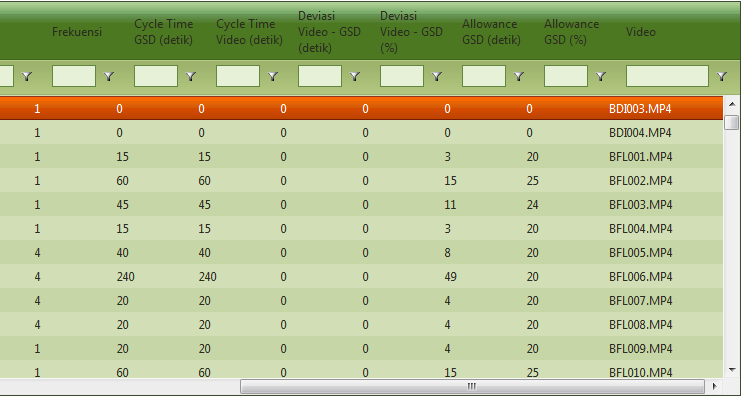
but when I slide a little to the left the data appear correctly
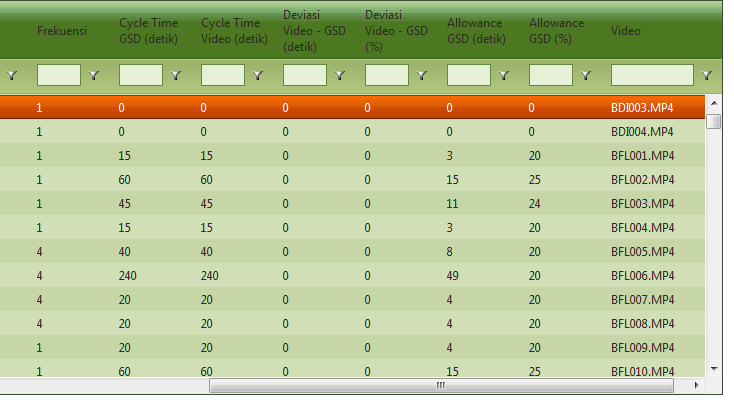
Please help me...
Thanks
a little sliding to the left, please see picture below
but when I slide a little to the left the data appear correctly
Please help me...
Thanks

Eyup
Telerik team
answered
on
05 Nov 2013
3 answers
137 views
Hi,
Since i install IE11, the header context menu don't check column on this menu. See attachment with printScreen with IE11 et chrome.
ty
Since i install IE11, the header context menu don't check column on this menu. See attachment with printScreen with IE11 et chrome.
ty
Angel Petrov
Telerik team
answered
on
05 Nov 2013
2 answers
495 views
Hi, I have a RadGrid that is basically copied from the Batch Editing demo (FYI, I'm a Telerik newbie). Functionally it all works great and I was pleased with how quickly I was able to convert the demo to suit me needs. However, I have one small issue with the GridTextBoxColumnEditor control width. No matter what I try to set in the aspx code, the text box width is resolutely fixed at what looks to be 100px-150px.
In the code sample I've included below, the textbox width is set to 200px. I can change this to 2px or 2000px or just delete the line altogether. It makes no difference. Could anyone help please?
In the code sample I've included below, the textbox width is set to 200px. I can change this to 2px or 2000px or just delete the line altogether. It makes no difference. Could anyone help please?
<telerik:RadWindowManager ID="RadWindowManager1" runat="server" EnableShadow="true"></telerik:RadWindowManager><telerik:RadAjaxPanel runat="server" ID="RadAjaxPanel1"> <telerik:RadGrid ID="RadGrid1" DataSourceID="ds_ActivityCodes" AutoGenerateColumns="False" AllowSorting="True" AllowAutomaticDeletes="False" AllowAutomaticInserts="True" AllowAutomaticUpdates="True" AllowPaging="True" GridLines="None" PageSize="10" Width="750px" runat="server"> <MasterTableView CommandItemDisplay="TopAndBottom" DataKeyNames="activity_id" DataSourceID="ds_ActivityCodes" HorizontalAlign="NotSet" EditMode="Batch" AutoGenerateColumns="False"> <CommandItemSettings ShowSaveChangesButton="false" /> <BatchEditingSettings EditType="Cell" OpenEditingEvent="None" /> <SortExpressions> <telerik:GridSortExpression FieldName="ActivityCode" SortOrder="Ascending" /> </SortExpressions> <Columns> <telerik:GridBoundColumn DataField="ActivityCode" HeaderStyle-Width="60px" HeaderText="Activity Code" SortExpression="ActivityCode" UniqueName="ActivityCode"> <ColumnValidationSettings EnableRequiredFieldValidation="true"> <RequiredFieldValidator ForeColor="Red" Text="*This field is required"> </RequiredFieldValidator> </ColumnValidationSettings> </telerik:GridBoundColumn> <telerik:GridBoundColumn DataField="ActivityDescription" HeaderStyle-Width="210px" HeaderText="Description" SortExpression="ActivityDescription" UniqueName="ActivityDescription"> <ColumnValidationSettings EnableRequiredFieldValidation="true"> <RequiredFieldValidator ForeColor="Red" Text="*This field is required"> </RequiredFieldValidator> </ColumnValidationSettings> </telerik:GridBoundColumn> <telerik:GridCheckBoxColumn DataField="display" HeaderStyle-Width="60px" HeaderText="Display" SortExpression="display" UniqueName="display" > </telerik:GridCheckBoxColumn> </Columns> </MasterTableView> </telerik:RadGrid> <telerik:GridTextBoxColumnEditor runat="server" ID="TextEditor"> <TextBoxStyle Width="200px" /> </telerik:GridTextBoxColumnEditor> <telerik:GridCheckBoxColumnEditor runat="server" ID="CheckBoxEditor"> <CheckBoxStyle Width="20px" /> </telerik:GridCheckBoxColumnEditor></telerik:RadAjaxPanel>
3 answers
214 views
Hi
I am able to bind resource combobox in radscheduler, i want to set default selected index, by default null value is coming in that
I don't want null value, i want to put selected index 1 so that by default i can have some value in that.
Thank & Regards
--------------------------
Ashok k
I am able to bind resource combobox in radscheduler, i want to set default selected index, by default null value is coming in that
I don't want null value, i want to put selected index 1 so that by default i can have some value in that.
Thank & Regards
--------------------------
Ashok k

Plamen
Telerik team
answered
on
05 Nov 2013
1 answer
148 views
Hi Support
I have a radtilelist control with content template tiles bound to an sql datasource. Everything works fine except being unable to add settings for peek template. I cant find the settings in intellisense. I want to display template for 2 seconds on mouse over after mouse out. I need some help.
Thanks
Karl
I have a radtilelist control with content template tiles bound to an sql datasource. Everything works fine except being unable to add settings for peek template. I cant find the settings in intellisense. I want to display template for 2 seconds on mouse over after mouse out. I need some help.
Thanks
Karl

1 answer
126 views
I have this Radgrid:
since a subgrid was added I am unable to make the filter working. Any help will be appreciated.
What should I do /change to make the filter working again?
<%@ Page Language="C#" AutoEventWireup="true" CodeFile="projects.aspx.cs" Inherits="projects" %><%@ Register assembly="Telerik.Web.UI" namespace="Telerik.Web.UI" tagprefix="telerik" %><!DOCTYPE html PUBLIC "-//W3C//DTD XHTML 1.0 Transitional//EN" "http://www.w3.org/TR/xhtml1/DTD/xhtml1-transitional.dtd"><html xmlns="http://www.w3.org/1999/xhtml"><head runat="server"> <title>Projects</title></head><body> <table width="100%"> <tr> <td><img src="images/logo.PNG" /></td> </tr> </table> <form id="form1" runat="server"> <div> </div> <telerik:RadScriptManager ID="RadScriptManager1" runat="server"> </telerik:RadScriptManager> <telerik:RadCodeBlock ID="RadCodeBlock1" runat="server"> <script type="text/javascript"> // <![CDATA[ //On insert and update buttons click temporarily disables ajax to perform upload actions function conditionalPostback(sender, eventArgs) { var theRegexp = new RegExp("\.UpdateButton$|\.PerformInsertButton$", "ig"); if (eventArgs.get_eventTarget().match(theRegexp)) { var upload = $find(window['UploadId']); //alert(upload); if (upload == null) { eventArgs.set_enableAjax(false); return; } //AJAX is disabled only if file is selected for upload if (upload.getFileInputs()[0].value != "") { eventArgs.set_enableAjax(false); } } } function validateRadUpload(source, e) { e.IsValid = false; var upload = $find(source.parentNode.getElementsByTagName('div')[0].id); if (upload == null) { return; } var inputs = upload.getFileInputs(); for (var i = 0; i < inputs.length; i++) { //check for empty string or invalid extension if (inputs[i].value != "" && upload.isExtensionValid(inputs[i].value)) { e.IsValid = true; break; } } } // ]]> </script> </telerik:RadCodeBlock> <table width="100%"> <tr> <td> <telerik:RadMenu ID="RadMenu1" runat="server" Skin="Default" Width="100%" Font-Size="Large"> <Items> <telerik:RadMenuItem Text="Login" runat="server"></telerik:RadMenuItem> <telerik:RadMenuItem Text="Home" runat="server" NavigateUrl="home.aspx" ></telerik:RadMenuItem> <telerik:RadMenuItem Text="Data Administration" runat="server" NavigateUrl="~/dataAdmin.aspx"> <Items> <telerik:RadMenuItem runat="server" NavigateUrl="customers.aspx" Text="Customers"> </telerik:RadMenuItem> <telerik:RadMenuItem runat="server" NavigateUrl="manufacturers.aspx" Text="Manufactures"> </telerik:RadMenuItem> <telerik:RadMenuItem runat="server" NavigateUrl="product.aspx" Text="Products"> </telerik:RadMenuItem> <telerik:RadMenuItem runat="server" NavigateUrl="events.aspx" Text="Events"> </telerik:RadMenuItem> <telerik:RadMenuItem runat="server" Selected="True" Text="Projects"> </telerik:RadMenuItem> </Items> </telerik:RadMenuItem> <telerik:RadMenuItem Text="Search" runat="server" NavigateUrl="search.aspx"></telerik:RadMenuItem> <telerik:RadMenuItem Text="Indust. Reports" runat="server" NavigateUrl="industry_report.aspx"></telerik:RadMenuItem> <telerik:RadMenuItem runat="server" NavigateUrl="~/reports_Start_page.aspx" Text="Reports Section"> </telerik:RadMenuItem> <telerik:RadMenuItem Text="Administration" runat="server" NavigateUrl="users.aspx"></telerik:RadMenuItem> <telerik:RadMenuItem Text="Help" runat="server" NavigateUrl="help.aspx" ></telerik:RadMenuItem> <telerik:RadMenuItem Text="Log Out" runat="server" NavigateUrl="logout.aspx"></telerik:RadMenuItem> </Items> </telerik:RadMenu> </td> </tr> </table> <table> <tr> <td><asp:Button ID="Button2" runat="server" Text="Export XL" OnClick="Button2_Click" /></td> </tr> </table> <table width="100%"> <tr> <td> <telerik:RadAjaxPanel ID="RadAjaxPanel1" runat="server" clientevents-onrequeststart="conditionalPostback" RestoreOriginalRenderDelegate="false" LoadingPanelID="RadAjaxLoadingPanel1"> <telerik:RadAjaxManager ID="RadAjaxManager1" runat="server" > <AjaxSettings> <telerik:AjaxSetting AjaxControlID="RadGrid1"> <UpdatedControls> <telerik:AjaxUpdatedControl ControlID="RadGrid1" ></telerik:AjaxUpdatedControl> <telerik:AjaxUpdatedControl ControlID="RequiredFieldValidator1"></telerik:AjaxUpdatedControl> </UpdatedControls> </telerik:AjaxSetting> </AjaxSettings> </telerik:RadAjaxManager> <telerik:RadAjaxLoadingPanel ID="RadAjaxLoadingPanel1" runat="server" Skin="Telerik"> </telerik:RadAjaxLoadingPanel> <telerik:RadGrid runat="server" ID="RadGrid1" AllowPaging="True" AllowFilteringByColumn="True" AllowSorting="True" AllowMultiRowSelection="true" AutoGenerateColumns="False" AllowAutomaticInserts="True" AllowAutomaticUpdates="True" AllowAutomaticDeletes="True" ShowStatusBar="True" OnDetailTableDataBind="RadGrid1_DetailTableDataBind" GridLines="None" DataSourceID="SqlDataSource1" PageSize="10" CellSpacing="0" OnDeleteCommand="RadGrid1_DeleteCommand" OnItemCreated="RadGrid1_ItemCreated" OnItemCommand="RadGrid1_ItemCommand" OnItemInserted="RadGrid1_ItemInserted" OnItemUpdated="RadGrid1_ItemUpdated" OnItemDataBound="RadGrid1_ItemDataBound" OnUpdateCommand="RadGrid1_UpdateCommand" oninsertcommand="RadGrid1_InsertCommand" > <PagerStyle Mode="NextPrevAndNumeric" AlwaysVisible="true"></PagerStyle> <MasterTableView Width="100%" CommandItemDisplay="Top" DataKeyNames="proj_id" Name="Master" > <Columns> <telerik:GridClientSelectColumn UniqueName="ChkSel" > </telerik:GridClientSelectColumn> <telerik:GridEditCommandColumn ButtonType="ImageButton"> <HeaderStyle Width="36px"></HeaderStyle> </telerik:GridEditCommandColumn> <telerik:GridTemplateColumn HeaderText="ProjectID" UniqueName="proj_id" DataField="proj_id" > <ItemTemplate> <asp:Label ID="lblid" runat="server" Text='<%# Bind("proj_id") %>'></asp:Label> </ItemTemplate> <EditItemTemplate > <asp:TextBox ID="txtid" Width="300px" runat="server" Text='<%# Bind("proj_id") %>' ReadOnly="true"> </asp:TextBox> </EditItemTemplate> </telerik:GridTemplateColumn> <telerik:GridTemplateColumn HeaderText="Project Name" UniqueName="proj_name" DataField="proj_name" SortExpression="proj_name"> <ItemTemplate> <asp:Label ID="lblpn" runat="server" Text='<%# Bind("proj_name") %>'></asp:Label> </ItemTemplate> <EditItemTemplate> <asp:TextBox ID="txtpn" Width="300px" runat="server" Text='<%# Bind("proj_name") %>' > </asp:TextBox> <asp:RequiredFieldValidator ID="RequiredFieldValidator1" ControlToValidate="txtpn" ErrorMessage="This field is required" runat="server" Display="Dynamic"> </asp:RequiredFieldValidator> </EditItemTemplate> </telerik:GridTemplateColumn> <telerik:GridDropDownColumn DataSourceID="SqlDataSource2" ListTextField="custname" ListValueField="custid" UniqueName="ddl" SortExpression="proj_cust_id" EmptyListItemText="Select Customer" EnableEmptyListItem="true" HeaderText="Customer" DropDownControlType="RadComboBox" DataField="proj_cust_id"> </telerik:GridDropDownColumn> <telerik:GridDropDownColumn DataSourceID="SqlDataSource3" ListTextField="manname" ListValueField="manid" UniqueName="ddl2" SortExpression="proj_man_id" EmptyListItemText="Select Manufacturer" EnableEmptyListItem="true" HeaderText="Manufacturer" DropDownControlType="RadComboBox" DataField="proj_man_id"> </telerik:GridDropDownColumn> <telerik:GridDropDownColumn DataSourceID="SqlDataSource4" ListTextField="prodname" ListValueField="prodid" UniqueName="ddl3" SortExpression="proj_prod_id" EmptyListItemText="Select Product" EnableEmptyListItem="true" HeaderText="Product" DropDownControlType="RadComboBox" DataField="proj_prod_id"> </telerik:GridDropDownColumn> <telerik:GridDateTimeColumn UniqueName="proj_date" PickerType="DatePicker" HeaderText="Proj Date" DataField="proj_date" DataFormatString="{0:MM/dd/yyyy}"> <ItemStyle Width="120px"></ItemStyle> </telerik:GridDateTimeColumn> <telerik:GridTemplateColumn HeaderText="Num Of Vehicle" UniqueName="proj_num_of_vehicles" DataField="proj_num_of_vehicles" display="false"> <ItemTemplate> <asp:Label ID="lblnov" runat="server" Text='<%# Eval("proj_num_of_vehicles") %>' width="50px"></asp:Label> </ItemTemplate> <EditItemTemplate> <telerik:RadNumericTextBox ID="txtnov" Width="50px" runat="server" Text='<%# Bind("proj_num_of_vehicles") %>' > <NumberFormat DecimalDigits="0" /> </telerik:RadNumericTextBox> <asp:RequiredFieldValidator ID="RequiredFieldValidator2" ControlToValidate="txtnov" ErrorMessage="This field is required" runat="server" Display="Dynamic"> </asp:RequiredFieldValidator> </EditItemTemplate> </telerik:GridTemplateColumn> <telerik:GridTemplateColumn HeaderText="Coach per Vehicle" UniqueName="proj_coach_vehicle" DataField="proj_coach_vehicle" display="false"> <ItemTemplate> <asp:Label ID="lblcv" runat="server" Text='<%# Eval("proj_coach_vehicle") %>' width="50px"></asp:Label> </ItemTemplate> <EditItemTemplate> <telerik:RadNumericTextBox ID="txtcv" Width="50px" runat="server" Text='<%# Bind("proj_coach_vehicle") %>' > <NumberFormat DecimalDigits="0" /> </telerik:RadNumericTextBox> <asp:RequiredFieldValidator ID="RequiredFieldValidator3" ControlToValidate="txtcv" ErrorMessage="This field is required" runat="server" Display="Dynamic"> </asp:RequiredFieldValidator> </EditItemTemplate> </telerik:GridTemplateColumn> <telerik:GridTemplateColumn HeaderText="Contract Value(€)" UniqueName="proj_contract_value" DataField="proj_contract_value" display="false" > <ItemTemplate> <asp:Label ID="lblcval" runat="server" Text='<%# Eval("proj_contract_value") %>' width="150px"></asp:Label> </ItemTemplate> <EditItemTemplate> <telerik:RadNumericTextBox ID="txtcval" Width="150px" runat="server" Text='<%# Bind("proj_contract_value") %>' > <NumberFormat DecimalDigits="0" /> </telerik:RadNumericTextBox> <asp:RequiredFieldValidator ID="RequiredFieldValidator4" ControlToValidate="txtcval" ErrorMessage="This field is required" runat="server" Display="Dynamic"> </asp:RequiredFieldValidator> </EditItemTemplate> </telerik:GridTemplateColumn> <telerik:GridTemplateColumn HeaderText="Avg Price per Coach(€)" UniqueName="proj_avg_price_per_coach" DataField="proj_avg_price_per_coach" display="false"> <ItemTemplate></ItemTemplate> <EditItemTemplate> <telerik:RadNumericTextBox ID="txtppc" Width="150px" runat="server" ReadOnly="true" > <NumberFormat DecimalDigits="0" /> </telerik:RadNumericTextBox> </EditItemTemplate> </telerik:GridTemplateColumn> <telerik:GridTemplateColumn HeaderText="Length(m)" UniqueName="proj_length" DataField="proj_length" display="false"> <ItemTemplate> <asp:Label ID="lblpl" runat="server" Text='<%# Eval("proj_length") %>' width="50px"></asp:Label> </ItemTemplate> <EditItemTemplate> <telerik:RadNumericTextBox ID="txtpl" Width="50px" runat="server" Text='<%# Bind("proj_length") %>' > <NumberFormat DecimalDigits="0" /> </telerik:RadNumericTextBox> </EditItemTemplate> </telerik:GridTemplateColumn> <telerik:GridTemplateColumn HeaderText="Width(mm)" UniqueName="proj_width" DataField="proj_width" display="false"> <ItemTemplate> <asp:Label ID="lblpw" runat="server" Text='<%# Eval("proj_width") %>' width="50px"></asp:Label> </ItemTemplate> <EditItemTemplate> <telerik:RadNumericTextBox ID="txtpw" Width="50px" runat="server" Text='<%# Bind("proj_width") %>' > <NumberFormat DecimalDigits="0" /> </telerik:RadNumericTextBox> </EditItemTemplate> </telerik:GridTemplateColumn> <telerik:GridTemplateColumn HeaderText="Height(mm)" UniqueName="proj_height" DataField="proj_height" display="false"> <ItemTemplate> <asp:Label ID="lblph" runat="server" Text='<%# Eval("proj_height") %>' width="50px"></asp:Label> </ItemTemplate> <EditItemTemplate> <telerik:RadNumericTextBox ID="txtph" Width="50px" runat="server" Text='<%# Bind("proj_height") %>' > <NumberFormat DecimalDigits="0" /> </telerik:RadNumericTextBox> </EditItemTemplate> </telerik:GridTemplateColumn> <telerik:GridTemplateColumn HeaderText="Passenger Seats" UniqueName="proj_passenger_seats" DataField="proj_passenger_seats" display="false"> <ItemTemplate> <asp:Label ID="lblps" runat="server" Text='<%# Eval("proj_passenger_seats") %>' width="50px"></asp:Label> </ItemTemplate> <EditItemTemplate> <telerik:RadNumericTextBox ID="txtps" Width="50px" runat="server" Text='<%# Bind("proj_passenger_seats") %>' > <NumberFormat DecimalDigits="0" /> </telerik:RadNumericTextBox> </EditItemTemplate> </telerik:GridTemplateColumn> <telerik:GridTemplateColumn HeaderText="Passengers Total" UniqueName="proj_passenger_total" DataField="proj_passenger_seats" display="false"> <ItemTemplate> <asp:Label ID="lblpat" runat="server" Text='<%# Eval("proj_passenger_total") %>' width="50px"></asp:Label> </ItemTemplate> <EditItemTemplate> <telerik:RadNumericTextBox ID="txtpat" Width="50px" runat="server" Text='<%# Bind("proj_passenger_total") %>' > <NumberFormat DecimalDigits="0" /> </telerik:RadNumericTextBox> </EditItemTemplate> </telerik:GridTemplateColumn> <telerik:GridTemplateColumn HeaderText="Brand" UniqueName="proj_brand" DataField="proj_brand" display="false"> <ItemTemplate> <asp:Label ID="lblbr" runat="server" Text='<%# Eval("proj_brand") %>' width="100px"></asp:Label> </ItemTemplate> <EditItemTemplate> <asp:textbox ID="txtbr" Width="100px" runat="server" Text='<%# Bind("proj_brand") %>' > </asp:textbox> </EditItemTemplate> </telerik:GridTemplateColumn> <telerik:GridTemplateColumn HeaderText="System Voltage" UniqueName="proj_systemvoltage" DataField="proj_systemvoltage" display="false"> <ItemTemplate> <asp:Label ID="lblsv" runat="server" Text='<%# Eval("proj_systemvoltage") %>' width="100px"></asp:Label> </ItemTemplate> <EditItemTemplate> <asp:textbox ID="txtsv" Width="100px" runat="server" Text='<%# Bind("proj_systemvoltage") %>' > </asp:textbox> </EditItemTemplate> </telerik:GridTemplateColumn> <telerik:GridTemplateColumn HeaderText="Gauge" UniqueName="proj_gauge" DataField="proj_gauge" display="false"> <ItemTemplate> <asp:Label ID="lblga" runat="server" Text='<%# Eval("proj_gauge") %>' width="100px"></asp:Label> </ItemTemplate> <EditItemTemplate> <asp:textbox ID="txtga" Width="100px" runat="server" Text='<%# Bind("proj_gauge") %>' > </asp:textbox> </EditItemTemplate> </telerik:GridTemplateColumn> <telerik:GridTemplateColumn HeaderText="Service Speed" UniqueName="proj_service_speed" DataField="proj_service_speed" display="false"> <ItemTemplate> <asp:Label ID="lblss" runat="server" Text="Service Speed (Km/h)" width="100px"></asp:Label> </ItemTemplate> <EditItemTemplate> <asp:textbox ID="txtss" Width="100px" runat="server" Text='<%# Bind("proj_service_speed") %>' > </asp:textbox> </EditItemTemplate> </telerik:GridTemplateColumn> <telerik:GridTemplateColumn HeaderText="Available Attachments" UniqueName="proj_attach" DataField="proj_attach" display="false"> <ItemTemplate></ItemTemplate> <EditItemTemplate> <asp:TextBox ID="txtprojattach" Width="300px" runat="server" Text='<%# Bind("proj_attach") %>' ReadOnly="true"> </asp:TextBox> <asp:Button id="btn" OnClick="btn_Click" runat="server" Text="View Attachments"/> </EditItemTemplate> </telerik:GridTemplateColumn> <telerik:gridtemplatecolumn uniquename="Upload" HeaderText="Select attachments (jpg, jpeg, pdf, txt)" Display="false"> <ItemTemplate></ItemTemplate> <edititemtemplate> <telerik:radupload id="RadUpload1" runat="server" MaxFileInputsCount="1" AllowedFileExtensions=".jpg,.jpeg,.pdf,.txt" TargetFolder="~/Proj_AttachFiles" ControlObjectsVisibility="None" /> </edititemtemplate> </telerik:gridtemplatecolumn> <telerik:GridTemplateColumn HeaderText="Notes" UniqueName="proj_notes" DataField="proj_notes" display="false"> <ItemTemplate> <asp:Label ID="lblnotes" runat="server" Text='<%# Eval("proj_notes") %>' width="300px"></asp:Label> </ItemTemplate> <EditItemTemplate> <telerik:RadTextBox ID="txtnotes" Width="500px" runat="server" Text='<%# Bind("proj_notes") %>' Height="100px" TextMode="MultiLine" > </telerik:RadTextBox> </EditItemTemplate> </telerik:GridTemplateColumn> <telerik:GridTemplateColumn UniqueName="uname" DataField="uname" HeaderText="Modified By"> <ItemTemplate> <asp:Label ID="lbluname" runat="server" Text='<%# Bind("uname") %>'></asp:Label> </ItemTemplate> <EditItemTemplate> <asp:TextBox ID="uname" runat="server" Text='<%# Bind("uname") %>' ReadOnly="true"> </asp:TextBox> </EditItemTemplate> </telerik:GridTemplateColumn> <telerik:GridButtonColumn UniqueName="Delete_col" Text="Delete" CommandName="Delete" ConfirmText="Delete this record ?" ConfirmDialogType="RadWindow" ButtonType="ImageButton"> <HeaderStyle Width="36px"></HeaderStyle> </telerik:GridButtonColumn> </Columns> <DetailTables > <telerik:GridTableView DataKeyNames="proj_id" ClientDataKeyNames="proj_id" HierarchyLoadMode="ServerBind" Width="100%" runat="server" CommandItemDisplay="Top" Name="Details" > <ParentTableRelation> <telerik:GridRelationFields DetailKeyField="proj_id" MasterKeyField="proj_id"></telerik:GridRelationFields> </ParentTableRelation> <Columns> <telerik:GridEditCommandColumn ButtonType="ImageButton" UniqueName="EditCommandColumn1"> <HeaderStyle Width="36px"></HeaderStyle> </telerik:GridEditCommandColumn> <telerik:GridTemplateColumn HeaderText="ID" UniqueName="id" DataField="id" display="false"> <ItemTemplate> <asp:Label ID="lblid" runat="server" Text='<%# Bind("id") %>'></asp:Label> </ItemTemplate> <EditItemTemplate> <asp:TextBox ID="txtid" Width="70px" runat="server" Text='<%# Bind("id") %>' ReadOnly="true"> </asp:TextBox> </EditItemTemplate> </telerik:GridTemplateColumn> <telerik:GridDropDownColumn DataSourceID="SqlDataSource3" ListTextField="manname" ListValueField="manname" UniqueName="ddl7" SortExpression="b_man_id" EmptyListItemText="Select Manufacturer" EnableEmptyListItem="true" HeaderText="Manufacturer" DropDownControlType="RadComboBox" DataField="b_man_id" > </telerik:GridDropDownColumn> <telerik:GridNumericColumn DataField="b_contract_price" HeaderText="Contract Value(€)" UniqueName="b_contract_price" > </telerik:GridNumericColumn > <telerik:GridTemplateColumn UniqueName="b_avg_price" DataField="b_avg_price" HeaderText="Avg Price per Coach(€)"> <ItemTemplate> <asp:Label ID="lblavgp" runat="server" Text='<%# Bind("b_avg_price") %>'></asp:Label> </ItemTemplate> <EditItemTemplate> <telerik:RadNumericTextBox ID="txtavgp" runat="server" Text='<%# Bind("b_avg_price") %>' ReadOnly="true" Width="100px" > <NumberFormat DecimalDigits="0" /> </telerik:RadNumericTextBox> </EditItemTemplate> </telerik:GridTemplateColumn> <telerik:GridButtonColumn UniqueName="Delete_col2" Text="Delete" CommandName="Delete" ConfirmText="Delete this record ?" ConfirmDialogType="RadWindow" ButtonType="ImageButton"> <HeaderStyle Width="36px"></HeaderStyle> </telerik:GridButtonColumn> </Columns> </telerik:GridTableView> </DetailTables> <EditFormSettings> <EditColumn ButtonType="ImageButton"> </EditColumn> </EditFormSettings> </MasterTableView> <ClientSettings> <Selecting AllowRowSelect="true"/> </ClientSettings> </telerik:RadGrid> </telerik:RadAjaxPanel></td></tr></table> <asp:SqlDataSource runat="server" ID="SqlDataSource2" ConnectionString="<%$ ConnectionStrings:stad_conn %>" SelectCommand="SELECT cust_id as custid,cust_name as custname FROM customers order by cust_name"> </asp:SqlDataSource> <asp:SqlDataSource runat="server" ID="SqlDataSource22" ConnectionString="<%$ ConnectionStrings:stad_conn %>" SelectCommand="SELECT cust_name,cust_id FROM customers order by cust_name"> </asp:SqlDataSource> <asp:SqlDataSource runat="server" ID="SqlDataSource3" ConnectionString="<%$ ConnectionStrings:stad_conn %>" SelectCommand="SELECT man_id as manid,man_name as manname FROM manufacturers order by man_name"> </asp:SqlDataSource> <asp:SqlDataSource runat="server" ID="SqlDataSource4" ConnectionString="<%$ ConnectionStrings:stad_conn %>" SelectCommand="SELECT prod_id as prodid,prod_type as prodname FROM products order by prod_type"> </asp:SqlDataSource> <asp:SqlDataSource ID="SqlDataSource1" runat="server" ConnectionString="<%$ ConnectionStrings:stad_conn %>" DeleteCommand="DELETE FROM [projects] WHERE [ID] = @ID" InsertCommand="INSERT INTO [projects] ([proj_id],[proj_cust_id], [proj_man_id], [proj_date],[proj_num_of_vehicles], [proj_coach_vehicle],[proj_contract_value],[proj_length],[proj_width], [proj_height],[proj_passenger_seats],[proj_passenger_total],[proj_notes], [uname],[proj_name],[proj_prod_id],[proj_brand],[proj_systemvoltage],[proj_gauge],[proj_service_speed]) VALUES (@proj_id,@proj_cust_id,@proj_man_id, @proj_date,@proj_num_of_vehicles,@proj_coach_vehicle, @proj_contract_value,@proj_length, @proj_width,@proj_height,@proj_passenger_seats, @proj_passenger_total,@proj_notes,@uname,@proj_name,@proj_prod_id,@proj_brand,@proj_systemvoltage,@proj_gauge,@proj_service_speed)" SelectCommand="SELECT [id],[proj_id],[proj_cust_id], [proj_man_id], [proj_date],[proj_num_of_vehicles],[proj_coach_vehicle], [proj_contract_value],[proj_length],[proj_width],[proj_height] ,[proj_attach],[proj_prod_id],[proj_service_speed], [proj_passenger_seats],[proj_passenger_total],[proj_notes],[uname],[proj_name],[proj_brand],[proj_systemvoltage],[proj_gauge] from projects" UpdateCommand="UPDATE [projects] SET [proj_id] = @proj_id,[proj_cust_id] = @proj_cust_id, [proj_man_id] = @proj_man_id, [proj_date] = @proj_date,[proj_prod_id] = @proj_prod_id, [proj_num_of_vehicles] = @proj_num_of_vehicles, [proj_coach_vehicle] = @proj_coach_vehicle, [proj_contract_value] = @proj_contract_value, [proj_service_speed] = @proj_service_speed, [proj_length] = @proj_length, [proj_width] = @proj_width, [proj_height] = @proj_height, [proj_passenger_seats] = @proj_passenger_seats, [proj_passenger_total] = @proj_passenger_total, [proj_notes] = @proj_notes,[proj_name]=@proj_name, [proj_brand]=@proj_brand,[proj_systemvoltage]=@proj_systemvoltage,[proj_gauge]=@proj_gauge WHERE [ID] = @ID"> <DeleteParameters> <asp:Parameter Name="ID" Type="Int32"></asp:Parameter> </DeleteParameters> <InsertParameters> <asp:Parameter Name="proj_cust_id" Type="String"></asp:Parameter> <asp:Parameter Name="proj_prod_id" Type="String"></asp:Parameter> <asp:Parameter Name="proj_brand" Type="String"></asp:Parameter> <asp:Parameter Name="proj_systemvoltage" Type="String"></asp:Parameter> <asp:Parameter Name="proj_gauge" Type="String"></asp:Parameter> <asp:Parameter Name="proj_man_id" Type="String"></asp:Parameter> <asp:Parameter Name="proj_service_speed" Type="String"></asp:Parameter> <asp:Parameter Name="proj_date" Type="DateTime"></asp:Parameter> <asp:Parameter Name="proj_num_of_vehicles" Type="Int16"></asp:Parameter> <asp:Parameter Name="proj_coach_vehicle" Type="Int16"></asp:Parameter> <asp:Parameter Name="proj_contract_value" Type="Double"></asp:Parameter> <asp:Parameter Name="proj_length" Type="Double"></asp:Parameter> <asp:Parameter Name="proj_width" Type="Double"></asp:Parameter> <asp:Parameter Name="proj_system_voltage" Type="Double"></asp:Parameter> <asp:Parameter Name="proj_height" Type="Double"></asp:Parameter> <asp:Parameter Name="proj_passenger_seats" Type="Int16"></asp:Parameter> <asp:Parameter Name="proj_passenger_total" Type="Int16"></asp:Parameter> <asp:Parameter Name="proj_notes" Type="String"></asp:Parameter> <asp:Parameter Name="proj_name" Type="String"></asp:Parameter> <asp:Parameter Name="uname" Type="String"></asp:Parameter> <asp:Parameter Name="proj_id" Type="String"></asp:Parameter> </InsertParameters> <UpdateParameters> <asp:Parameter Name="proj_cust_id" Type="String"></asp:Parameter> <asp:Parameter Name="proj_prod_id" Type="String"></asp:Parameter> <asp:Parameter Name="proj_man_id" Type="String"></asp:Parameter> <asp:Parameter Name="proj_brand" Type="String"></asp:Parameter> <asp:Parameter Name="proj_service_speed" Type="String"></asp:Parameter> <asp:Parameter Name="proj_systemvoltage" Type="String"></asp:Parameter> <asp:Parameter Name="proj_gauge" Type="String"></asp:Parameter> <asp:Parameter Name="proj_date" Type="DateTime"></asp:Parameter> <asp:Parameter Name="proj_num_of_vehicles" Type="Int16"></asp:Parameter> <asp:Parameter Name="proj_coach_vehicle" Type="Int16"></asp:Parameter> <asp:Parameter Name="proj_contract_value" Type="Double"></asp:Parameter> <asp:Parameter Name="proj_length" Type="Double"></asp:Parameter> <asp:Parameter Name="proj_width" Type="Double"></asp:Parameter> <asp:Parameter Name="proj_system_voltage" Type="Double"></asp:Parameter> <asp:Parameter Name="proj_height" Type="Double"></asp:Parameter> <asp:Parameter Name="proj_passenger_seats" Type="Int16"></asp:Parameter> <asp:Parameter Name="proj_passenger_total" Type="Int16"></asp:Parameter> <asp:Parameter Name="proj_notes" Type="String"></asp:Parameter> <asp:Parameter Name="proj_name" Type="String"></asp:Parameter> <asp:Parameter Name="ID" Type="Int32"></asp:Parameter> </UpdateParameters> </asp:SqlDataSource> </form></body></html>What should I do /change to make the filter working again?
Kostadin
Telerik team
answered
on
05 Nov 2013
4 answers
375 views
Hi,
I need to set the Pivot grid PivotGridRowField header as same like PivotGridColumnField.
the Pivot grid both Row header and column header should be uniform.
Each rowfield header should have border shame like Colum filed header.
2) I want to export the Pivot grid it works fine but i need the Pivot grid row header should be added in export as column header.
I need to set the Pivot grid PivotGridRowField header as same like PivotGridColumnField.
the Pivot grid both Row header and column header should be uniform.
Each rowfield header should have border shame like Colum filed header.
2) I want to export the Pivot grid it works fine but i need the Pivot grid row header should be added in export as column header.





