The KendoReact Prompt Library

Summarize with AI:
The KendoReact Prompt Library is a collection of pre-tested prompts designed specific to the KendoReact component library to help speed up development.
AI-powered coding assistants have now become an essential part of modern development. Still, the quality of their output is often directly tied to the quality of our prompts (i.e., input text that guides the AI’s response or action).
When it comes to using a component library like Progress KendoReact, what if we had a collection of crafted, ready-to-use prompts designed for the KendoReact library? This is where the KendoReact Prompt Library comes in. In this article, we’ll explore what the KendoReact Prompt Library offers and see how these ready-made prompts can streamline your development workflow.
Quick MCP Refresher
Before we dive into the Prompt Library, let’s quickly touch on what makes this all possible. The Model Context Protocol (MCP) is the foundation that allows our AI assistant to understand KendoReact components deeply. When we use the KendoReact MCP Server, we’re giving our AI coding assistant specialized knowledge about component APIs, best practices and implementation patterns.
If you’re new to MCP or need help setting up the KendoReact MCP Server with Cursor, check out our previous article: [The KendoReact MCP Server with Cursor](The KendoReact MCP Server with Cursor) for a complete walkthrough.
Note on licensing: Don’t have a KendoReact license yet? No problem, you can still try out the MCP behavior. In that case, you’ll see placeholder elements in the examples (just like the ones shown throughout this article). This allows you to explore how the prompts and MCP integration work, even without a paid license.
If you’d like full access, you can also sign up for a free trial.
What the KendoReact Prompt Library Offers
The KendoReact Prompt Library is essentially a curated collection of prompts that target the most common development scenarios with KendoReact. Instead of crafting prompts from scratch every time you need to implement a Grid with filtering or a Scheduler with recurring events, you can copy a proven prompt and get valuable results.
A Few Things to Keep in Mind
When working with the Prompt Library, there are some details to remember:
- Use the right handle: All prompts use the
#kendo-react-assistanthandle to target the MCP Server. Make sure you have the KendoReact MCP Server installed and enabled before trying these prompts. - Customization is welcome: Feel free to modify the prompts for your specific needs, but keep the
#kendo-react-assistanthandle intact. - Alternative for Copilot users: If you’re using the KendoReact GitHub Copilot Extension instead of the MCP Server, swap
#kendo-react-assistantwith@kendoreact. - Always review: Like any AI-generated code, always double-check the output before integrating it into your project.
Prompt Examples in Action
Let’s walk through some practical examples from the Prompt Library to see how they work in real development scenarios.
Setting Up a Basic Grid with Advanced Features
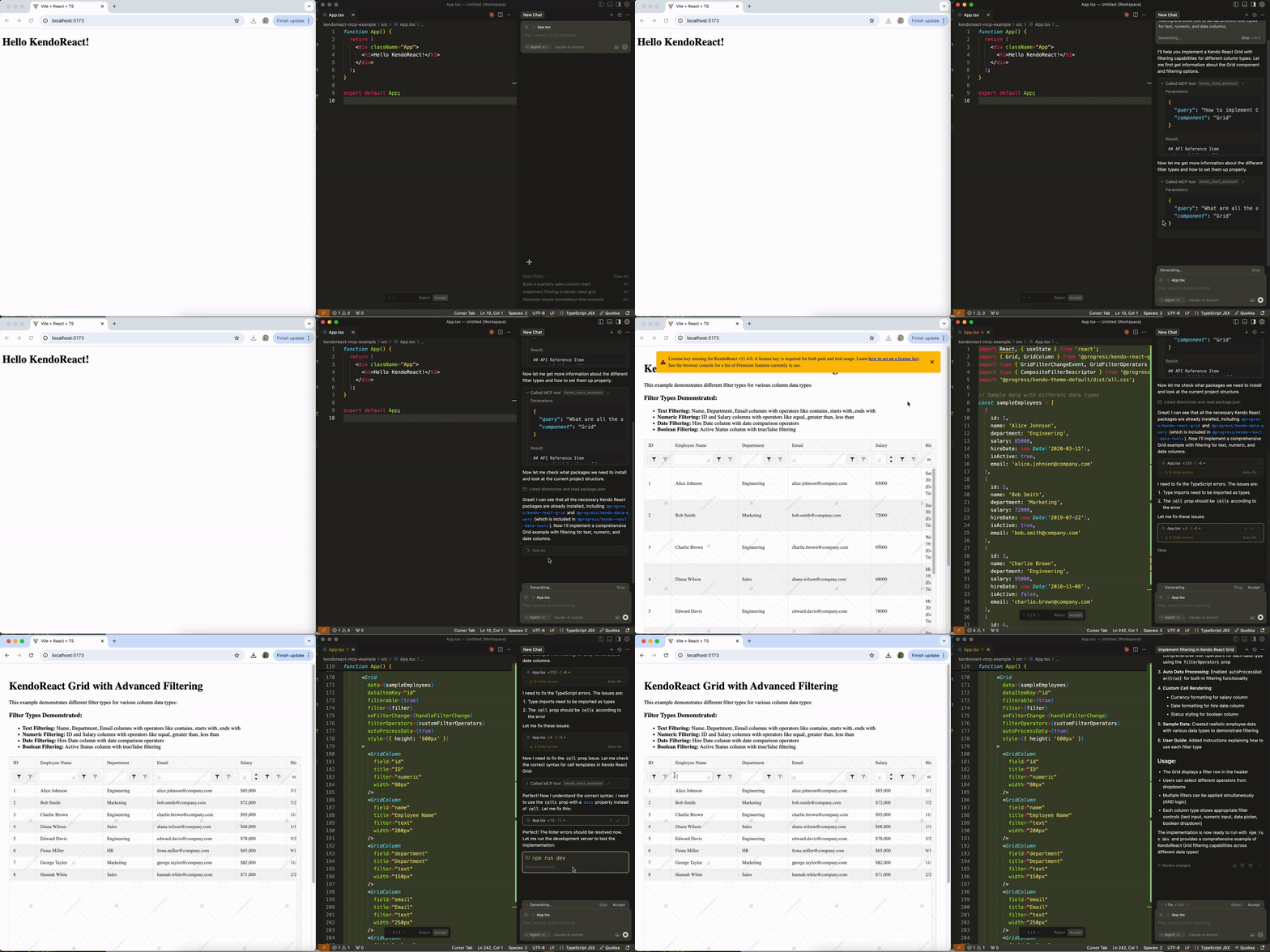
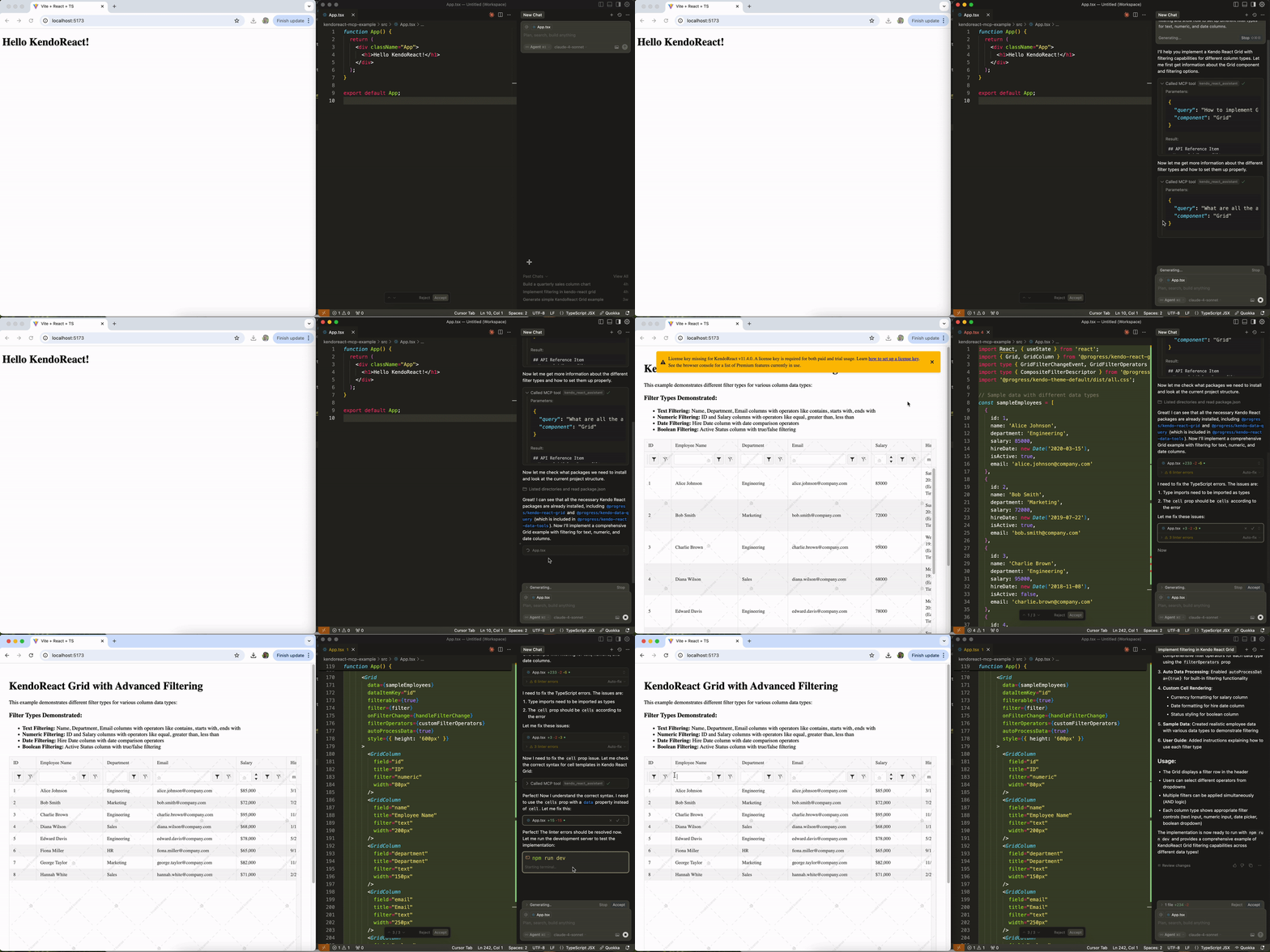
One of the most common scenarios is setting up a React Grid that goes beyond basic data display. Here’s a prompt from the library that creates a comprehensive Grid setup:
Prompt: #kendo-react-assistant Implement a Grid with enabled filtering and show how to set up different filter types for text, numeric, and date columns.
The above prompt generates a complete Grid implementation with proper TypeScript typing, sample data and different filter configurations for various column types. The AI understands precisely how to configure text filters, numeric filters and date filters—something that requires more extensive context and configuration.
Creating Charts for Data Visualization
React Charts often require specific configurations depending on the data type and visualization goals. The Prompt Library includes targeted prompts for different chart scenarios:
Prompt: #kendo-react-assistant Build a column chart that shows quarterly sales by region with drill-down functionality to show monthly data when clicking on a quarter.
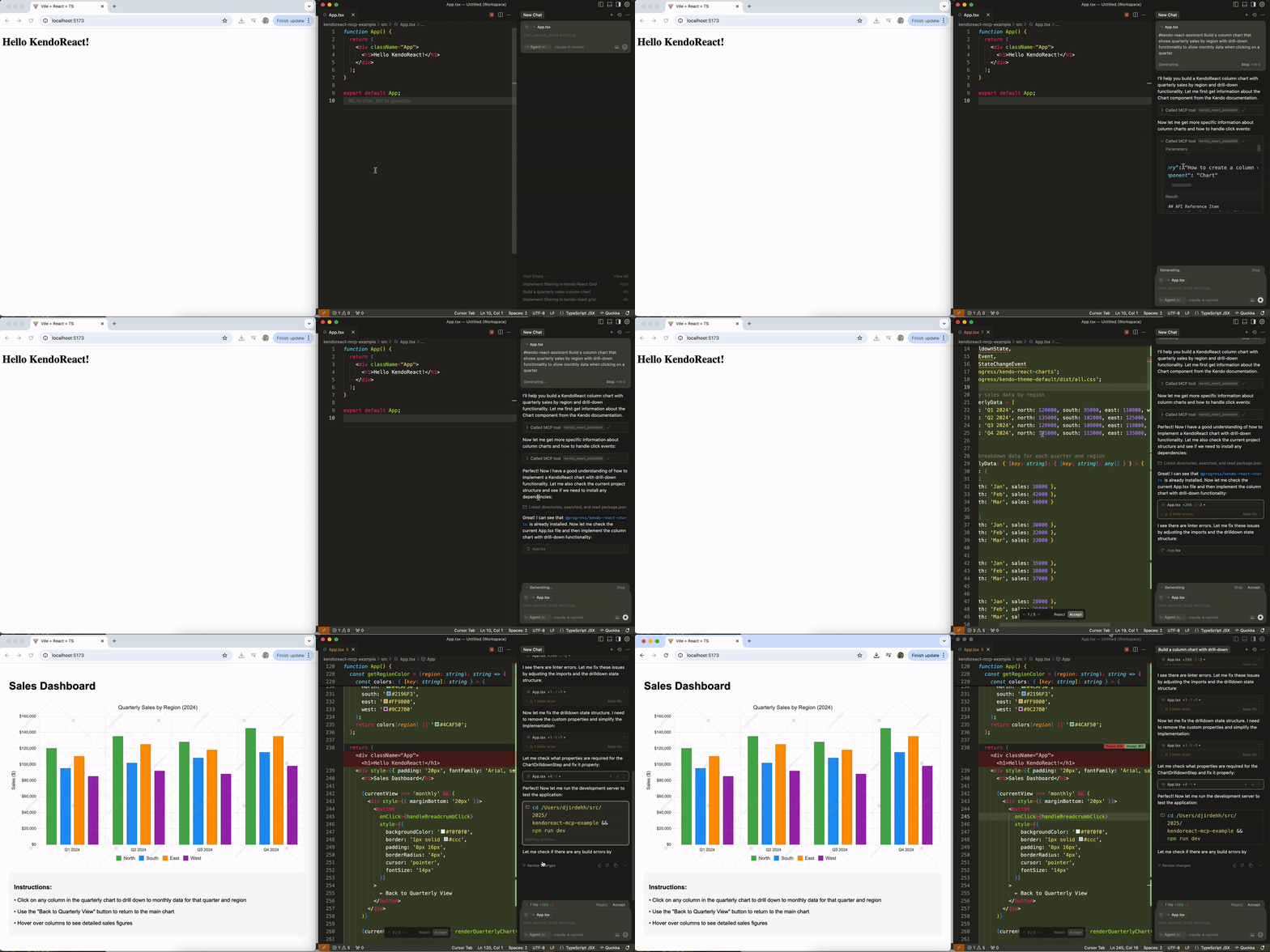
The above prompt creates not just a basic chart, but an interactive visualization with drill-down capabilities. The AI generates the chart configuration, sample hierarchical data structure and click event handling—all the pieces needed for a working drill-down chart.
Building a Comprehensive Scheduler
Scheduling components can be particularly complex, especially when you need features like resource grouping and recurring events:
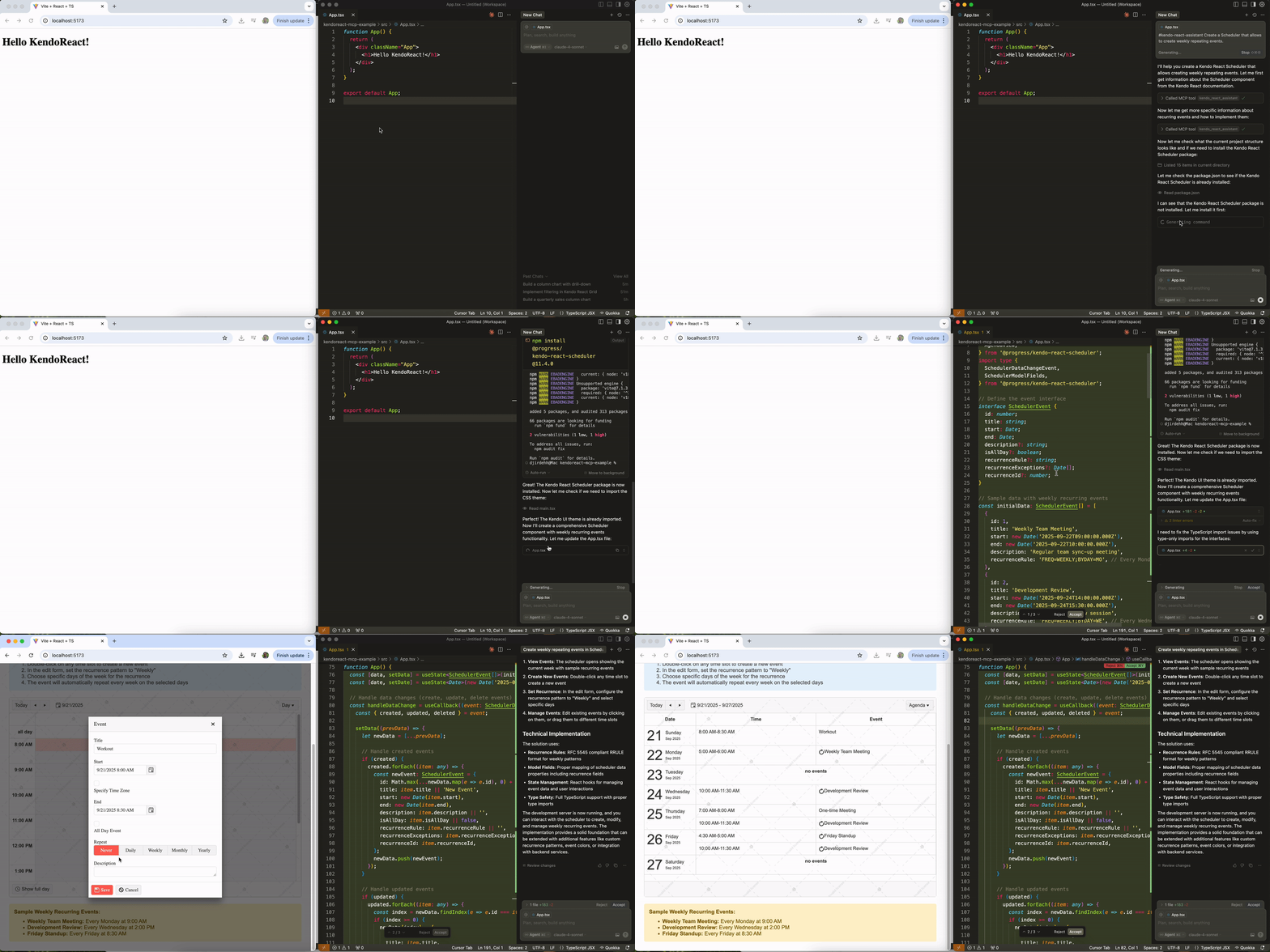
Prompt: #kendo-react-assistant Create a Scheduler that allows to create weekly repeating events.
The AI generates a complete React Scheduler setup with recurring event functionality, including the necessary event data structure, recurrence rules and editing capabilities.
Form Validation and User Experience
Forms are fundamental to most applications, and the Prompt Library includes prompts for common form scenarios:
Prompt: #kendo-react-assistant Generate a Form with required field validation for email and password inputs.
The generated code includes validation rules, error handling and user feedback, aka all the elements needed for a form implementation.
Advanced Dropdown Scenarios
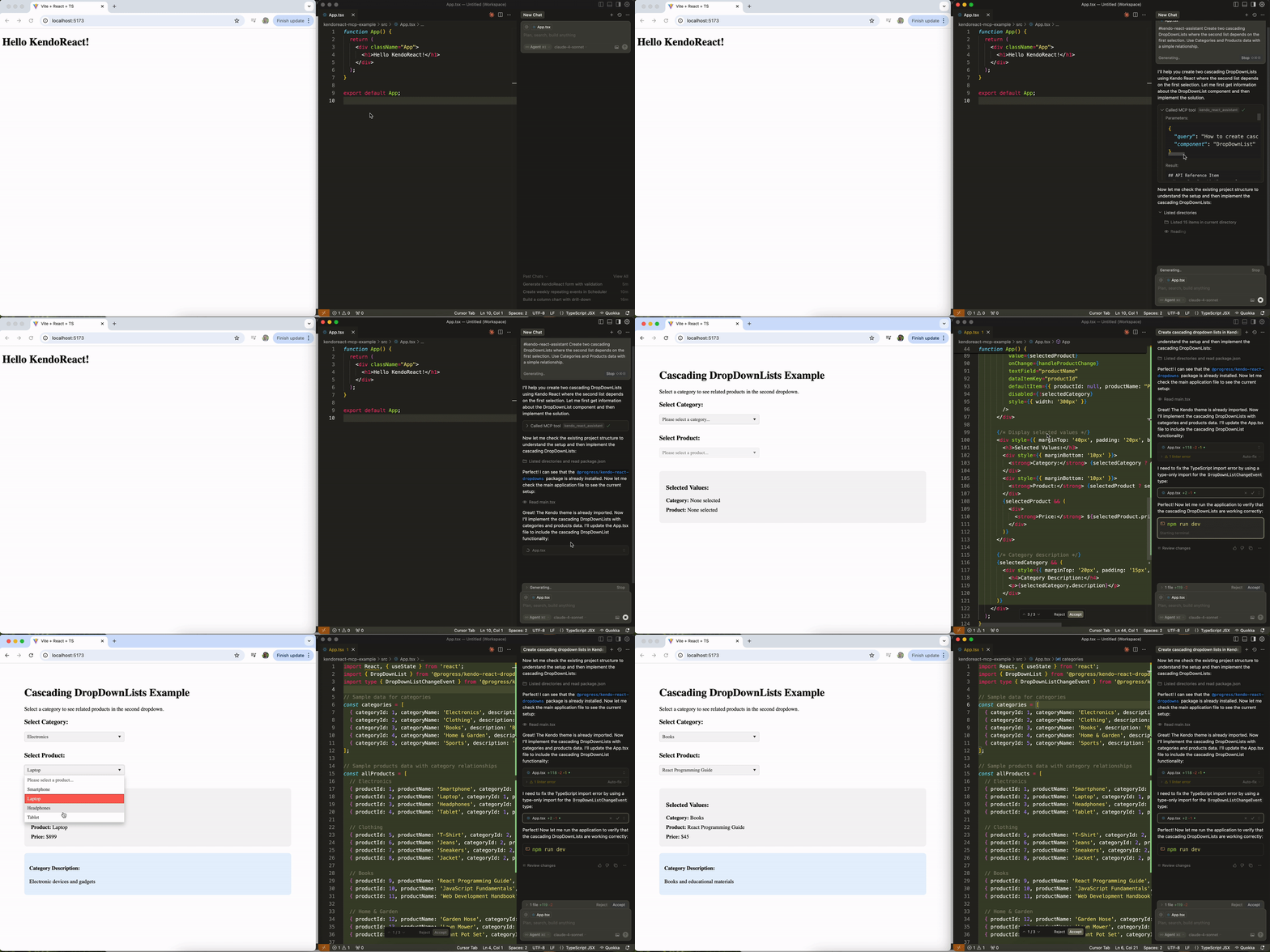
Dropdown components might seem simple, but they can get complex quickly when you need features like virtualization or cascading behavior:
Prompt: #kendo-react-assistant Create two cascading DropDownLists where the second list depends on the first selection. Use Categories and Products data with a simple relationship.
The above prompt generates a complete implementation for cascading DropDownLists, including the data relationships, event handlers and state management needed to make the second dropdown respond to selections in the first.
Wrap-up
The KendoReact Prompt Library represents a step forward in developer productivity when working with the KendoReact library. By providing ready-made, tested prompts for common scenarios, it eliminates much of the initial setup friction that can slow down development.
Whether you’re building a data-heavy application with complex Grids, creating interactive dashboards with Charts or implementing sophisticated scheduling functionality, the Prompt Library has prompts that can get you started immediately.
Try it for yourself with the free 30-day KendoReact trial:

Hassan Djirdeh
Hassan is a senior frontend engineer and has helped build large production applications at-scale at organizations like Doordash, Instacart and Shopify. Hassan is also a published author and course instructor where he’s helped thousands of students learn in-depth frontend engineering skills like React, Vue, TypeScript and GraphQL.
Related Posts
Comments
All articles
Topics
Web MobileMobile
Desktop
Design
Productivity
People