
Incremental loading with RadDataGrid in your Windows 8.1 XAML app
Summarize with AI:
Fast and fluid experience is one of the most important characteristics of a Windows 8 application. However, when dealing with large amount of data, it is not always possible to get the entire data set downloaded and visualized in a fast and fluid manner. Such scenarios call for a more incremental (sequential) data loading approach and with our Q3 2013 release RadDataGrid makes this task easy to implement.
With a few lines of code you can consume your service and display it in RadDataGrid with the incremental loading feature automatically enabled:

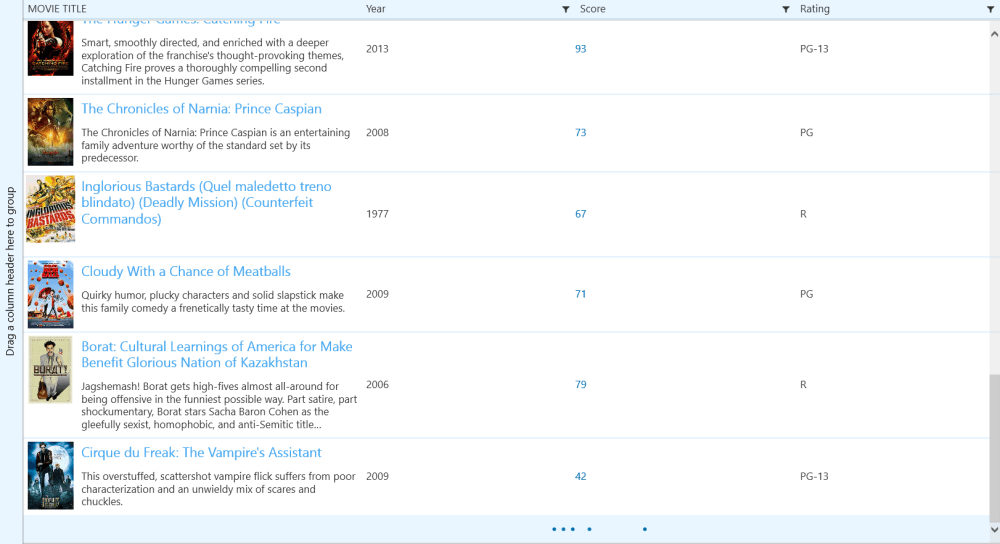
How does it work?
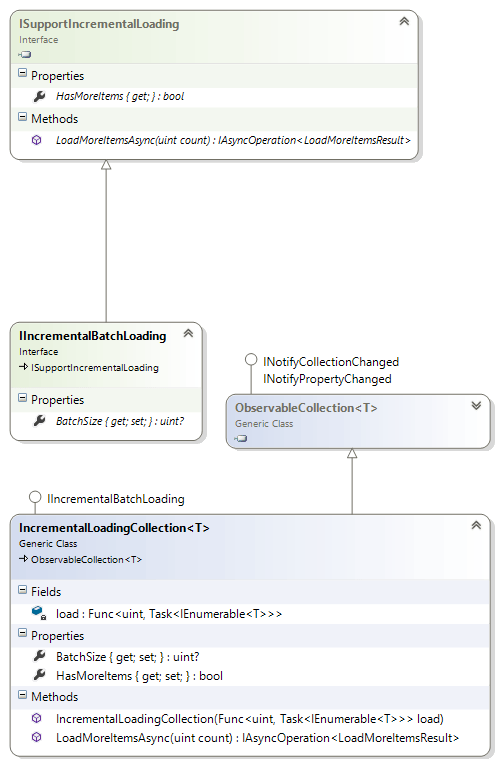
Windows RT offers the ISupportIncrementalLoading interface that can be used as a contract for any collection view that should support incremental loading. In order to enable the incremental functionality you need to set the RadDataGrid.ItemsSource property to an instance of this interface. Generally, you need to provide the interface implementation on your own, however, using RadControls for Windows 8 you can use the collection we include for you out-of-the-box – the IncrementalLoadingCollection class.With a few lines of code you can consume your service and display it in RadDataGrid with the incremental loading feature automatically enabled:
this.DataContext =newIncrementalLoadingCollection<SampleData>(async count =>{returnawaitthis.Service.LoadData(count);}) { BatchSize = 20 };
<telerik:RadDataGrid ItemsSource="{Binding}"/>It is as simple as that. You can further control the size of the chunks loaded.
Customizing RadDataGrid
By default RadDataGrid requests more items when your scrollbar approaches the end of the loaded data. However, in some situations explicit loading might be more desirable and RadDataGrid allows you to control this behavior by manually switching between Auto and Explicit loading modes.
<telerik:RadDataGrid ItemsSource="{Binding}" IncrementalLoadingMode="Explicit"/><telerik:RadDataGrid ItemsSource="{Binding}" IncrementalLoadingMode="Auto"/>In addition you can get notification when RadDataGrid tries to load data through its LoadMoreDataCommand.
You can download the RadControls for Windows 8 XAML and try it today!

About the Author
Tsvyatko Konov
Tsvyatko Konov was the Lead of UI for Xamarin and UI for UWP team.
Related Posts
Comments
Comments are disabled in preview mode.