Automating Complex Workflow in Your Next.js Application with Inngest

Summarize with AI:
We’ll build a simple loan application with Next.js and Inngest, plus go over the tools that were used to orchestrate complex workflows before Inngest.
Inngest makes it easier to build complex workflows in your applications. A complex workflow is a structured, multi-step process that involves multiple teams, tools and approval stages. It often has dependencies and cross-functional handoffs between tasks.
Inngest is an event-driven, durable workflow engine that allows you to run reliable code on any platform, including serverless. Integrating Inngest in your application allows you to run complex processes, reduce delays and handle failures, which makes complex processes modular, reliable and easier by allowing you to write your workflow as code.
In this article, we will go through how to simplify a complex application using Inngest. To do that, we will build a simple loan application with Next.js and Inngest. We will also go over the tools that were used to orchestrate complex workflows before Inngest.
Prerequisite
To continue, you will need a basic knowledge of React, Next.js, Typescript and Tailwind. You also need to know how to use npm and Node.js.
Before Inngest
Before Inngest, developers had to orchestrate workflows manually or automatically using complex setups. Some examples of these setups include message queues and job runners. Less common are cron jobs, serverless functions, workflow engines and a DIY approach. Message queues (e.g., RabbitMQ, Apache Kafka and Amazon SQS) handled the “mail delivery” between different sources.
Brokers had to be installed, monitored and kept healthy, and if a sudden spike in traffic happened, that would result in higher costs. Also, in most cases of managing a complex system, a hybrid setup of message brokers (e.g., RabbitMQ) and an event streaming platform (e.g., Apache Kafka) would be needed because one tool was rarely enough to handle the massive workload. So what started as a clean setup slowly became a messy web of connections.
Basically, Inngest can be used to avoid these complex setups, making management of a complex workflow easier to handle.
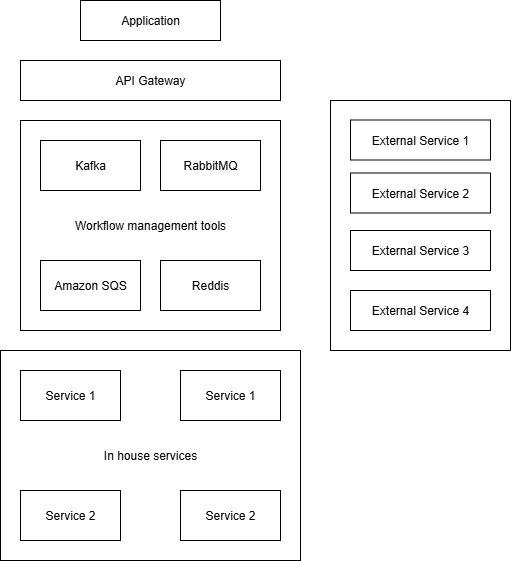
The diagram above shows a hybrid approach to using workflow management tools in a distributed architecture. The client application sends a request to the API gateway, which is processed and sent to the appropriate workflow orchestrator. Depending on the requirements of the request, a specific orchestrator is triggered.
So, for example, if the requirement needs interaction with Amazon services, Amazon SQS can be used to manage that request. Or if the request is an event-driven action like video streaming, Apache Kafka will be used to manage the request. This orchestrator then routes the request to the specific service responsible for finalizing the request, which can be an in-house or external service.
What Is Inngest?
Inngest is an event-driven, workflow-as-code system that allows you to orchestrate highly reliable application processes without having to manage complex infrastructure, queues and application state.
You basically define what your workflow is in code, and the Inngest platform takes care of the infrastructure, queuing, observability and scaling, which is all powered by scheduled and background jobs written in TypeScript, Python or Go.
Features of Inngest
- Events and triggers: This allows Inngest functions to run asynchronously in response to events from various sources. These triggers can be customized through filtering, delaying execution, batching events or handling multiple event types in a single function.
- Inngest function: This lets developers run reliable background logic, from simple jobs to complex workflows. It supports retries, scheduling and orchestration.
- Middleware: This lets you run code at different points in an Inngest client’s lifecycle, such as during function execution or event sending.
- Realtime (developer preview): Realtime lets you stream updates from Inngest functions directly to users, enabling live UIs and bi-directional workflows (e.g., human-in-the-loop). It’s built into Inngest, so no extra infrastructure is needed. Inngest manages the WebSocket server and user connections.
Inngest provides two options for production use: Inngest Cloud or Inngest open-source software. The open-source option is free, customizable and prevents vendor lock-in, but requires you to manage the underlying infrastructure. Inngest Cloud offers flexible tiers ranging from a free tier to multiple paid plans depending on your usage needs, and it handles infrastructure management for you.
Build a Loan Application with Next.js and Inngest
Now that we understand what Inngest is and its key features, let’s see it in action. In this project, we will simulate a loan application workflow that includes KYC verification, fraud detection, loan decision logic, user notifications and database updates. This shows how Inngest simplifies complex, multi-step processes that need to run reliably in sequence.
Project Setup
To set up a Next.js application, run the following command in your terminal. We will use TypeScript, Tailwind CSS, the src directory and the app router setup for our project.
npx create-next-app@latest my-inngest-app
cd my-inngest-app
Next, run the following command to install the Inngest SDK in our project:
npm install inngest
Setting Up Your Development Environment
For this tutorial, we’ll use Inngest’s local development mode, which runs entirely on your machine and doesn’t require an account. The local dev server provides a dashboard at http://localhost:8288 where you can see your functions, events and logs.
For production deployment, you would either sign up for Inngest Cloud at https://www.inngest.com (free tier available) or self-host the open-source version
Create a new file called client.ts in the src/inngest/ directory of our root directory, and add the following to it to initialize our Inngest client:
import { Inngest } from "inngest";

export const inngest = new Inngest({
  id: "my-inngest-app", // unique name for your app
});
In the code above, we instantiated the Inngest class (client) and passed in the unique ID of our app as a parameter to the class constructor. Think of the client as the connection between your app and Inngest. The ID is like a namespace that helps you distinguish events and functions if you have multiple apps. You’ll use this client both to define functions and to send events.
Building the Loan Features
To implement the loan features, we will be doing the following:
- Creating a workflow orchestration using the Inngest function
- Syncing our app with Inngest
- Creating an API that triggers the workflow by sending an event
- Creating a user interface with a button to initiate the process (apply for loan)
Create a Workflow Orchestration Using the Inngest Function
Create another file called loanApplication.ts in your src/inngest/functions/ directory and add the following to it:
// src/inngest/functions/loanApplication.ts
import { inngest } from "../client";

//Simulated helper functions. In a production application, these functions would call real KYC providers (like Onfido or Jumio), fraud detection APIs (like Sift or Stripe Radar), and actual database operations. For this tutorial, we're using simulated functions to focus on the Inngest workflow patterns.

async function verifyKYC(userId: string) {
  console.log(`Verifying KYC for user ${userId}...`);
  return { status: "verified" }; // simulate success
}
async function detectFraud(userId: string) {
  console.log(`Running fraud detection for user ${userId}...`);
  return { risk: "low" }; // simulate low risk
}
async function decideLoan(kyc: any, fraud: any) {
  console.log("Deciding loan status...");
  if (kyc.status === "verified" && fraud.risk === "low") {
    return "approved";
  }
  return "rejected";
}
async function notifyUser(userId: string, decision: string) {
  console.log(`Notifying user ${userId}: Loan ${decision}`);
  return true;
}
async function updateDatabase(userId: string, decision: string) {
  console.log(`Updating DB for user ${userId} with loan: ${decision}`);
  return true;
}

// Main loan application workflow function
export const loanApplicationFn = inngest.createFunction(
  { id: "loan-application" }, // function metadata
  { event: "app/loan.submitted" }, // trigger event
  async ({ event, step }) => {
    const userId = event.data.userId;
    // Step 1: Verify KYC
    const kyc = await step.run("verify-kyc", () => verifyKYC(userId));
    // Step 2: Fraud Detection
    const fraud = await step.run("fraud-detection", () => detectFraud(userId));
    // Step 3: Loan Decision
    const decision = await step.run("loan-decision", () =>
      decideLoan(kyc, fraud)
    );
    // Step 4: Notify User
    await step.run("notify-user", () => notifyUser(userId, decision));
    // Step 5: Update Database
    await step.run("update-db", () => updateDatabase(userId, decision));

    return { message: `Loan ${decision} for user ${userId}` };
  }
);
In the code snippet above, we created a workflow for our loan application using the inngest.createFunction() function. We passed in a metadata object {id: "loan-application"}, which is a unique identifier for the function. We also passed an event definition that triggers the function, which is an object called {event: "app/loan.submitted"}. This is used by the API in our application to trigger our loan workflow written in the loanApplicationFn function.
The first action in our workflow is the verifyKYC function, which verifies the authenticity of the user either using an in-house solution or an external KYC provider. Next is our detectFraud function that handles fraudulent activities and verifies the loan request is free from dubious actions.
Then we initiated the decideLoan function, which runs the requirements to decide whether the loan should be approved or not. The notifyUser function then runs to perform all necessary client updates, like user interface updates, email notifications, etc. Finally, we update the database with all the needed information for data persistence using the updateDatabase function.
Lastly, we execute the appropriate functions that contain the business requirements using the step.run() function. In our loanApplicationFn, the step.run() function is used to run every function from verifyKYC to updateDatabase, which then allows the Inngest platform to track progress, handle retries, logging and failures, helping everything go as planned.
Note that a function run in the workflow can share data by simply returning a value, which can be passed into the next function to be executed with step.run().
Syncing Our App with Inngest
Create a route.ts file in the src/api/inngest directory, and add the following to it:
import { serve } from "inngest/next";
import { inngest } from "@/inngest/client";
import { loanApplicationFn } from "@/inngest/functions/loanApplication";
export const { GET, POST, PUT } = serve({
  client: inngest,
  functions: [loanApplicationFn],
});
The code above syncs our Next.js app with Inngest.
Now run this command in your terminal to start our Inngest local server:
npx inngest-cli@latest dev
You’ll be able to see our app in the dashboard by navigating to the Apps tab.
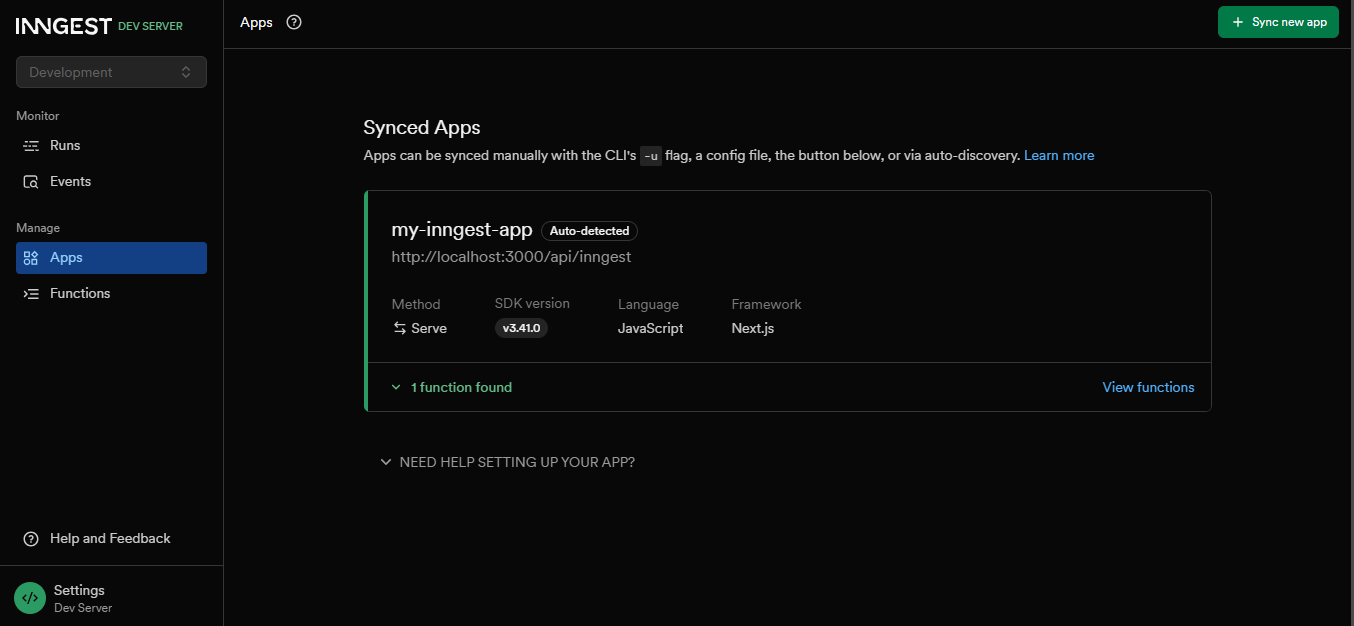
In the image above, you can see the my-inngest-app app under Synced Apps. You’ll also be able to see logs, retries and execution history in the Inngest Dev dashboard by visiting http://localhost:8288.
Create an API That Triggers the Workflow by Sending an Event
Create an API route in this directory path: src/app/api/send-event/route.ts and add the following to it:
import { NextResponse } from "next/server";
import { inngest } from "../../../inngest/client";

export async function POST(request: Request) {
  const body = await request.json();
  await inngest.send({
    name: "app/loan.submitted",
    data: { userId: body.userId },
  });
  return NextResponse.json({ status: "ok" });
}
In the code above, we create a POST endpoint that can be used to trigger the event app/loan.submitted with an event data object containing the userId from the request body.
The event name app/loan.submitted is a signal Inngest listens for. When we set up our function earlier, we basically told Inngest, "Hey, whenever you catch an event called app/loan.submitted, go ahead and run the function loanApplicationFn".
Creating a User Interface with a Button to Initiate the Process (Apply for a Loan)
Add the following code to your src/app/page.tsx file:
"use client";
export default function Home() {
  const sendEvent = async () => {
    await fetch("/api/send-event", {
      method: "POST",
      headers: { "Content-Type": "application/json" },
      body: JSON.stringify({ userId: 125485 }),
    });
    alert("Event sent!");
  };
  return (
    <main className="p-8">
      <h1 className="text-xl">Inngest + Next.js</h1>
      <button onClick={sendEvent}>Apply for Loan</button>
    </main>
  );
}
In the code above, we create a simple button called Apply for Loan. When this button is clicked, it calls the send-event API with a body object that contains userId set to 125485, which fires off an event that gets sent to Inngest and gets handled in the background.
Now, run the following command in your terminal to start your Next.js server:
npm run dev
Next.js serves your app and API routes. The Inngest Dev server connects to /api/inngest and makes sure your events and functions work locally.
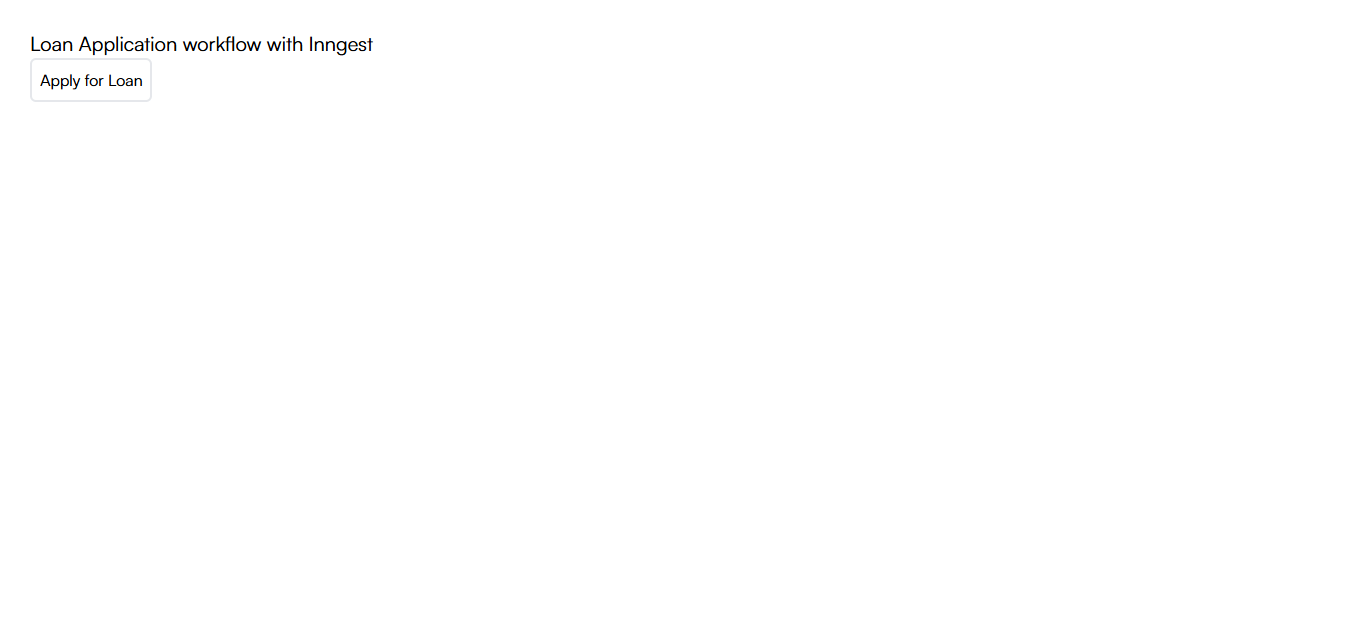
You can click on the Apply for Loan button to trigger the event.
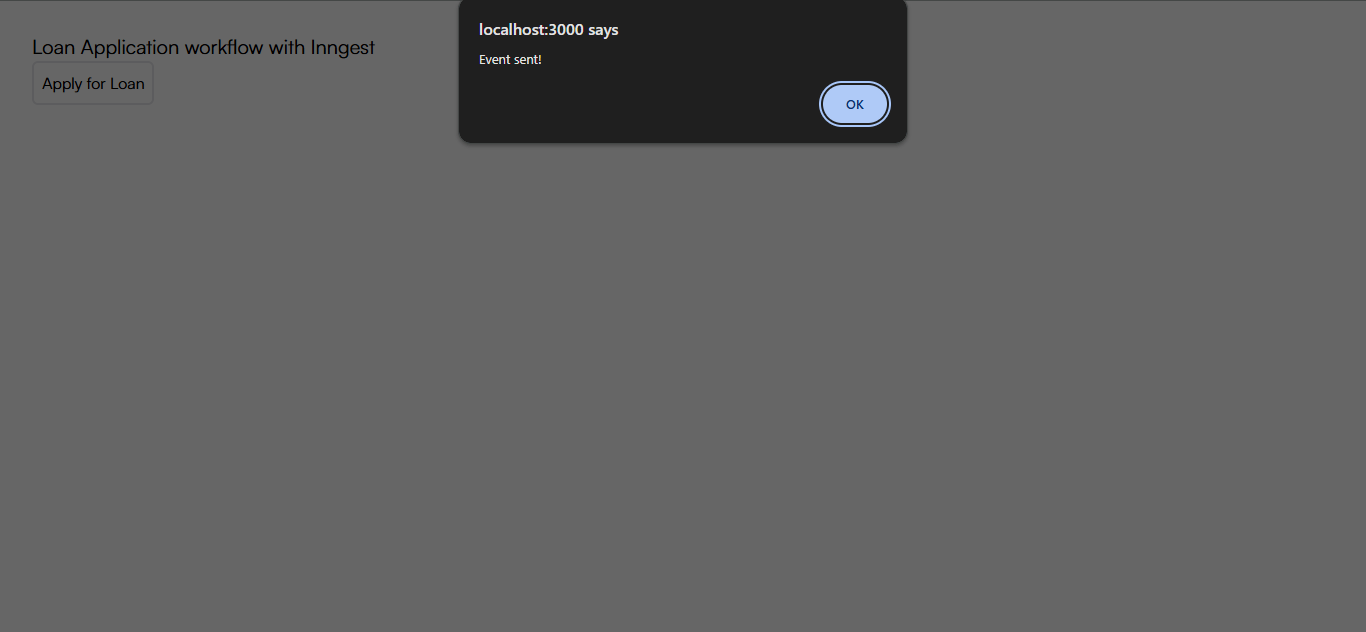
You should get an alert as shown above.
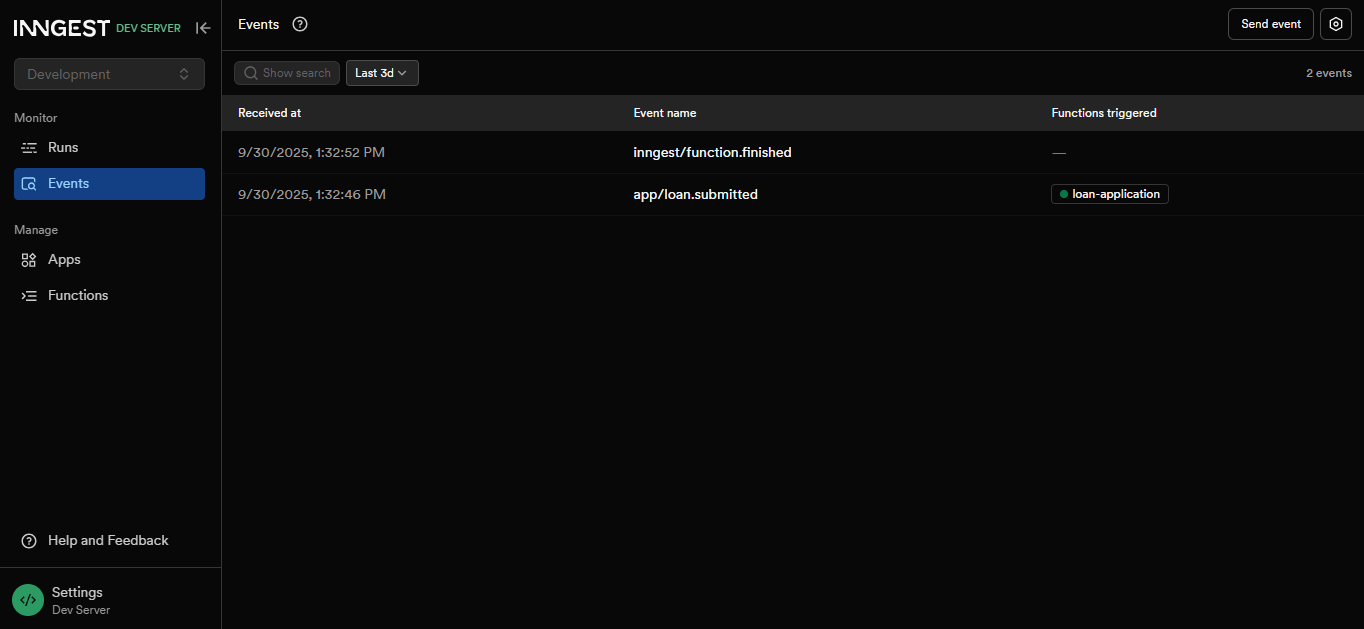
When you navigate to the Events tab on your Inngest dashboard, you should see the app/loan.submitted event has been added to your list as shown above.
Conclusion
In this article, we explored how Inngest simplifies complex workflow orchestration by treating workflows as code. Traditional approaches to managing complex workflows can become a tangled web of connections that are difficult to scale and manage.
Inngest changes this by providing an event-driven, durable workflow engine that handles infrastructure concerns automatically. This allows you to focus on writing your business logic while the platform manages retries, failure recovery, execution tracking and scaling.

Christian Nwamba
Chris Nwamba is a Senior Developer Advocate at AWS focusing on AWS Amplify. He is also a teacher with years of experience building products and communities.
Related Posts
Comments
All articles
Topics
Web MobileMobile
Desktop
Design
Productivity
People