WebAPI Binding
Web API is an application programming interface that uses the HTTP protocol for communication between clients and servers. For Grid scenarios, WebAPI binding connects CRUD transport operations to HTTP endpoints and returns data in a DataSourceResult shape.
For runnable examples, refer to the demos on WebAPI binding of the Grid component.
Defining a
Schema.Model.Idis mandatory for proper execution of the GridUpdate,Create, andDestroyoperations.
Adding a Web API Controller
To support reading and writing data through WebAPI endpoints, inherit the ControllerBase base class.
    [ApiController()]
    [Route("api/[controller]")]
    public class ProductController : BaseController
    {
    }
Configuring the CRUD Operations
-
Add a new class to the
~/Modelsfolder. The following example uses theProductViewModelname.C#public class ProductViewModel { public int ProductID { get; set; } // The ProductName property is required. [Required] public string ProductName { get; set; } // Use the Integer editor template for the UnitsInStock property. [UIHint("Integer")] public short? UnitsInStock { get; set; } } -
Update the
Getmethod as demonstrated in the following example.C#[HttpGet] public DataSourceResult Get([DataSourceRequest]DataSourceRequest request) { return db.Products.ToDataSourceResult(request); } -
Update the
Postmethod as demonstrated in the following example.C#[HttpPost] public IActionResult Post([FromForm] ProductViewModel product) { if (!ModelState.IsValid) { return BadRequest(ModelState.Values.SelectMany(v => v.Errors).Select(error => error.ErrorMessage)); } service.Create(product); return new ObjectResult(new DataSourceResult { Data = new[] { product }, Total = 1 }); } -
Update the
Putmethod as demonstrated in the following example.C#[HttpPut("{id}")] public IActionResult Put(int id, [FromForm] ProductViewModel product) { if (ModelState.IsValid && id == product.ProductID) { try { service.Update(product); } catch (DbUpdateConcurrencyException) { return new NotFoundResult(); } return new StatusCodeResult(200); } return BadRequest(ModelState.Values.SelectMany(v => v.Errors).Select(error => error.ErrorMessage)); } -
Update the
Deletemethod as demonstrated in the following example.C#[HttpDelete("{id}")] public IActionResult Delete(int id) { try { service.Destroy(new ProductViewModel { ProductID = id } ); } catch (DbUpdateConcurrencyException) { return new NotFoundResult(); } return new StatusCodeResult(200); } -
In the view, configure the Grid to use the Products WebAPI controller.
    @(Html.Kendo().Grid<KendoGridWebApiCRUD.Models.Product>()
        .Name("grid")
        .Columns(columns =>
        {
            columns.Bound(product => product.ProductID).Width(100);
            columns.Bound(product => product.ProductName);
            columns.Bound(product => product.UnitsInStock).Width(250);
            columns.Command(commands =>
            {
                commands.Edit(); // The "edit" command will edit and update data items.
                commands.Destroy(); // The "destroy" command removes data items.
            }).Title("Commands").Width(200);
        })
        .ToolBar(toolbar => toolbar.Create()) // The "create" command adds new data items.
        .Editable(editable => editable.Mode(GridEditMode.InLine)) // Use inline edit mode.
        .DataSource(dataSource => dataSource
            .WebApi()
            .Model(model =>
            {
                model.Id(product => product.ProductID); // Specify the property which is the    unique identifier of the model.
                model.Field(product => product.ProductID).Editable(false); // Make the  ProductID property not editable.
            })

            .Read(read => read.Action("Get", "Product"))
            .Create(create => create.Action("Post", "Product"))
            .Update(update => update.Action("Put", "Product", new { id = "{0}"} ))
            .Destroy(destroy => destroy.Action("Delete", "Product", new { id = "{0}" }))

        )
)Building the application
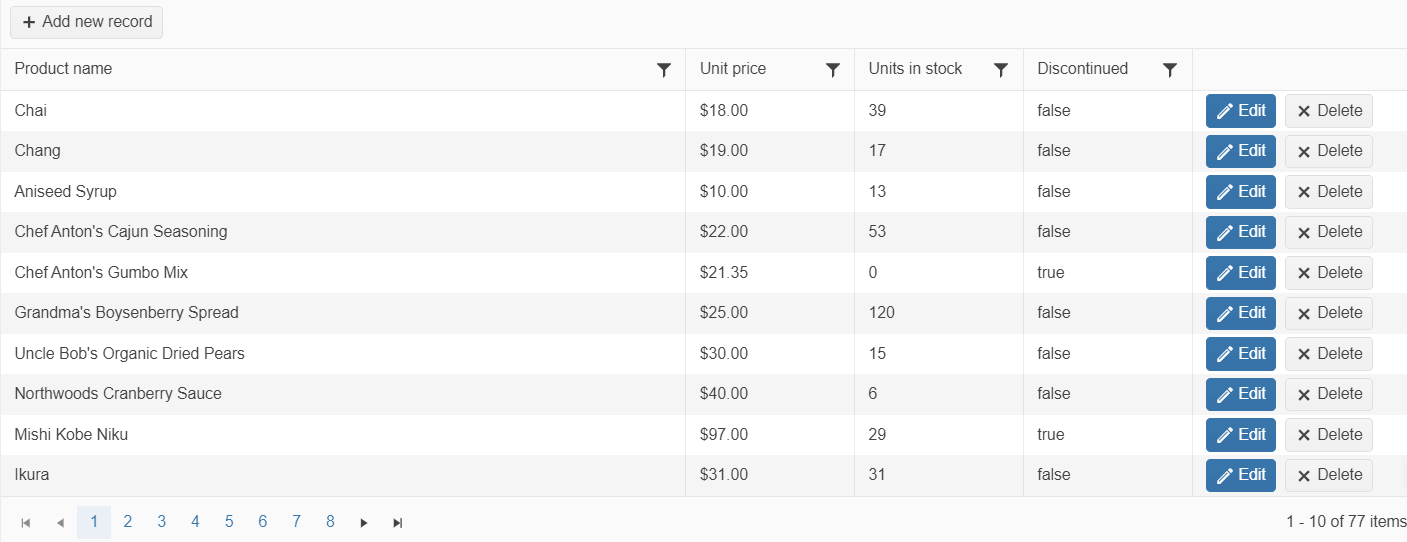
The final result is a Grid with configured editing.