KendoReact
What's New August 2026
What's New HistoryBuild Richer Agentic Experiences with the New KendoReact LLM Kit
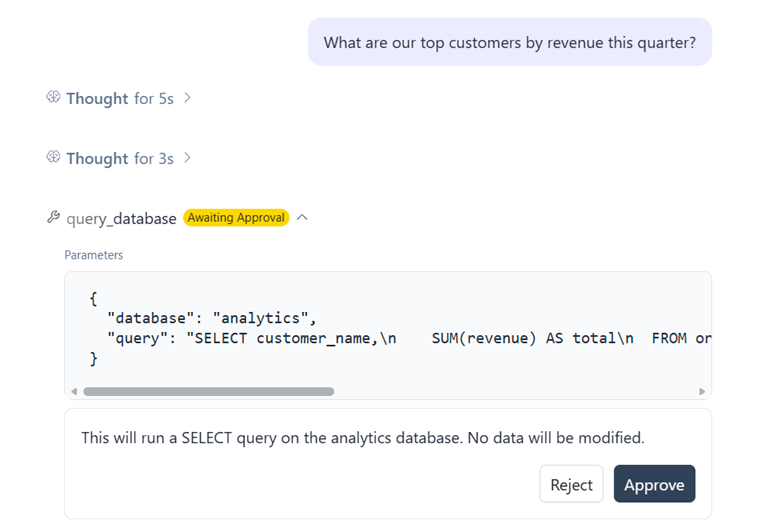
The new KendoReact LLM Kit provides ready-to-use UI components for presenting AI agent activity inside chat and agentic applications. Use dedicated components to display reasoning, multi-step thought chains, tool calls and their results, conversation checkpoints and inline citations, instead of building these interaction patterns from scratch. The components are designed to work together alongside conversational interfaces, helping developers turn structured LLM and agent output into clear, consistent UI experiences.
See the KendoReact LLM Kit demo
KendoReact AI Skills for Licensing and Version Upgrades
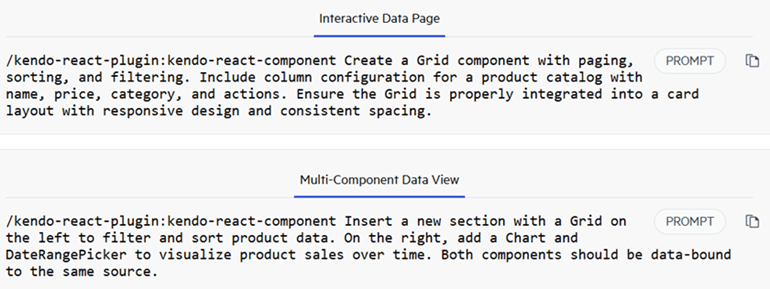
KendoReact introduces two AI Skills designed to give coding agents product-specific guidance for common development workflows. The Licensing Skill helps agents guide developers through KendoReact licensing setup and common licensing issues, while the Version Upgrade Skill provides guidance for upgrading projects between KendoReact versions. Both bring KendoReact-specific knowledge into AI-assisted development workflows, helping developers complete these tasks with fewer manual steps and less troubleshooting.
See the KendoReact AI Plugin docs
Simplify Verification Flows with the New KendoReact OTPInput
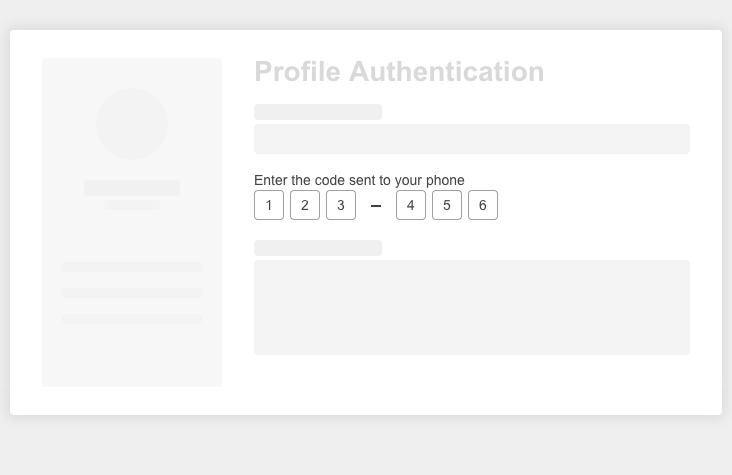
The new KendoReact OTPInput component provides a purpose-built interface for entering one-time passwords in multi-factor authentication and verification flows. It supports text, password and number input types, configurable separators, controlled state and integration with KendoReact Form for validation and error handling. Built-in keyboard navigation, paste handling and customizable appearance help developers create accessible, consistent OTP experiences across applications.
See the KendoReact OTPInput demo
Upgrade KendoReact Projects with the AI-Assisted Migration Tool
The new AI-assisted migration experience helps developers upgrade projects between major KendoReact versions with less manual effort. The Upgrade Assistant combines Kendo CLI codemods with AI-powered code analysis, automatically handling supported transformations before reviewing the results for remaining compilation errors and project-specific changes. It can apply additional fixes where possible and guide developers through the manual steps that remain, providing a more structured path through major-version upgrades.
See the KendoReact AI-Assisted Migration docs
KendoReact Data Grid: New Grouping Display Modes
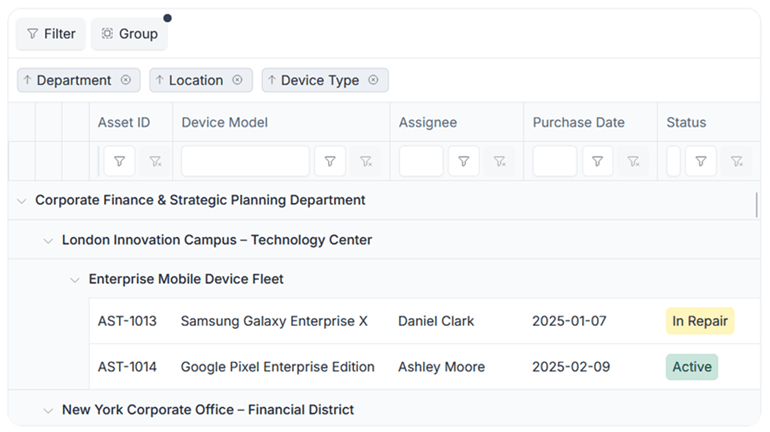
The KendoReact Data Grid expands its grouping capabilities with new display modes that give developers more control over how grouped data is presented. Choose between Default, Compact, Single Column and Multiple Columns modes to make better use of available space across traditional, data-dense and responsive layouts. Developers can also configure generated group columns and hide the original grouped columns when needed, providing greater flexibility for complex grouping scenarios.
See the React Data Grid grouping display modes demo