EF Core Data Source Management
The Report Server for .NET can use custom .NET assemblies containing Entity Framework Core DbContext types to provide data for reports. Once registered, the EF Core data source is available during the design-time of reports via the EntityCoreDataSource Component.
How to Bind to an EF Core Data Source
-
Create an assembly containing your
DbContexttype. TheDbContextmust conform to the DbContext Requirements. -
Build the project using
dotnet publishto produce the assembly along with all its dependencies. -
Copy the assembly and its dependencies to the root folder of the Report Server web application. The default path is
C:\Program Files (x86)\Progress\Telerik Report Server .NET\Telerik.ReportServer.Web\. -
Declare the assembly in the
appsettings.jsonfile of the Report Server web application according to the instructions in the Extending Reporting Engine with Custom Assemblies article. The configuration should look similar to:json{ "telerikReporting": { "assemblyReferences": [ { "name": "MyEfCoreAssembly" } ] } }After modifying
appsettings.json, restart the Report Server application (for example, recycle the IIS application pool or restart the service) for the changes to take effect.When the Report Server is upgraded to a newer version, the
appsettings.jsonfile may be overwritten, and any changes applied to it will be lost. It is recommended to perform a file backup before upgrading. -
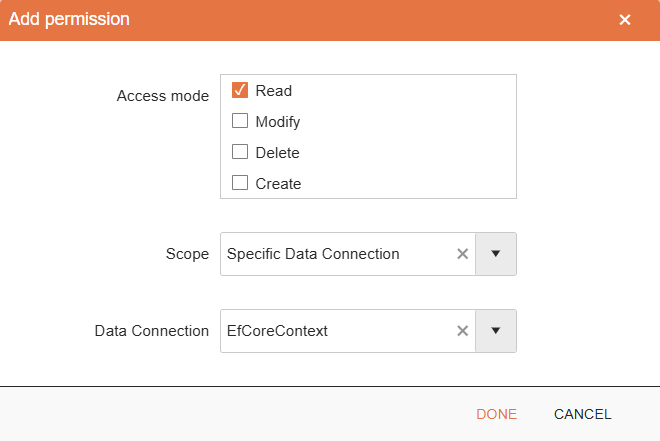
Allow user access to the custom EF Core data source — after the assembly is present in the root folder and declared in the configuration file, a read-only data connection entry will be displayed for it in the Data Connections View. This data connection entry can be used to control the user access to the assembly via User Roles.
-
Create a New Report.
-
Create a new EntityCoreDataSource Component and follow the EntityCoreDataSource Wizard to select a
DbContexttype, a data-retrieval member, and configure any data source parameters:- Web Report Designer EntityCoreDataSource Wizard
- Standalone Report Designer for .NET EntityCoreDataSource Wizard
The
DbContexttype will show in the wizard only when the currently logged-in user has Read permissions for the corresponding data connection.