How to Snap RangeSelector to Date-Time Intervals in RadChartView
Environment
| Product Version | Product | Author |
|---|---|---|
| 2026.3.812 | RadRangeSelector for WinForms | Desislava Yordanova |
Description
When integrating RadRangeSelector with RadChartView, the range selector operates on normalized percentage values from 0 to 100. Out of the box, RadRangeSelector does not expose a native SnapMode or SnapInterval property to automatically restrict thumb movements to specific steps.
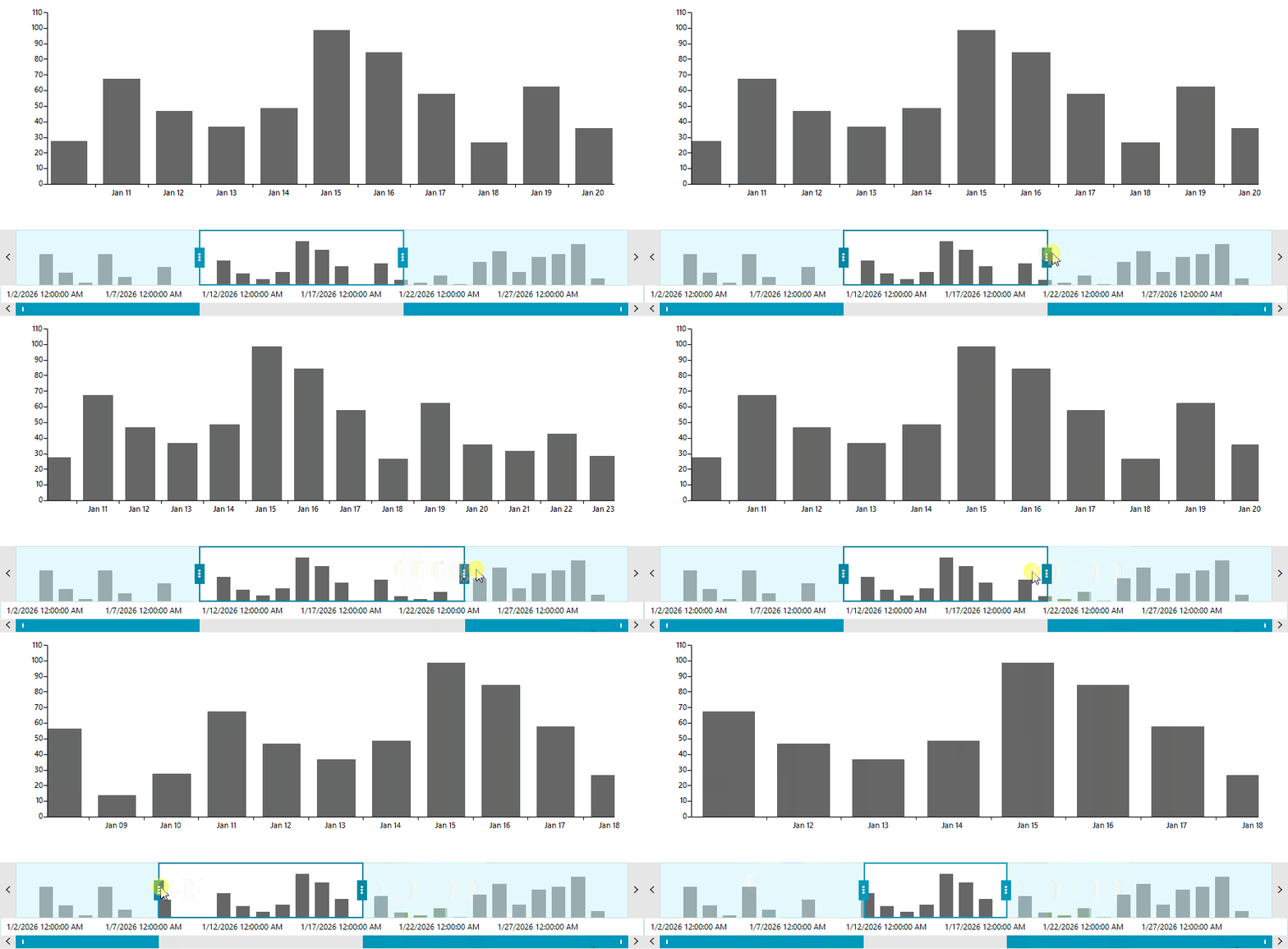
In applications displaying chronological data with a DateTimeContinuousAxis, you may want the selection thumbs to snap to discrete date-time boundaries (for example, whole days, 12-hour intervals, or 1-hour steps) rather than arbitrary floating-point percentages.
This article demonstrates how to calculate the equivalent percentage step for a given TimeSpan and snap the StartRange and EndRange properties in the SelectionChanged event.
Solution
To implement snapping to date-time intervals:
- Associate
RadRangeSelectorwithRadChartViewby settingradRangeSelector1.AssociatedControl = this.radChartView1after data binding is complete. - Set
UpdateMode = UpdateMode.Deferredon the range selector. Deferred update mode calculates and applies the final range when the user releases the thumb, avoiding UI jitter during dragging. - Retrieve the minimum and maximum dates represented on the chart's
DateTimeContinuousAxis(or from your underlying data source). - Calculate the percentage step corresponding to your target
TimeSpaninterval:stepPercentage = (snapInterval.Ticks / totalDurationTicks) * 100. - In the
SelectionChangedevent handler, round the currentStartRangeandEndRangeto the nearest multiple ofstepPercentageand update the control using a re-entrancy guard flag.
using System;
using Telerik.Charting;
using Telerik.Documents.Model.Drawing.Charts;
using Telerik.WinControls.UI;
using Telerik.WinControls.UI.RangeSelector.InterfacesAndEnum;
using BarSeries = Telerik.WinControls.UI.BarSeries;

namespace WinForms_Sample
{
    public partial class ChartForm : RadForm
    {
        private bool isUpdating = false;
        private readonly TimeSpan snapInterval = TimeSpan.FromDays(1);
        private DateTime minDate;
        private DateTime maxDate;
        public ChartForm()
        {
            InitializeComponent();
            InitializeChartAndRangeSelector();
        }
        private void InitializeChartAndRangeSelector()
        {
            // 1. Populate sample DateTime data
            this.minDate = new DateTime(2026, 1, 1);
            this.maxDate = new DateTime(2026, 1, 31);

            BarSeries series = new BarSeries();
            DateTimeContinuousAxis dateTimeAxis = new DateTimeContinuousAxis();
            dateTimeAxis.Minimum = this.minDate;
            dateTimeAxis.Maximum = this.maxDate;
            dateTimeAxis.LabelFormat = "{0:MMM dd}";
            dateTimeAxis.LabelFitMode = AxisLabelFitMode.MultiLine;
            series.HorizontalAxis = dateTimeAxis;

            DateTime currentDate = this.minDate;
            Random rnd = new Random();
            while (currentDate <= this.maxDate)
            {
                series.DataPoints.Add(new CategoricalDataPoint(rnd.Next(10, 100), currentDate));
                currentDate = currentDate.AddDays(1);
            }

            this.radChartView1.Series.Add(series);

            // 2. Associate the chart with RadRangeSelector
            this.radRangeSelector1.AssociatedControl = this.radChartView1;
            this.radRangeSelector1.UpdateMode = UpdateMode.Deferred;

            // 3. Subscribe to SelectionChanged for snapping
            this.radRangeSelector1.SelectionChanged += RadRangeSelector1_SelectionChanged;


        }

        private void RadRangeSelector1_SelectionChanged(object sender, EventArgs e)
        {
            if (this.isUpdating)
            {
                return;
            }

            this.isUpdating = true;
            try
            {
                float step = GetStepPercentage();
                if (step <= 0)
                {
                    return;
                }

                float snappedStart = SnapValue(this.radRangeSelector1.StartRange, step);
                float snappedEnd = SnapValue(this.radRangeSelector1.EndRange, step);

                // Ensure selection maintains at least one step interval
                if (snappedEnd <= snappedStart)
                {
                    snappedEnd = Math.Min(100f, snappedStart + step);
                }

                if (Math.Abs(this.radRangeSelector1.StartRange - snappedStart) > 0.01f)
                {
                    this.radRangeSelector1.StartRange = snappedStart;
                }

                if (Math.Abs(this.radRangeSelector1.EndRange - snappedEnd) > 0.01f)
                {
                    this.radRangeSelector1.EndRange = snappedEnd;
                }
            }
            finally
            {
                this.isUpdating = false;
            }
        }

        private float GetStepPercentage()
        {
            double totalTicks = (this.maxDate - this.minDate).Ticks;
            if (totalTicks <= 0)
            {
                return 1f;
            }

            return (float)((this.snapInterval.Ticks / totalTicks) * 100.0);
        }

        private float SnapValue(float currentPercentage, float step)
        {
            float snapped = (float)Math.Round(currentPercentage / step) * step;
            return Math.Max(0f, Math.Min(100f, snapped));
        }
    }
}