New to Telerik UI for WinForms? Start a free 30-day trial
How to Deal with Multiplied Controls in Toolbox
Updated on Aug 27, 2026
Environment
| Product Version | Product | Author |
|---|---|---|
| 2022.2.622 | UI for WinForms | Desislava Yordanova |
Description
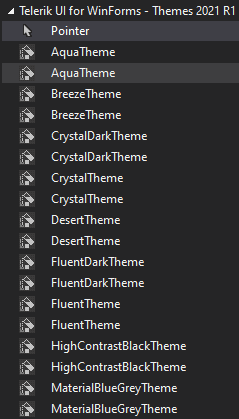
A common case is to observe the Telerik controls displayed twice in the Visual Studio Toolbox:
Solution
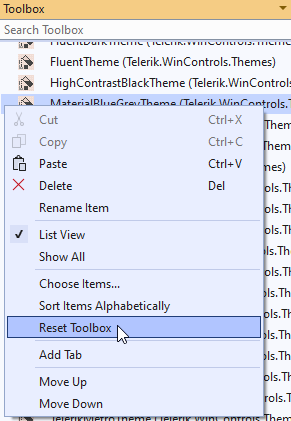
The first thing to try is to reset the Visual Studio Toolbox by right-clicking on it and selecting Reset Toolbox option. Alternatively, you can uninstall the Telerik UI for WinForms suite and install it again.
Another approach is to:
- Close all Visual Studio instances.
- Open Windows Explorer and navigate to %localappdata%\Microsoft\VisualStudio\15.0_<instanceID> (e.g. VS 2017). Note that you might have several such folders according to the Visual Studio versions that are installed.
- Make sure that the option 'Show hidden files, folders, and drives' is selected in the Windows Explorer options.
- Delete all *.tbd files.
- Start Visual Studio 2017 and check if the issue still persists.
If there is no Telerik controls in the toolbox please use Toolbox Configuration Wizard to set them.