Themes
This help article will demonstrate a step by step tutorial how to customize the ControlDefault theme for RadVirtualGrid.
-
Open VisualStyleBuilder.
-
Export the built-in themes. in a specific folder by selecting File >> Export Built-in Themes.
-
Load a desired theme from the just exported files by selecting File >> Open Package
-
Navigate to RadVirtualGrid in
Controls Structureon the left side. Then, expand to and select VirtualgridRowElement. In theElements Stateswindow select VirtualGridRowElement.IsCurrent.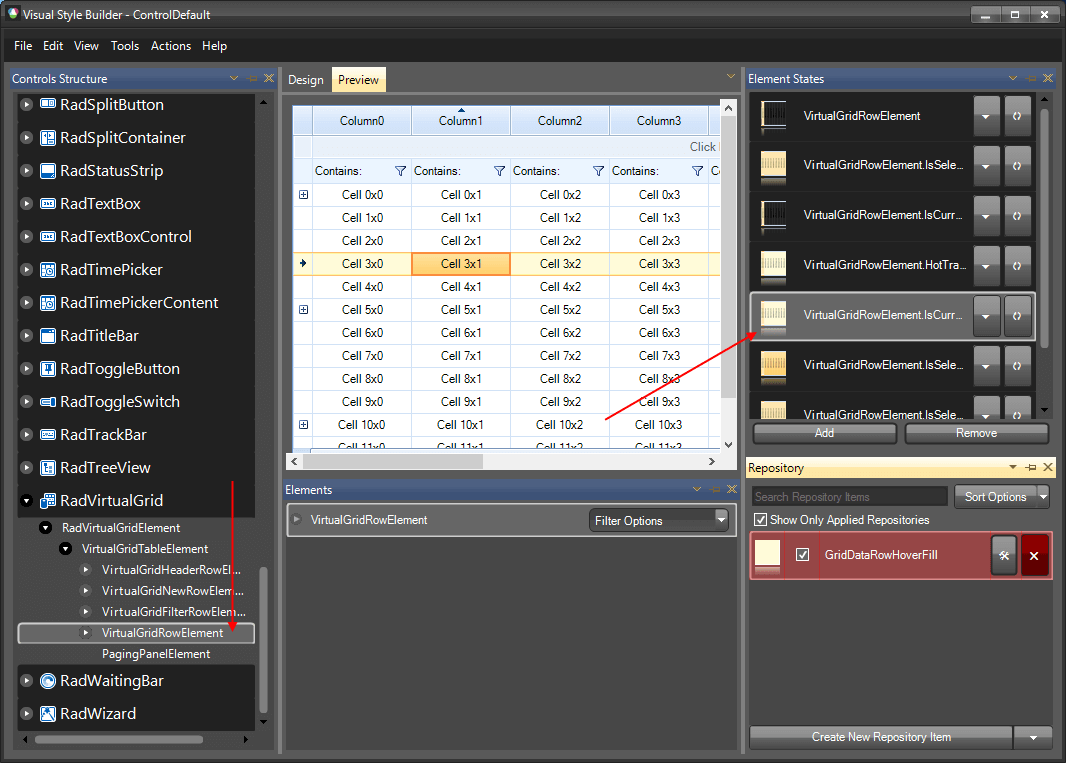
-
Modify the applied fill repository item.
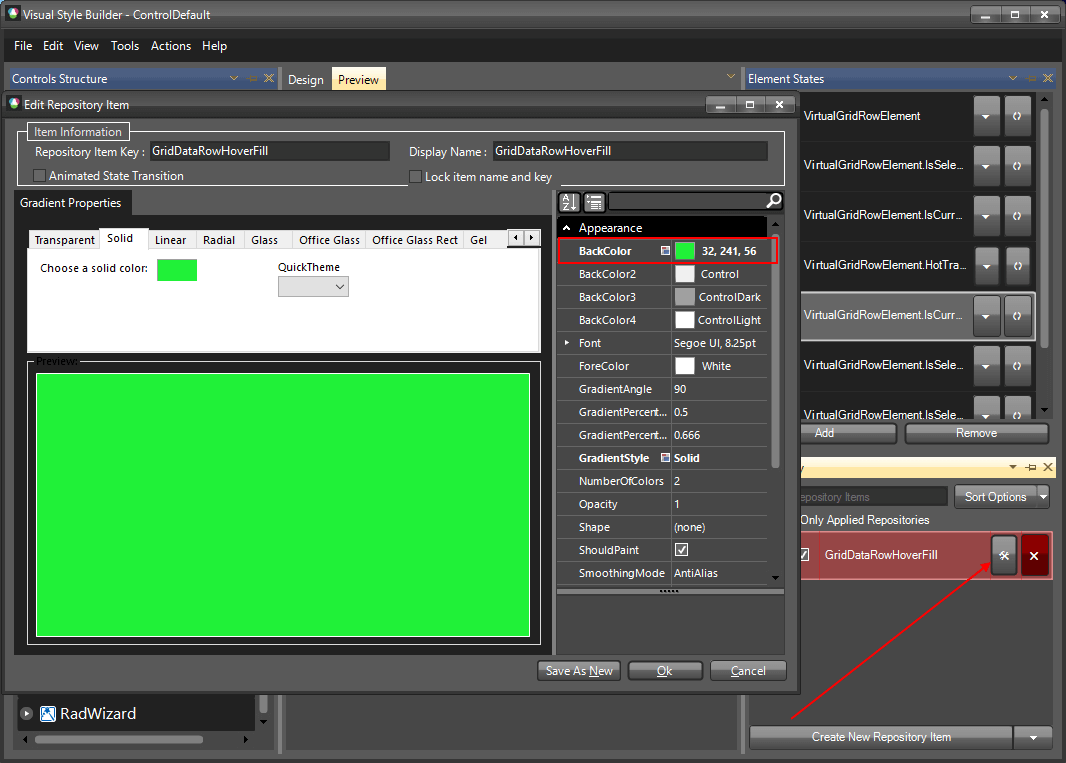
-
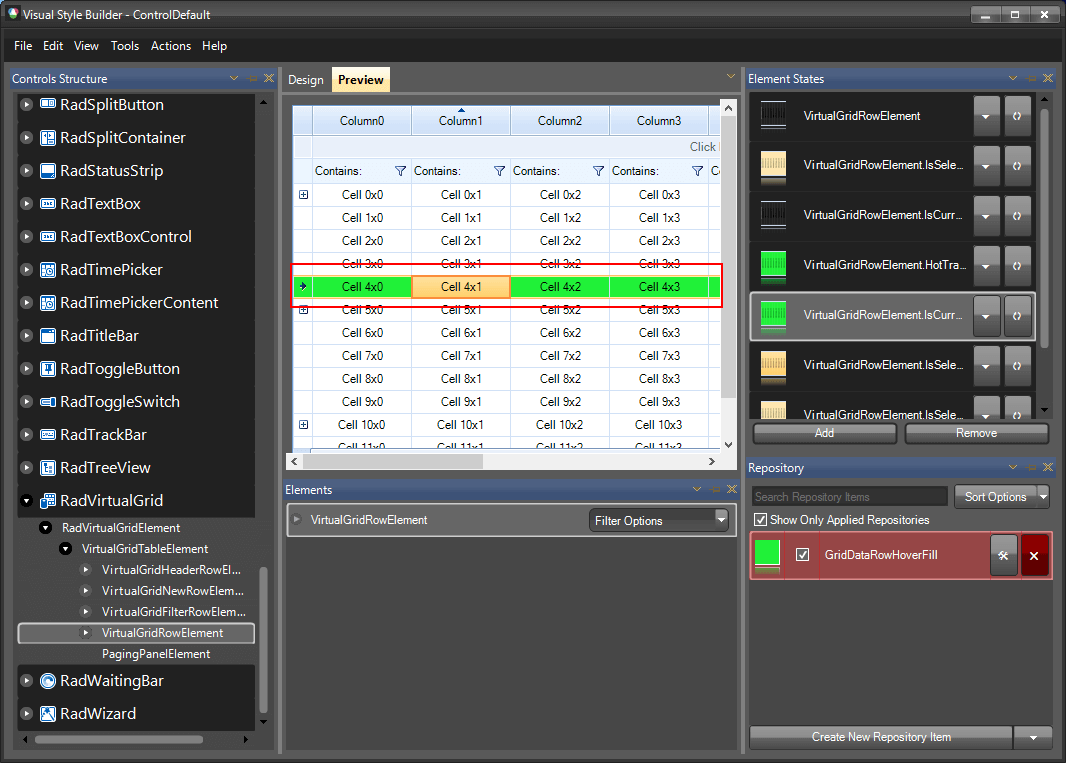
The following image shows the results.
-
Save the theme by selecting File >> Save As.
-
Now, you can apply your custom theme to RadVirtualGrid by using the approach demonstrated in the following link: Using custom themes