New to Telerik UI for WinForms? Start a free 30-day trial
Work Week View
Updated on Aug 27, 2026
Overview
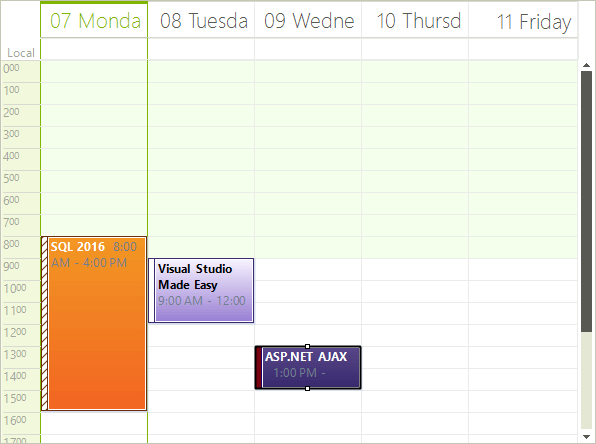
The Work Week View is a special case of the WeekView, where the ShowWeekend property is by default set to false.
Figure 1: Work Week View
Set the Work Week View
The Week View can be set it to be the default view which the user sees:
ActiveViewType Property
C#
this.radScheduler1.ActiveViewType = Telerik.WinControls.UI.SchedulerViewType.WorkWeek;Get Work Week View
To get the instance to the SchedulerWeekView from the RadScheduler object,either:
- use the GetWeekView method:
GetWeekView Method
C#
SchedulerWeekView weekView = this.radScheduler1.GetWeekView();This method returns null if the active view of the scheduler is not SchedulerWeekView.
- use the the RadScheduler ActiveView property:
ActiveView Property
C#
if (this.radScheduler1.ActiveViewType == SchedulerViewType.WorkWeek)
{
    SchedulerWeekView activeWeekView = (SchedulerWeekView)this.radScheduler1.ActiveView;
}