New to Telerik UI for WinForms? Start a free 30-day trial
Item Display Modes
Updated on Aug 27, 2026
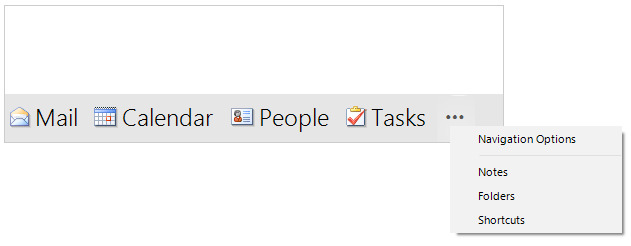
RadOfficeNavigationBar offers item display modes that indicate whether the items are visualized by image only or full text. This is controlled by the UseCompactFont and the ItemsDisplayStyle properties.
Compact
C#
this.radOfficeNavigationBar1.UseCompactFont = true;
this.radOfficeNavigationBar1.ItemsDisplayStyle = DisplayStyle.Image;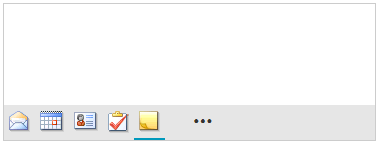
Full
C#
this.radOfficeNavigationBar1.UseCompactFont = false;
this.radOfficeNavigationBar1.ItemsDisplayStyle = DisplayStyle.ImageAndText;