New to Telerik UI for WinForms? Start a free 30-day trial
Context Menu
Updated on Aug 27, 2026
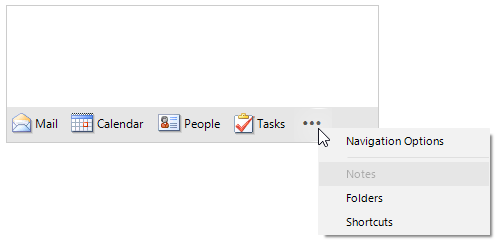
The OverflowItem ("...") shows a RadContextMenuDropDown with the overflown items and the NavigationOptionsMenuItem
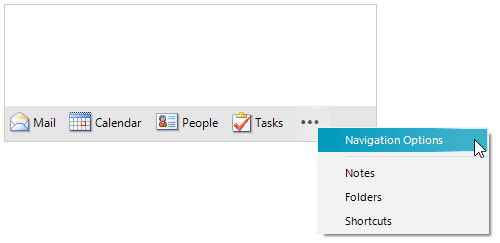
When the user clicks the RadOfficeNavigationBarOverflowItem ("...") to open the menu, the items in the RadContextMenuDropDown are always rebuilt.
RadOfficeNavigationBar offers the ContextMenuDropDown property giving direct access to the RadContextMenuDropDown with items. The ContextMenuDropDown's DropDownOpening, DropDownOpened, DropDownClosing and DropDownClosed events are suitable for handling all aspects of opening and closing the menu drop down. Once the menu is opened, the ContextMenuDropDown.Items collection is populated with the correct items and they can be further customized according to the specific requirements.
Disable Notes item in the ContextMenuDropDown.DropDownOpened Event
C#
private void ContextMenuDropDown_DropDownOpened(object sender, EventArgs e)
{
    foreach (RadItem item in this.radOfficeNavigationBar1.ContextMenuDropDown.Items)
    {
        if (item.Text.Contains("Notes"))
        {
            item.Enabled = false;
        }
        else
        {
            item.Enabled = true;
        }
    }
}