Quick Navigator
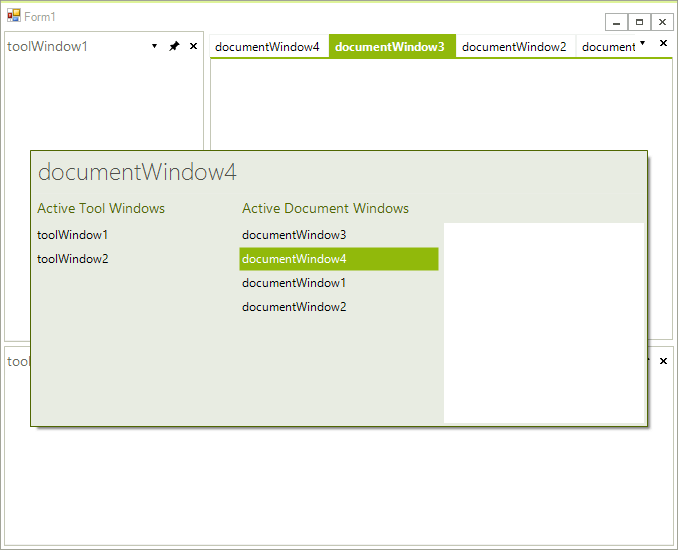
Use the RadDock built-in pop-up QuickNavigator to set the focus to any DockWindow or ToolWindow. Press Ctrl-Tab to open the navigation selector. Leave the Ctrl button depressed and press the Tab button to scroll through the names of the open DockWindows. If your current active DockWindow is DocumentWindow, pressing the Tab will scroll only through DocumentWindows; if the current active DockWindow is ToolWindow, pressing the Tab will scroll only through ToolWindows. You can jump from DocumentWindows to ToolWindows and vise versa by using the mouse or by using the arrow keys.
Preserve Document Tab Order
By default, Quick Navigator moves the selected document to the top of the activation order when you activate it. This behavior matches the default Ctrl+Tab navigation behavior in Visual Studio.
Set the QuickNavigatorSettings.MoveSelectedItemOnTop property to false to activate a document without changing its position in the document tab order. Quick Navigator activates the selected document and preserves the existing document tab order.
The default value of the
MoveSelectedItemOnTopistrue.
Example 1: Stop Preserving the Document Tab Order
this.radDock1.QuickNavigatorSettings.MoveSelectedItemOnTop = false;