New to Telerik UI for WinForms? Start a free 30-day trial
Background Grid
Updated on May 7, 2026
You can control the background settings of the diagramming surface through the following properties:
- IsBackgroundSurfaceVisible: a boolean property that determines whether the background surface of the RadDiagram should be displayed. Its default value is true.
Set IsBackgroundSurfaceVisible
C#
this.radDiagram1.DiagramElement.IsBackgroundSurfaceVisible = true;
| IsBackgroundSurfaceVisible = true | IsBackgroundSurfaceVisible = false |
|---|---|
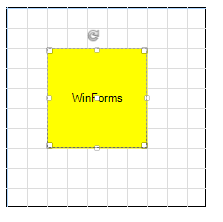 | 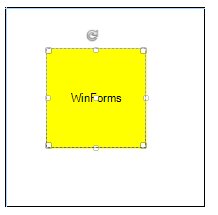 |
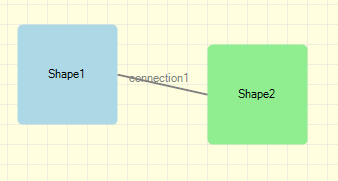
- Background: this property is of type Brush and it controls the fill of the RadDiagram background.
Set Background
C#
this.radDiagram1.DiagramElement.BackgroundGrid.Background = new System.Drawing.SolidBrush(Color.LightYellow);
Figure 1: Background
You can access the BackgroundGrid properties:
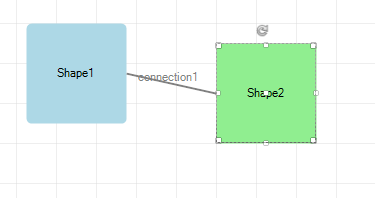
- CellSize: this property is of type Telerik.Windows.Diagrams.Core.Size and it controls the size of the cells in the RadDiagram surface. The default value of this property is a size of *20x20 * units.
Figure 2: CellSize
Set CellSize
C#
this.radDiagram1.DiagramElement.BackgroundGrid.CellSize = new Telerik.Windows.Diagrams.Core.Size(40, 40);
- LineStroke: this property is of type Brush and it specifies how the cells outline is painted.
Figure 3: LineStroke
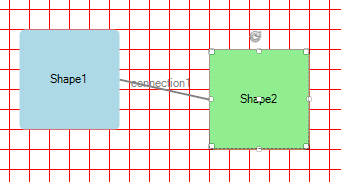
Set LineStroke
C#
this.radDiagram1.DiagramElement.BackgroundGrid.LineStroke = new System.Drawing.SolidBrush(Color.Red);
- LineStrokeThickness: this property is of type double and it gets or sets the thickness of the RadDiagram background grid lines.
Figure 4: LineStrokeThickness
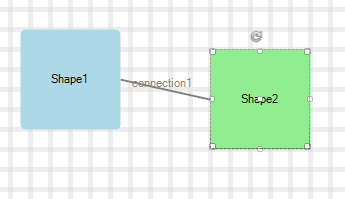
Set LineStrokeThickness
C#
this.radDiagram1.DiagramElement.BackgroundGrid.LineStrokeThickness = 5;