New to Telerik UI for WinForms? Start a free 30-day trial
Suggested Actions
Updated on Aug 27, 2026
RadChat offers different suggested actions to present the user a selection of action choices. Once an action is selected, the SuggestedActionClicked event is fired. Then, you can choose how to proceed further, e.g. adding a message with the user's choice. The SuggestedActionEventArgs gives you access to the SuggestedActionDataItem.
Figure 1: Suggested Actions
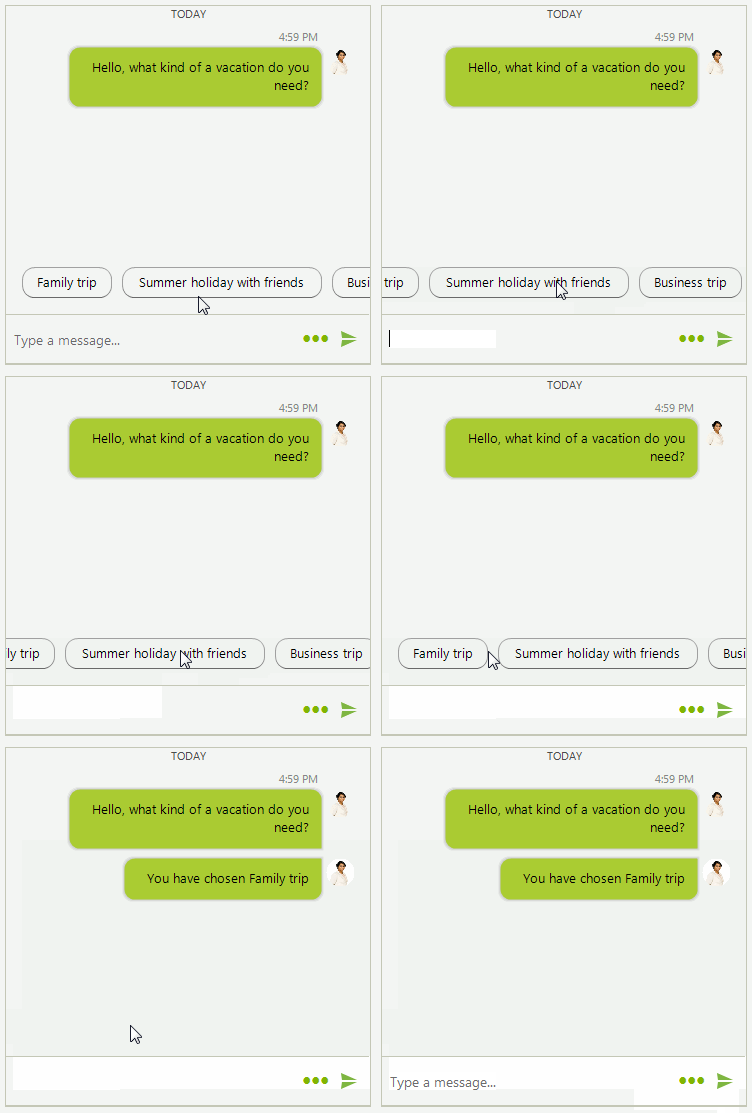
SuggestedActionDataItem is single action unit that can be added to a ChatSuggestedActionsMessage. Since R3 2019 you can use the ShowScrollBar property in order to show the horizontal scrollbar.
Adding a SuggestedActionDataItem
C#
private void AddSuggstedActions()
{
    this.radChat1.AddMessage(new ChatTextMessage("Hello, what kind of a vacation do you need?", this.radChat1.Author, DateTime.Now));

    List<SuggestedActionDataItem> actions = new List<SuggestedActionDataItem>();

    actions.Add(new SuggestedActionDataItem("Family trip"));
    actions.Add(new SuggestedActionDataItem("Summer holiday with friends"));
    actions.Add(new SuggestedActionDataItem("Business trip"));

    Author author = new Author(Properties.Resources.andrew1, "Andrew");
    ChatSuggestedActionsMessage suggestionActionsMessage = new ChatSuggestedActionsMessage(actions, author, DateTime.Now);
    this.radChat1.AddMessage(suggestionActionsMessage);
    this.radChat1.SuggestedActionClicked += radChat1_SuggestedActionClicked;
}

private void radChat1_SuggestedActionClicked(object sender, SuggestedActionEventArgs e)
{
    this.radChat1.AddMessage(new ChatTextMessage("You have chosen " + e.Action.Text, this.radChat1.Author, DateTime.Now));
}