New to Telerik UI for WinForms? Start a free 30-day trial
Structure
Updated on Aug 27, 2026
This article describes the inner structure and organization of the elements which build RadCalculator.
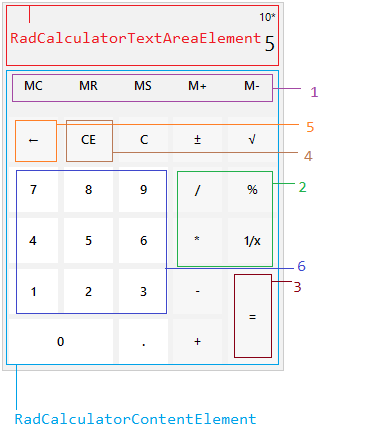
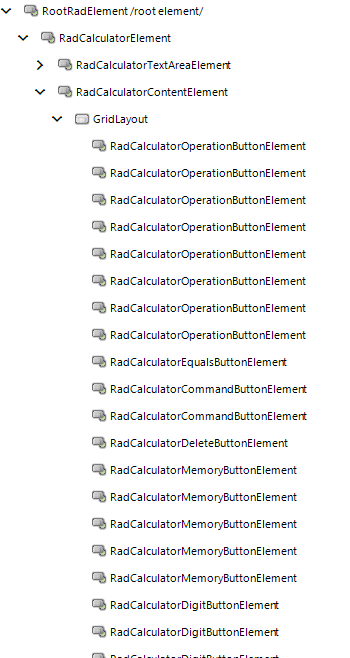
- RadCalculatorElement
- RadCalculatorTextAreaElement - represents the area at the top of the control that displays the calculated value.
- RadCalculatorContentElement - represents a content element that contains all the calculator buttons.
-
GridLayout - represents a container element that holds the buttons
1. RadCalculatorMemoryButtonElement
2. RadCalculatorOperationButtonElement
3. RadCalculatorEqualsButtonElement
4. RadCalculatorCommandButtonElement
5. RadCalculatorDeleteButtonElement
6. RadCalculatorDigitButtonElement
-
Elements Hierarchy