Export to Image
RadBarcodeView supports export to image functionality.
You can export the RadBarcodeView content by using one of the following overloads of the ExportToImage method:
-
Image ExportToImage(): Exports the barcode with the current dimensions of the control.
-
Image ExportToImage(int width, int height): Layouts the barcode using the provided dimensions and exports it to an image.
-
void ExportToImage(Stream stream, Size size): Layouts the barcode using the provided size and exports it to the specified stream.
-
void ExportToImage(string filePath, Size size): Layouts the barcode using the provided size and exports it to the specified file location.
-
void ExportToImage(Stream stream, Size size, ImageFormat imageFormat): Layouts the barcode using the provided size and exports it to the specified stream in the specified image format.
-
void ExportToImage(string filePath, Size size, ImageFormat imageFormat): Layouts the barcode using the provided size and exports it to the specified file location in the specified image format.
Export to Image
using (SaveFileDialog saveFileDialog = new SaveFileDialog())
{
    saveFileDialog.Filter = "Png (*.png)|*.png";
    saveFileDialog.FileName = "QRCode";
    if (saveFileDialog.ShowDialog() == DialogResult.OK)
    {
        Image img = radBarcodeView1.ExportToImage();
        img.Save(saveFileDialog.FileName, System.Drawing.Imaging.ImageFormat.Png);
    }
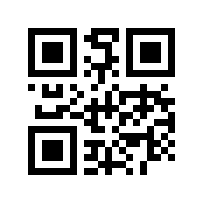
}Figure 1: Exported Barcode
If you need to export the barcode data to a document, you can use a RadDocument and insert the exported image into it. Afterwards, you can use the RadRichTextEditor 's export functionality.