Report Book Parameters Overview
Often, one or more reports that are part of a report book will contain report parameters. The report book is shown as a single document in the report viewer, and the parameters area represents the visible report parameters defined in all child reports.
The described behavior is valid when you pass the Report Parameter values in the ReportSource wrapping the entire ReportBook, and when you pass them separately, with each report's ReportSource added to the ReportBook's ReportSources collection.
Telerik Reporting provides a mechanism known as parameter merging. If the Name and Type of two (or more) parameters from different reports are the same, then they are considered equivalent and are displayed as a single parameter in the viewer's Parameters Area.
When one or more parameters are merged, the UI settings of the first one are used for the generated input control in the parameters area.
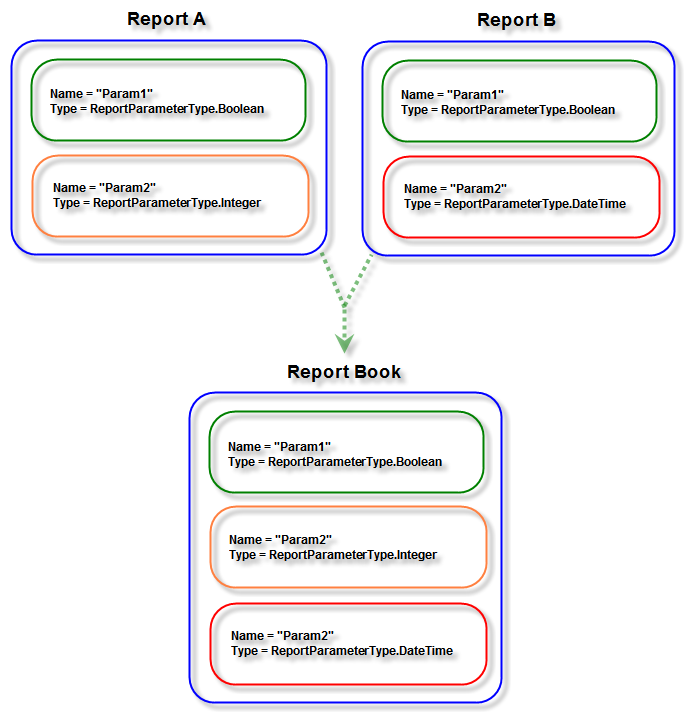
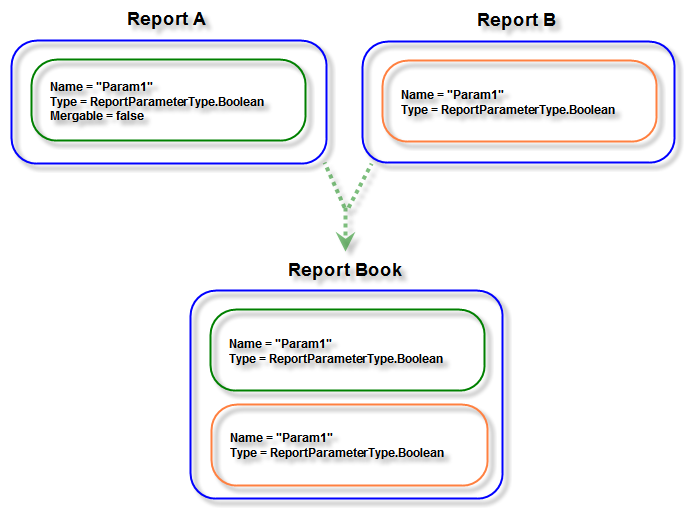
You can control parameter merging via the Mergeable boolean property of the ReportParameter class. The default value of the Mergeable property is true. Set the Mergeable property to false if you want to prevent a parameter from being merged with its equivalent ones.
How to set a value for a report parameter in ReportBook
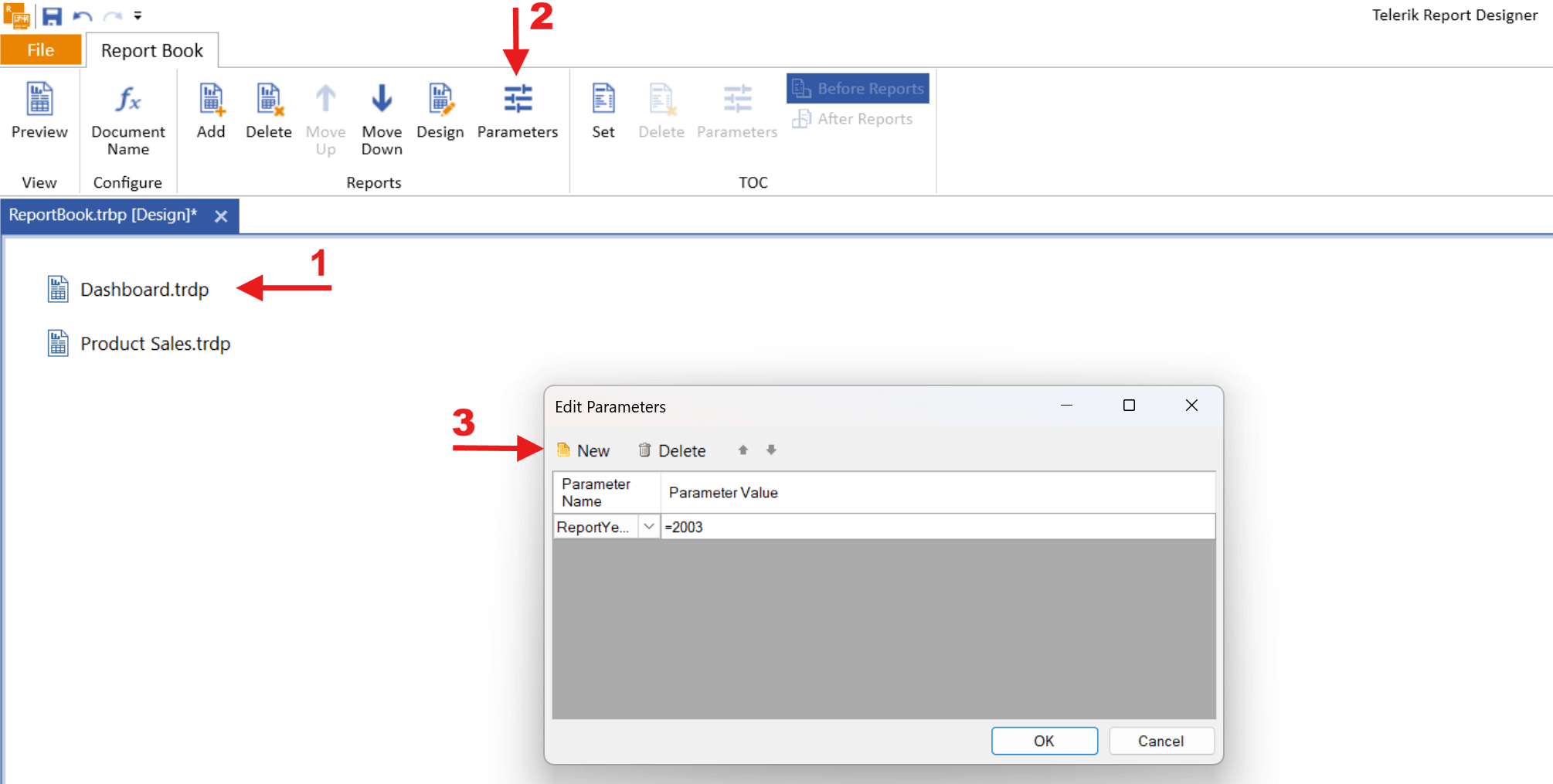
In the sample pictures below, you will see in a few steps how to set a value for a report parameter in ReportBook using Standalone Designer. For this example, the Dashboard.trdp and Product Sales.trpd reports are used, which can be found in the installation folder - C:\Program Files (x86)\Progress\Telerik Reporting 2026 Q3\Report Designer\Examples.
In Standalone Designer
-
Open the Report Book
-
Click on the Dashboard.trdp
-
From the Toolbar, click on the Parameters
-
The Edit Parameter window will open, then select New
Web Report Designer
-
Open the ReportBook (Combined Report).
-
In Report Sources, click on the
uriReportSources1. -
Next to Parameters, you will see a plus sign(+). Click on it.
-
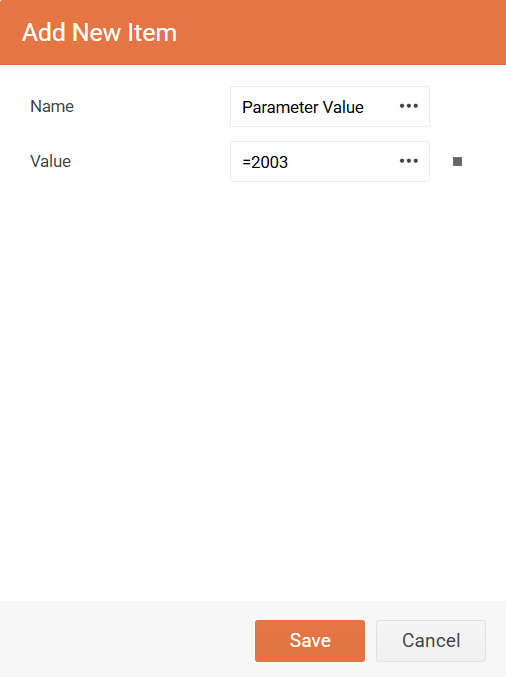
In the
Add New Itemwindow, you will be able to set the name and value of the parameter.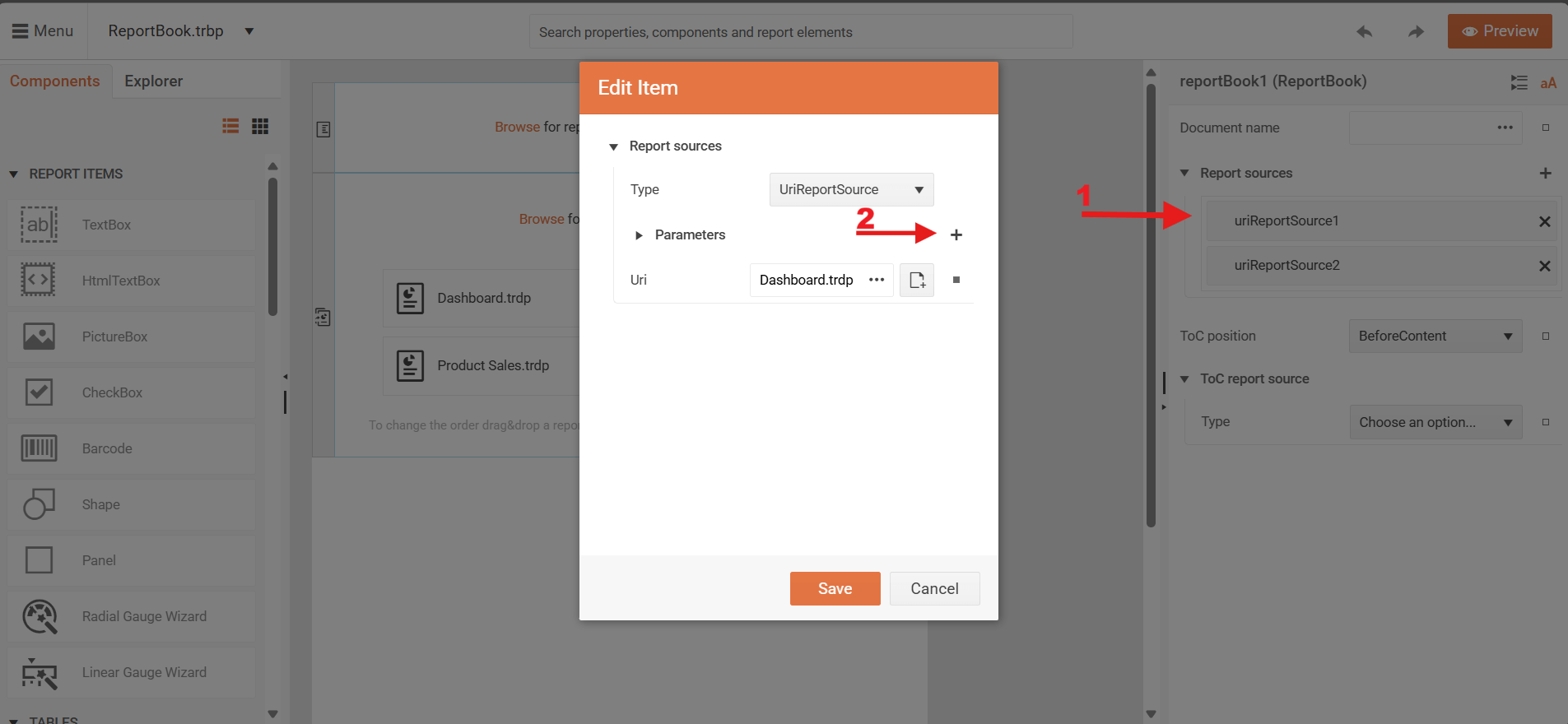
Passing Values for Report Parameters in a Reportbook through ReportSource Programmatically
-
When report parameters have unique names or the target parameters are merged: If a parameter is distinguishable by its Name property or the Name denotes several merged parameters, refer to the parameter directly by the value of its Name property.
C#var typeReportSource = new Telerik.Reporting.TypeReportSource(); typeReportSource.TypeName = typeof(MyReportBook).AssemblyQualifiedName; // Passing a value for unique or repeating report parameter that should have one and the same value // for all reports part of the report book thru the report source typeReportSource.Parameters.Add(new Telerik.Reporting.Parameter("ProductCategory", "Bikes")); -
When report parameters have repeating names but they are not merged: In this case, you need to refer to the individual occurrence of the parameter in a particular report. This is done by denoting the target report by its zero-based index inside the report book.
C#var typeReportSource = new Telerik.Reporting.TypeReportSource(); typeReportSource.TypeName = typeof(MyReportBook).AssemblyQualifiedName; // Passing a value for not mergeable report parameter targeting the FIRST report in the report book // thru the report source typeReportSource.Parameters.Add(new Telerik.Reporting.Parameter("reports(0).ClientID", 102)); // Passing a value for not mergeable report parameter targeting the SECOND report in the report book // thru the report source typeReportSource.Parameters.Add(new Telerik.Reporting.Parameter("reports(1).ClientID", 103));
If you do not use the specified syntax and you refer to the report parameter directly by the
Nameproperty's value, the value will be set only for the first occurrence of the report parameter in the report book.