RadUpload RTL Support
RadUpload has been replaced by RadAsyncUpload, Telerik’s next-generation ASP.NET upload component. If you are considering Telerik’s Upload control for new development, check out the documentation of RadAsyncUpload or the control’s product page. If you are already using RadUpload in your projects, you may be interested in reading how easy the transition to RadAsyncUpload is and how you can benefit from it in this article. The official support for RadUpload has been discontinued in June 2013 (Q2’13), although it is still be available in the suite. We deeply believe that RadAsyncUpload can better serve your upload needs and we kindly ask you to transition to it to make sure you take advantage of its support and the new features we constantly add to it.
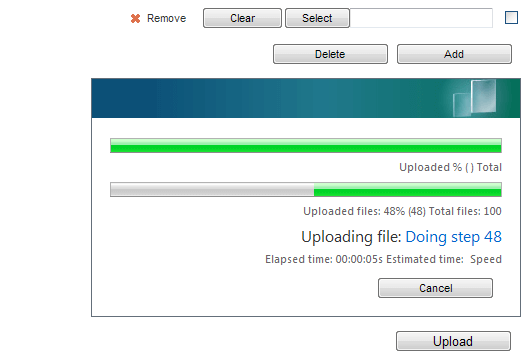
RadUpload and RadProgressArea include support for right-to-left locales using the direction attribute. If you set dir="rtl" on the RadUpload and/or RadProgressArea objects or to any parent HTML element, the controls reverse elements order and align themselves to the right side of its container:
<telerik:RadUpload ID="RadUpload1"
    runat="server"
    dir="rtl"
    Skin="Vista"
    ControlObjectsVisibility="all">
</telerik:RadUpload><br />
<telerik:RadProgressArea RenderMode="Lightweight" ID="RadProgressArea1"
    runat="server"
    Skin="Vista"
    dir="rtl"
    DisplayCancelButton="true">
</telerik:RadProgressArea>
This produces the following result: