Filtering UI
The .NET MAUI DataGrid provides you with a built-in filtering functionality, which allows the user to filter the data by one or more columns by clicking on the filtering icon next to the header text.
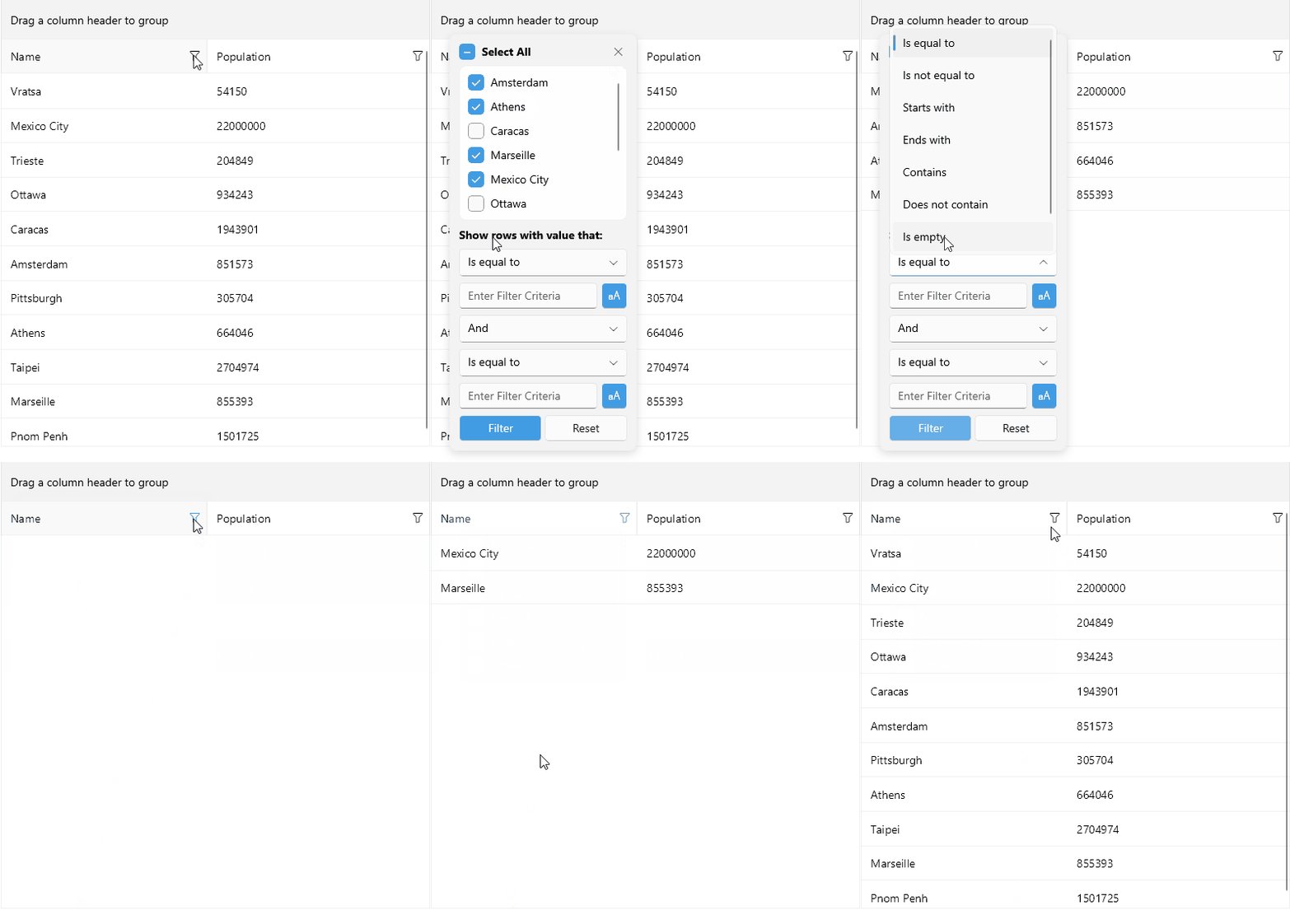
The Filtering UI appears when clicking the filtering icon in each column's header.
You can control whether the Filtering UI is available to the end users for the whole DataGrid with the UserFilterMode property:
UserFilterMode(DataGridUserFilterMode)—Defines whether the filtering icon is present in the header of the currently available filterable columns. The available options areAuto,Enabled, andDisabled. The default value of theUserFilterModeisAuto.
The DataGrid columns expose the following properties related to the Filtering UI:
-
CanUserFilter(bool)—Indicates whether the user can filter this column by using the built-in Filtering UI. By default, the value isTrue. -
ShowDistinctValuesFilter(bool)—Defines whether the distinct values are included in the Filtering UI. By default, the value isTrue. -
FilterContentTemplate(DataTemplate)—Defines the content template of the DataGrid Columns Filter and overriding the default template.
Events related to DistinctValuesFilter:
DistinctValuesLoadingevent—Occurs when loading the distinct values that will be displayed in theTelerik.Maui.Controls.DataGrid.DataGridDistinctValuesFilterView. TheDistinctValuesLoadingevent handler receives two parameters:- The sender argument, which is of type object, but can be cast to the
RadDataGridtype. - A
DistinctValuesLoadingEventArgsobject, which provides the following properties:DistinctValues—Is a property which specifies a list of values of typeIEnumerablewhich are to be displayed in theDataGridDistinctValuesFilterView.Column—Is a readonly property of typeDataGridColumnwhich gets the column for which the distinct values are being loaded.
- The sender argument, which is of type object, but can be cast to the