
From Database to Blazor UI: How One Developer Built His Own AI-Assisted Workflow
Ben Boney uses Telerik MCP with GitHub Copilot to build the Blazor UI for a new supply chain SaaS application. Telerik MCP brings Telerik-specific context into an AI-assisted workflow that also uses other MCP servers across the database and business layers.
At a Glance
~4×
Productivity across Ben’s overall AI-assisted workflow
1 day → 2 hours
For some development tasks
Daily
Telerik MCP use
The productivity estimate reflects Ben’s complete AI-assisted workflow, including GitHub Copilot and multiple MCP servers. It is not attributed to Telerik MCP alone.
Building a New Supply Chain SaaS Application
When Ben Boney began a new greenfield project in early 2026, he set out to build a supply chain SaaS application from scratch.
The technical stack runs from Azure SQL at the backend through a .NET/C# business layer to a Blazor UI. Ben works primarily in VS Code with GitHub Copilot and AI became part of how he builds across that stack early in the project.
But he does not ask one AI tool to do everything.
“I kind of have my own little workflow now. I use MCP servers to generate the database schema and help with the business layer, and once I’m in the UI, I give Telerik MCP the context, my business layer, my business objects, and tell it I want a professional-looking, enterprise-grade UI.”
Ben Boney
Product Manager
Ben’s AI-Assisted Development Workflow
Database
Azure SQL
↓
MCP-assisted schema generation
Other MCP tooling
Business Layer
.NET / C#
↓
Business logic + objects
Other MCP tooling
Blazor UI
Telerik UI for Blazor
↓
GitHub Copilot + Telerik MCP
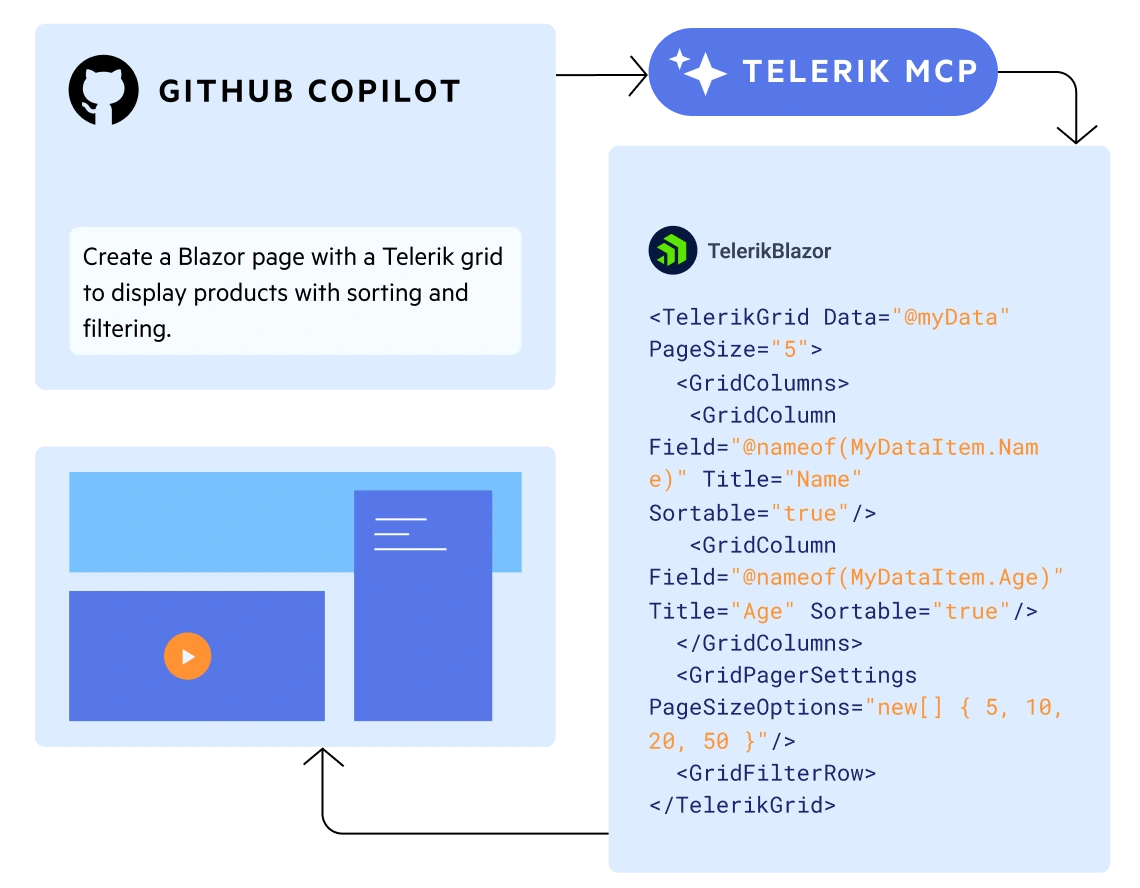
When Ben starts building the Blazor UI, Telerik MCP gives GitHub Copilot Telerik-specific context alongside the application context Ben provides.
KEY DECISION
Keep the AI Workflow. Add Telerik Context.
Ben did not switch AI assistants to start using Telerik. He kept working in VS Code with GitHub Copilot and added Telerik MCP to the workflow he already used.
Telerik MCP gives GitHub Copilot Telerik-specific context for the UI work, while Ben provides the application context it needs to work with his business layer and business objects.
For Ben, that becomes useful when he starts building the Blazor UI. He can give Copilot his business layer and business objects, describe the page he needs and ask it to build with Telerik UI for Blazor.
GitHub Copilot
Telerik MCP
Application Context
Blazor UI built with Telerik components
The assistant stays the same. Telerik MCP gives it the product-specific context it needs to work more accurately with Telerik UI for Blazor.
Page by Page, Not Application by Application
Better context from Telerik MCP is only half of Ben's approach. The other half is keeping the task focused.
“I’m trying to keep it to a single component. I’m not asking it to develop a whole new application for me, but just component by component, page by page, really. Using Telerik components, it does a great job creating a great-looking UI.”
Ben Boney
Product Manager
Rather than asking AI to generate an entire application, Ben works on one page or component at a time, using the business objects and application context he already has.
Build the Foundation
Database schema + business layer
Other MCP tooling
Build the Blazor UI
Business objects → page/component
Telerik MCP + Telerik UI for Blazor
Make It His Own
Company logo → color palette → CSS
Telerik Blazor components
“I even used it initially to set a custom color palette for the Blazor components based on our logo, and it did a fantastic job putting that together in CSS.”
Less Correction. Less Iteration.
Earlier in the project, generated code would sometimes reference Telerik component properties that didn’t exist. Ben would catch the problem and ask the model to correct it.
That happens much less often now.
WHAT CHANGED IN TELERIK MCP
Telerik added component API validation to help prevent generated code from referencing properties that don't exist.
“Most of the time, I don’t have to do much iteration with it.”
Ben Boney
Product Manager
Ben noticed the improvement during the same period. We can’t attribute it solely to this change.
The Outcome: AI That Has Become Part of Everyday Development
Ben tracks what AI is doing for his productivity rather than relying on the broader claims around it.
“There’s a lot of hype around AI, but I’ve tracked it pretty well for myself, and I’m at least four times more productive than I was before using GitHub Copilot and VS Code. Something that used to take me a day now takes me two hours.”
Ben Boney
Product Manager
That estimate reflects Ben's complete AI-assisted development workflow, including GitHub Copilot and multiple MCP servers. It is not a Telerik MCP result.
Telerik MCP plays a specific role inside that broader workflow: giving Copilot Telerik-specific context when Ben is building the Blazor UI.
What Telerik’s Own Testing Shows
Ben’s experience is one real-world example. Telerik’s Blazor MCP benchmark provides a separate view of how the tooling performs under test conditions.
Telerik Blazor MCP Benchmark
30%
Fewer Tokens Consumed
vs. GitHub Copilot alone
~80%
Higher Runnability
~59%
Better UI Quality
~25%
Better Code Quality
Telerik Blazor MCP benchmark, August 2026. Results compare Telerik MCP with GitHub Copilot alone. These are Telerik benchmark results, not Ben Boney’s measured outcomes.
What’s Next
Ben is interested in where the workflow could go next. With data-rich UI throughout the application and a Data API Builder MCP server connected to its backend, he sees potential in exploring how AI-powered Telerik UI could help turn that data into experiences such as grids and charts.
For now, it is something he wants to explore, rather than something running in the application today.
“I tell people about the productivity gains, but if they’re not willing to learn or change a little bit, I don’t
know what will change their minds.”
Ben Boney
Product Manager
Add Telerik Context to Your AI Workflow.
Use Telerik MCP with your AI coding assistant to bring Telerik-specific context into your UI development workflow.