TypeDB: A Graph Database for Things

Summarize with AI:
Advanced data modeling is possible with TypeDB, a graph database that allows for inheriting and composing any datatype.
TypeDB is extremely unique. This database allows you to use full typing to descript data. You can inherit and compose any datatype just like you can a class in a programming language.
While once written in Java, it is now extremely fast and written in Rust. There is a Cloud Hosted Studio where you can easily get started to simplify complex relationship modeling.
TL;DR
TypeDB is superb. It has a small learning curve, mainly due to lack of good AI training, but is not as complex as other databases. It is not as feature-rich as some other databases, but it can run advanced data modeling no other database can do. If you need complex data modeling, this may be the best graph database you can get.
Getting Started with TypeDB Studio
First, sign up to TypeDB and create a new cluster.
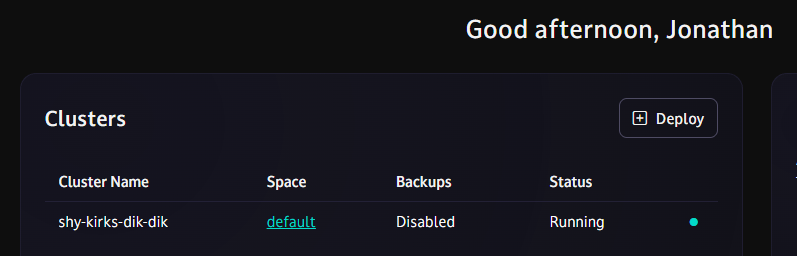
Cluster
You can get a free cluster, or you an pay for a full AWS or Google Cloud.
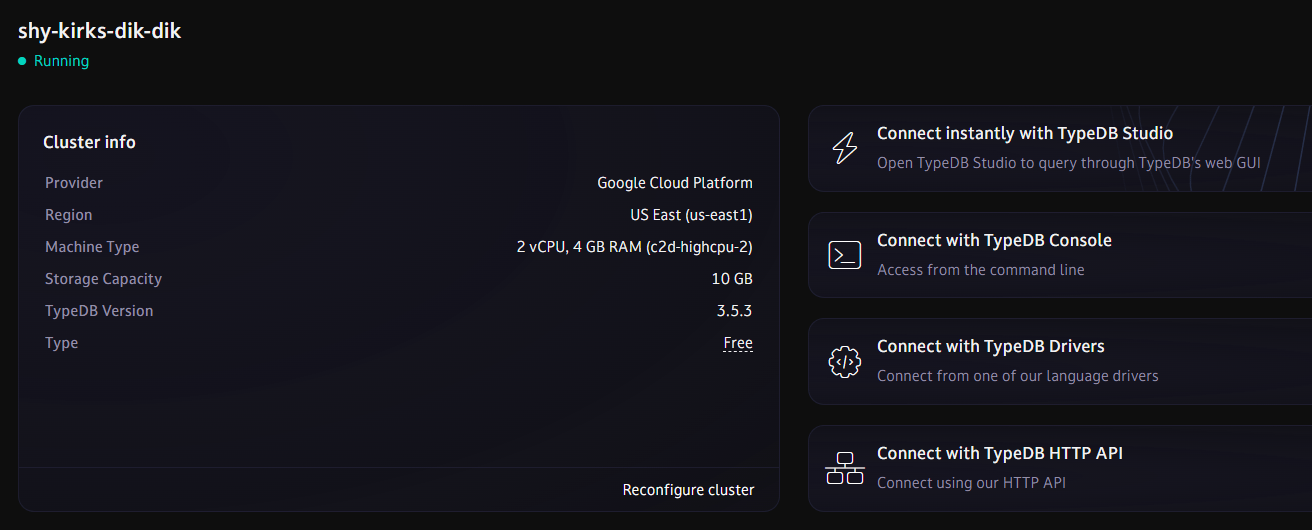
Once you have a cluster, connect to it in TypeDB Studio.
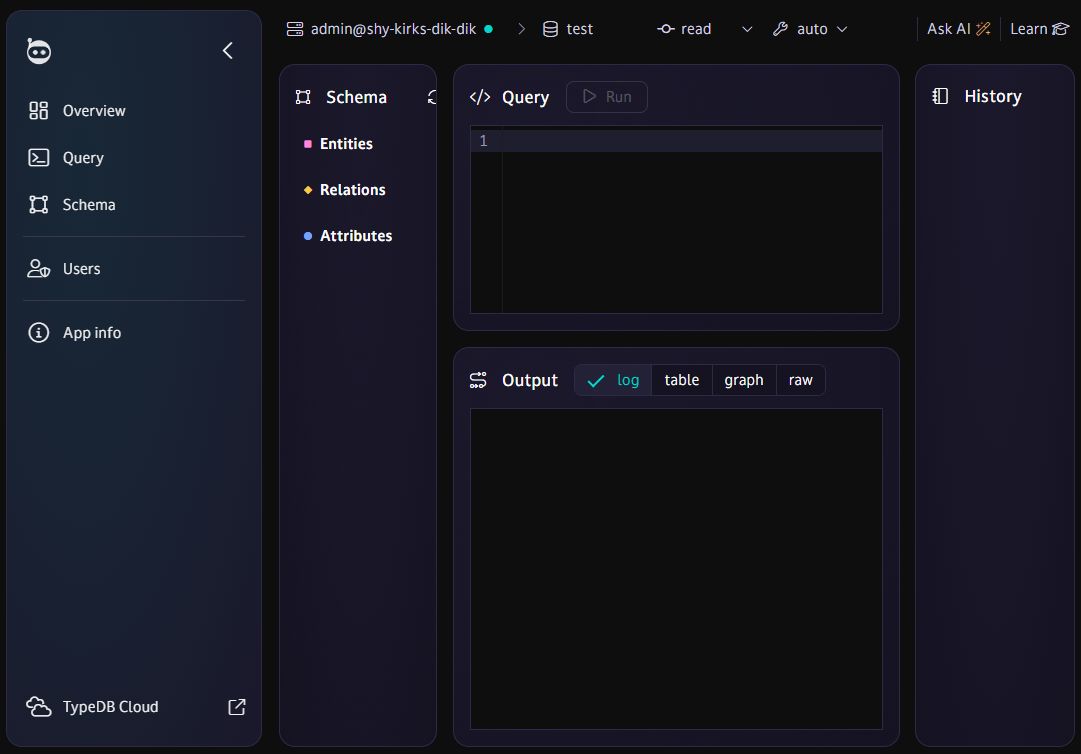
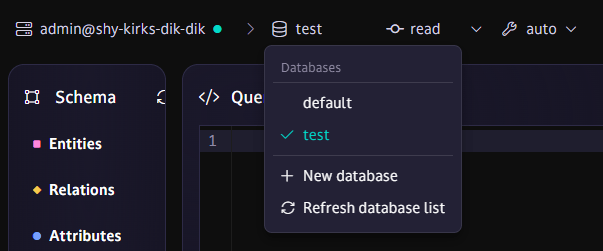
Database
TypeDB has a default database, but you can have several. Each database stands on its own and cannot communicate with other databases in your cluster. Think of it as a way to separate your data but only pay for one cluster. Under the hood, prefixes keep your databases unique.
Schema
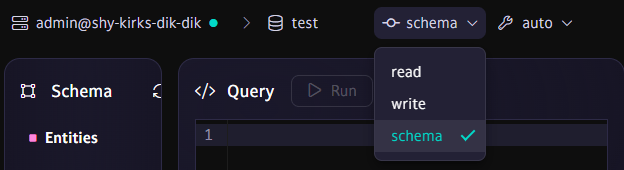
Before reading and writing any queries or mutations, you must create a schema for full type safety. TypeDB is, indeed, based on types. Select schema query and keep the mode to auto so you don’t have to manually commit queries.
TypeQL
The database itself uses a language called TypeQL to describe and query data.
Things
Every thing in TypeDB is known as a type. It conceptually uses the ER Model of:
- Entity
- Attribute
- Relations
⚠️ The type name can never be changed and is unique across all three types.
Define
We can create attributes, entities and relations all in one define statement, or we can run multiple queries.
define

# attributes
attribute username,
	value string;
attribute created-at,
	value datetime-tz;
attribute name,
	value string;
attribute complete,
	value boolean;

# relations
relation creation,
  relates created,
  relates created-by,
  owns created-at;

# entities
entity user
  owns username,
  owns created-at,
  plays creation:created-by;

entity todo
  owns name,
  owns complete,
  owns created-at,
  plays creation:created;
🎮 Run this query in schema.
Attribute
Attributes are equivalent to field names in other databases, but they can belong to any table (entity). Like all types, they are globally unique.
# example

define

attribute username,
  value string;
We define our attributes first and their type with value. Possible types can be:
- string
- boolean
- integer / long / double / decimal
- date / datetime / datetime-tz
- duration
- struct
📝 Notice the naming conventions use kebab-case instead of snake_case or camelCase.
📝 Every query can only have one “query clause” like undefine, define, match, etc. However, you can run multiple creations in one clause.
📝 For attributes, you must repeat the attribute keyword for each field.
Entity
In TypeDB, you create fields (attributes) first, then tables (entities).
# example

define

entity todo
  owns name,
  owns complete,
  owns created-at;
We are connecting our attributes to an entity called user and todo. We add the fields with the owns keyword.
📝 Notice the attribute created-at can be used in multiple entities.
Create a Relation
Think of a relation as a way to describe connections. In SQL or noSQL, we may have todos.created_by and users.todos. For graph databases, we need verbs.
# example

relation creation,
  relates created,
  relates created-by,
  owns created-at;

# entities
entity user
  owns username,
  owns created-at,
  plays creation:created-by;

entity todo
  owns name,
  owns complete,
  owns created-at,
  plays creation:created;
We have a relation called creation. Think of this a junction table with fields:
created– What is the creation? In this case atodo.created-by– Who created it? In this case auser.created-at– When was the link, not record, created?
We don’t need to define a type for relates, as that is a connection. The created-at attribute has already been defined. We must connect our entities to the relationship with plays. A todo is created-by someone, and someone has created many todos.
⚠️ You must link from the relationship first. In other databases you may model user.created, but in this database you must think a creation has created something, which is a todo. So from the todo perspective, you link created.
📝 We could have used user.todos instead of user.created, but then it would be limited to todos. Here we can use creation for any type.
Delete a Type
You can remove a type (entity, attribute, relation) just by using undefine. It doesn’t matter what type it is.
undefine

  # entities
  todo;
  user;

  # relations
  creation;

  # attributes
  complete;
  created-at;
  name;
  username;
⚠️ You can only remove an entity with no data.
🎮 Feel free to test this query in schema, just make sure to recreate the types again to test the following queries.
Update a Type
To add attributes to a relation or entity, simply run a new define statement. However, if you need to change an attribute, use redefine.
redefine
  attribute complete
  value boolean;
⚠️ You can only update an attribute with no data.
📝 Notice there is no comma after the attribute name like there is in declaration.
Insert a User
For changing data, we must switch from the query from schema to write.
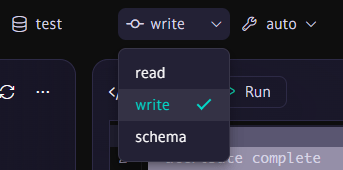
Let’s insert two users.
insert
  $u1 isa user,
    has username "alice",
    has created-at 2025-10-18T14:00:00Z;

insert
  $u2 isa user,
    has username "bob",
    has created-at 2025-10-18T14:05:00Z;
We must first create a variable for each record $u and define it as a user type with isa. Each record on insert will be bound to a variable.
Finished writes. Printing rows...
   ---------
    $u1 | isa user, iid 0x1e00030000000000000000
    $u2 | isa user, iid 0x1e00030000000000000001
   ---------
Finished. Total rows: 1
📝 You will need to manually insert a date, as TypeDB is intentionally procedural and does not currently have a now() or equivalent function.
📝 I’m actually not sure why it says 1 for total rows, although this could count the insert itself as one row?
📝 Notice the iid is created automatically for each entity.
Insert a User with a Todo
insert
  $u isa user,
    has username "alice",
    has created-at 2025-10-18T17:00:00Z;

  $t isa todo,
    has name "Learn TypeDB",
    has complete false,
    has created-at 2025-10-18T17:00:00Z;

  creation (
    created: $t,
    created-by: $u
  ),
  has created-at 2025-10-18T17:00:00Z;
We connect the user to the creation relationship with $t and $u.
📝 Notice creation has its own created-at date, separate from the entities.
Finished write query compilation and validation...
Finished writes. Printing rows...
   --------
    $t | isa todo, iid 0x1e00050000000000000000
    $u | isa user, iid 0x1e00040000000000000003
   --------
Finished. Total rows: 1
Insert a Todo for a User
Filtering and searching use the keyword match.
match
  $u isa user, has username "bob";

insert
  $t isa todo,
    has name "Buy groceries",
    has complete false,
    has created-at 2025-10-18T16:00:00Z;

  creation (
    created: $t,
    created-by: $u
  ),
  has created-at 2025-10-18T16:00:00Z;
We insert the do in the exact same way, we just have to find the user $u instead of creating one. Luckily, the query language seems to be consistent across keywords.
Finished write query compilation and validation...
Finished writes. Printing rows...
   --------
    $t | isa todo, iid 0x1e00050000000000000001
    $u | isa user, iid 0x1e00040000000000000002
   --------
Finished. Total rows: 1
Get All Users
For reads, remember to switch to read mode.
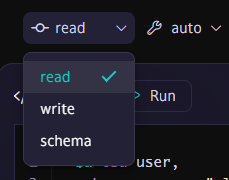
Let’s query all the users we just created. We search with match, the entity and the attribute names.
match
  $u isa user,
    has username $username,
    has created-at $created_at;
📝 Notice owns is used for defining an attribute in a schema, while has is used to refer to it.
Finished read query compilation and validation...
Printing rows...
   -----------------
    $created_at | isa created-at 2025-10-18T14:00:00.000000000+00:00
    $u          | isa user, iid 0x1e00040000000000000001
    $username   | isa username "alice"
   -----------------
    $created_at | isa created-at 2025-10-18T17:00:00.000000000+00:00
    $u          | isa user, iid 0x1e00040000000000000003
    $username   | isa username "alice"
   -----------------
    $created_at | isa created-at 2025-10-18T14:05:00.000000000+00:00
    $u          | isa user, iid 0x1e00040000000000000002
    $username   | isa username "bob"
   -----------------
Finished. Total rows: 3
📝 We can see the total on a search returns correctly.
Get a User By ID
Each type has an underlying ID, or iid, called instance ID. This is automatically generated under the hood.
match
  $u iid 0x1e00040000000000000002;
  $u isa user,
    has username $username,
    has created-at $created_at;
📝 An iid is not a type, so you need to declare its filter separately.
Printing rows...
   -----------------
    $created_at | isa created-at 2025-10-18T14:05:00.000000000+00:00
    $u          | isa user, iid 0x1e00040000000000000002
    $username   | isa username "bob"
   -----------------
Finished. Total rows: 1
Get a User Where ID IN X
You can use brackets for OR clauses.
match
  {
    $u iid 0x1e00040000000000000002;
  } or {
    $u iid 0x1e00040000000000000001;
  };
  $u isa user,
    has username $username,
    has created-at $created_at;
Get a User by Username
match
  $u isa user,
    has username 'bob',
    has created-at $created_at;
And we have liftoff!
Finished read query compilation and validation...
Printing rows...
   -----------------
    $created_at | isa created-at 2025-10-18T14:00:00.000000000+00:00
    $u          | isa user, iid 0x1e00040000000000000001
    $username   | isa username "alice"
   -----------------
    $created_at | isa created-at 2025-10-18T14:05:00.000000000+00:00
    $u          | isa user, iid 0x1e00040000000000000002
    $username   | isa username "bob"
   -----------------
Finished. Total rows: 2
Get User Where Username IN X
match
  {
    $u isa user,
      has username "bob",
      has created-at $created_at;
  }
or
  {
    $u isa user,
      has username "alice",
      has created-at $created_at;
  };
OR
match
  $u isa user,
    has username $username,
    has created-at $created_at;
  $username like "bob|alice";
For the same result:
Finished read query compilation and validation...
Printing rows...
   -----------------
    $created_at | isa created-at 2025-10-18T14:00:00.000000000+00:00
    $u          | isa user, iid 0x1e00040000000000000001
    $username   | isa username "alice"
   -----------------
    $created_at | isa created-at 2025-10-18T17:00:00.000000000+00:00
    $u          | isa user, iid 0x1e00040000000000000003
    $username   | isa username "alice"
   -----------------
    $created_at | isa created-at 2025-10-18T09:00:00.000000000+00:00
    $u          | isa user, iid 0x1e00040000000000000004
    $username   | isa username "alice"
   -----------------
    $created_at | isa created-at 2025-10-18T14:05:00.000000000+00:00
    $u          | isa user, iid 0x1e00040000000000000002
    $username   | isa username "bob"
   -----------------
Finished. Total rows: 4
Get All Todos
Same way you would think.
match
  $t isa todo,
    has name $todo_name,
    has complete $complete,
    has created-at $todo_created_at;
Your results may vary depending on what you added.
Finished read query compilation and validation...
Printing rows...
   ----------------------
    $complete        | isa complete false
    $t               | isa todo, iid 0x1e00050000000000000000
    $todo_created_at | isa created-at 2025-10-18T17:00:00.000000000+00:00
    $todo_name       | isa name "Learn TypeDB"
   ----------------------
    $complete        | isa complete false
    $t               | isa todo, iid 0x1e00050000000000000001
    $todo_created_at | isa created-at 2025-10-18T16:00:00.000000000+00:00
    $todo_name       | isa name "Buy groceries"
   ----------------------
    $complete        | isa complete false
    $t               | isa todo, iid 0x1e00050000000000000002
    $todo_created_at | isa created-at 2025-10-18T09:30:00.000000000+00:00
    $todo_name       | isa name "Finish TypeDB schema"
   ----------------------
    $complete        | isa complete false
    $t               | isa todo, iid 0x1e00050000000000000003
    $todo_created_at | isa created-at 2025-10-18T17:00:00.000000000+00:00
    $todo_name       | isa name "Learn TypeDB 2"
   ----------------------
Finished. Total rows: 4
Get Todos With Username
We usually want to display the creator of the todo. We use links to connect the dot.
match
  $u isa user,
    has username $username;
  $t isa todo,
    has name $todo_name,
    has complete $complete;
  $c isa creation,
    links ($u, $t);
We can also shorthand the query without links.
match
  $u isa user,
    has username $username;
  $t isa todo,
    has name $todo_name,
    has complete $complete;
  creation ($u, $t);
And both give the same result:
Finished read query compilation and validation...
Printing rows...
   ----------------
    $c         | isa creation, iid 0x1f00000000000000000001
    $complete  | isa complete false
    $t         | isa todo, iid 0x1e00050000000000000001
    $todo_name | isa name "Buy groceries"
    $u         | isa user, iid 0x1e00040000000000000002
    $username  | isa username "bob"
   ----------------
    $c         | isa creation, iid 0x1f00000000000000000002
    $complete  | isa complete false
    $t         | isa todo, iid 0x1e00050000000000000002
    $todo_name | isa name "Finish TypeDB schema"
    $u         | isa user, iid 0x1e00040000000000000004
    $username  | isa username "alice"
   ----------------
    $c         | isa creation, iid 0x1f00000000000000000003
    $complete  | isa complete false
    $t         | isa todo, iid 0x1e00050000000000000003
    $todo_name | isa name "Learn TypeDB 2"
    $u         | isa user, iid 0x1e00040000000000000005
    $username  | isa username "alice"
   ----------------
Finished. Total rows: 3
📝 This will filter todos that do NOT have a username linked.
Get Todos by a Username
Normally, we want to get todos by a certain person. In this case, we modify the previous query and simply replace $username with the username we want.
match
  $u isa user,
    has username 'bob';
  $t isa todo,
    has name $todo_name,
    has complete $complete;
  $c isa creation,
    links ($u, $t);
If we want to specifically print the username and have the filter:
match
  $u isa user,
    has username $username;
  $username == "bob";
  $t isa todo,
    has name $todo_name,
    has complete $complete;
  $c isa creation,
    links ($u, $t);
TypeQL does not support returning JSON style data, but you can get the todos.
Finished read query compilation and validation...
Printing rows...
   ----------------
    $c         | isa creation, iid 0x1f00000000000000000005
    $complete  | isa complete false
    $t         | isa todo, iid 0x1e00050000000000000000
    $todo_name | isa name "Learn TypeDB"
    $u         | isa user, iid 0x1e00040000000000000002
    $username  | isa username "bob"
   ----------------
    $c         | isa creation, iid 0x1f00000000000000000001
    $complete  | isa complete false
    $t         | isa todo, iid 0x1e00050000000000000001
    $todo_name | isa name "Buy groceries"
    $u         | isa user, iid 0x1e00040000000000000002
    $username  | isa username "bob"
   ----------------
Finished. Total rows: 2
Connect a Todo to a User
You can link entities as expected using match and insert on the relation.
match
  $u isa user,
    has username "bob";
  $t isa todo,
    has name "Learn TypeDB";
insert
  creation (created-by: $u, created: $t),
    has created-at 2024-01-01T00:00:00Z;
Which results:
Finished write query compilation and validation...
Finished writes. Printing rows...
   --------
    $t | isa todo, iid 0x1e00050000000000000000
    $u | isa user, iid 0x1e00040000000000000002
   --------
Finished. Total rows: 1
Delete a Record
Finally, we need to be able to delete a record.
match
  $u isa user,
    has username 'bob';
  delete $u;

# Delete All Users
match
  $u isa user;
  delete $u;
📝 It will be successful even if the record never existed. You can equally delete connections the same way.
Keys and Indexing
TypeDB has indexing automatically and does not allow you to manually index anything. You can index keys though with @key and @unique, with the difference being the @key adds required.
 entity user
  owns username @key,
  owns created-at,
  plays creation:created-by;
Complex Modeling
This just scratches the surface. TypeDB really shines when you use inheritance. You can:
define

  entity user @abstract,
    owns username @key;

  entity profile
    sub user,
    owns bio;

  attribute username
    value string;

  attribute bio
    value string;
The sub attribute allows you to use inheritance. A profile is of type user. You can use @abstract to make it just an instance and not able to be queried. This would be useful if your subtypes store the data.
Functions and Count
We can also create functions. This function counts the todos. Functions are declared in schema mode. You use the fun variable, enter a parameter (only entities) and select the return value.
define
  fun count_todos($u: user) -> integer:
    match
      $t isa todo;
      $c isa creation,
        links ($u, $t);
    return count($c);
And you can call it in read mode:
match
  $u isa user, has username "bob";
  let $count = count_todos($u);
  select $count;
📝 Notice select tells the match to only return the $count variable.
Finished read query compilation and validation...
Printing rows...
   ------------
    $count | 2
   ------------
Finished. Total rows: 1
Final Thoughts
I really like TypeDB. It is extremely unique and expressive. It can save you space by allowing you to share patterns with inheritance and attributes that can be used anyway.
Is It Meant to Be a Primary Database?
I don’t see it, but that is OK. I suspect they avoided basic math features, RLS and date functions because the database is not meant to be a primary database, but a specialized database used to easily model complex data concepts. Then again, it is in its infancy.
Difficulty
I found the database to have a much higher learning curve than SurrealDb or EdgeDB (check out these blog posts to see for yourself), but that is mainly due to the lack of good documentation. I learn everything through AI these days, and most AI seemed to be trained on TypeDB 2, which had a lot of breaking changes before TypeDB 3 was released. The Ask AI feature in the studio was much better, but still created mostly unusable queries.
If you want to model your data with inheritance and classes, and run complex graph queries, TypeDB is the way to go. It is definitely worth checking out depending on your use case.

Jonathan Gamble
Jonathan Gamble has been an avid web programmer for more than 20 years. He has been building web applications as a hobby since he was 16 years old, and he received a post-bachelor’s in Computer Science from Oregon State. His real passions are language learning and playing rock piano, but he never gets away from coding. Read more from him at https://code.build/.
Related Posts
Comments
All articles
Topics
Web MobileMobile
Desktop
Design
Productivity
People